How to Replace Kwikset Halo Batteries
Replace Kwikset Halo batteries by opening the interior cover, removing the battery holder, installing fresh batteries in the correct direction, and returning the holder securely. Test the lock before closing the door.
On this page (9 sections)
- What do you need for a Kwikset Halo battery replacement?
- How do you remove the Kwikset Halo battery cover?
- How do you remove the Kwikset Halo battery holder?
- How do you install fresh Kwikset Halo batteries?
- How do you return the battery holder to the lock?
- How do you test the lock after replacing batteries?
- Can a Kwikset Halo run after a partial battery change?
- Can a hardwired transformer help a Kwikset Halo?
- What should you do after a Kwikset Halo battery replacement?
To replace Kwikset Halo batteries, open the inside cover, remove the battery holder, fit fresh batteries in the marked direction, and seat the holder firmly before testing the lock. Keep the door open during the test so you don't lock yourself out.
The battery compartment is on the interior side of the lock. Work slowly around the cover and holder because the lock needs both parts seated correctly before it can operate normally.
What do you need for a Kwikset Halo battery replacement?
You need the correct fresh batteries, a clear work area, and access to the interior side of the lock. Read your exact Halo model instructions first because battery type and holder details can vary.
Keep the door open while replacing the batteries. Have your phone nearby if you use the Kwikset app, and keep an approved physical key or other entry method available.
Do not mix old and new batteries. Avoid mixing battery types, and replace the full set together unless the model instructions say otherwise.
For general battery care, see our guide to smart lock battery replacement. If you are choosing batteries rather than replacing them today, compare our guide to the best batteries for smart locks.
How do you remove the Kwikset Halo battery cover?
Open the interior battery cover according to the cover's release design, then expose the battery holder without pulling hard. The cover is separate from the holder, so keep track of both pieces as you work.
Some Halo locks use a cover that lifts or slides away after you release its retaining point. Use the movement shown in your model instructions instead of twisting the cover sideways.
What if the Kwikset Halo battery cover is stuck?
A stuck cover usually needs careful alignment, not extra force. Check for a retaining screw, tab, or edge that has not fully released, then try the approved direction again.
Don't insert a knife or screwdriver into the cover seam. A sharp tool can damage the plastic, finish, or nearby wiring.
If the cover is cracked or its tabs no longer hold, use our guide to Kwikset Halo battery cover replacement before changing the batteries. A replacement cover may solve a fit problem that fresh batteries cannot.
How do you remove the Kwikset Halo battery holder?
Hold the battery holder by its body and pull it straight out in the direction shown by the lock instructions. Avoid tugging on wires, contacts, or individual batteries.
The holder keeps the batteries in a fixed arrangement. Note the orientation marks before removal, and take a quick photo if that helps you remember how the holder sits.
Place the holder on a dry surface. Keep loose metal objects away from the battery contacts, and don't let the batteries touch coins, keys, or other conductive items.
If the holder does not move, check whether a latch or retaining feature must be released first. Stop if the holder bends or catches, then consult the instructions for your exact Halo model.
How do you install fresh Kwikset Halo batteries?
Match every positive and negative end to the markings inside the holder, then press each battery into place without forcing it. The batteries should sit evenly and remain held by the contacts.
Install the complete replacement set at one time. A battery that feels loose, bulges, leaks, or shows damage should not be used.
After installing the batteries, inspect the contacts. They should touch the battery ends cleanly, with no paper, dirt, or packaging material between them.
The August Home Connect Wi-Fi Bridge is a white August Home accessory measuring 1.5 x 2.4 x 2.4 in. It connects an August Smart Lock to Wi-Fi and uses a North American outlet with 110–240 volt power.
It supports Bluetooth and Wi-Fi connectivity, works with iOS 9.0 or higher and Android 5.0 or higher smartphones, and can connect with Amazon Alexa, Google Assistant, or Siri. Choose it for an August setup that needs remote lock control, alerts, or voice control.
It isn't a Kwikset Halo battery part. Its role is remote access for an August Smart Lock, so it belongs in a broader smart-lock setup discussion rather than inside the battery holder.
How do you return the battery holder to the lock?
Slide or press the loaded holder back into the interior lock until it sits fully in place. Follow the same direction used during removal, and make sure no battery edge or wire is caught outside the holder.
Do not close the cover while the holder is partly out. A cover that sits high, rocks, or needs pressure usually means the holder is not seated correctly.
Once the holder is secure, reinstall the interior cover using its normal direction. Confirm that the cover closes without bending, scraping, or leaving a wide gap.
How do you test the lock after replacing batteries?
Test the lock with the door still open. Use the keypad, interior control, app, or approved key method that applies to your Halo model.
Check that the motor moves normally and that the bolt extends and retracts without rubbing the strike. If the bolt struggles with the door open, battery direction or holder seating may be wrong.
Then test the lock with the door closed only after the open-door test succeeds. Confirm that the bolt enters the strike cleanly, because door alignment can make a healthy battery look like a power problem.
What should you check if the lock stays unresponsive?
First, reopen the cover and verify the battery type, direction, contact position, and holder seating. Refit the cover and try the lock again.
If the lock still does not respond, use the model's emergency power procedure or physical key method. Don't keep forcing the keypad, bolt, holder, or cover.
For a different smart-lock battery procedure, read our guide to replacing an eufy smart lock battery. The access point and battery holder design may differ, so follow the instructions for that lock rather than copying the Halo steps.
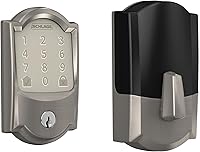
The Schlage Encode Smart WiFi Deadbolt Lock with Camelot Trim is a satin nickel keypad lock for standard doors from 1-3/8 in to 1-3/4 in thick, with a 2-3/8 in or 2-3/4 in backset.
It uses four AA batteries and includes a low-battery indicator on the touchscreen and in the Schlage Home app. It can manage up to 100 access codes when paired with the app and a secure Wi-Fi network.
This is a complete deadbolt, not a replacement battery holder for a Kwikset Halo. It suits readers comparing lock systems, while a Halo owner should use the Halo model's own battery instructions.
Can a Kwikset Halo run after a partial battery change?
A partial change is not a good routine. Replace the full battery set with matching fresh batteries so the holder receives a consistent power source.
If you installed only some batteries and the lock behaves strangely, remove them and start again with a complete set of the required type. Check the contacts before reinstalling the holder.
Never use a damaged or leaking battery. Clean-up and contact repair should follow the lock manual, especially if residue has reached the electronics.
Can a hardwired transformer help a Kwikset Halo?
No. A hardwired doorbell transformer does not replace the batteries in a Kwikset Halo.
It is made for compatible wired doorbell equipment, not for powering a battery compartment inside a smart lock.
The Hardwired Transformer for Ring Wired Video Doorbells has a 120V AC 60 Hz input and a 16V 30VA output. It is designed to replace an underpowered North American doorbell transformer and support compatible Ring wired video doorbells.
Choose it only for the doorbell circuit it is designed to serve. Do not connect it to a Kwikset Halo battery compartment or use it as a substitute for the lock's required batteries.
If your home uses several connected devices, our guide to smart door locks explains how battery power, Wi-Fi, hubs, and door fit affect a broader setup. A battery powered security camera has a separate power and maintenance plan.
What should you do after a Kwikset Halo battery replacement?
Confirm the lock works from inside, through the keypad or app when applicable, and with the door both open and closed. Then keep the cover secure and record the battery-change date for future checks.
Watch for repeated low-battery warnings, slow movement, or a bolt that strains against the strike. Those signs can point to alignment or mechanical resistance, not only weak batteries.
If you are comparing hub-based locks, see how to connect Schlage Connect to Wi-Fi. For a patio-door fit question, read whether a Yale Assure Lock fits an Andersen patio door.
The main Kwikset Halo battery replacement rule is simple: use the correct complete battery set, match the markings, seat the holder fully, and test with the door open first. If the cover or holder is damaged, solve that fit problem before relying on new batteries.
Frequently asked questions
How often should you replace Kwikset Halo batteries?
Replace Kwikset Halo batteries when the lock shows a low-battery warning, the app reports low power, or the lock responds slowly. Battery life depends on use and battery condition, so check the lock's warning indicators instead of waiting for complete failure.
What batteries does a Kwikset Halo use?
Check the battery label, lock manual, or interior battery compartment for the required battery type before buying replacements. Kwikset Halo models can differ, so do not guess from the lock's appearance or force a battery that does not fit.
Can you change Kwikset Halo batteries from outside?
No. You normally replace Kwikset Halo batteries from the interior side of the door by opening the interior cover and accessing the battery holder.
Keep the physical key or another approved entry method available while you work.
What should you do if a Kwikset Halo does not work after a battery change?
Reopen the cover and check battery direction, contact alignment, holder seating, and cover placement. If the lock still does not respond, follow the model manual's emergency power and support instructions instead of repeatedly forcing the holder or cover.