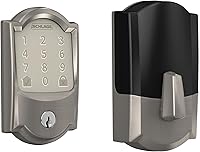
Wyze Lock Bolt Review: Worth It? (November 2026)
The Wyze Lock Bolt suits homes that want fingerprint and keypad entry without a hub in daily use. Choose the Wyze Lock Bolt v2 if you want built-in Wi-Fi, or the ULTRALOQ Bolt SE if you want Matter over Thread and broader voice control.
On this page (14 sections)
- Wyze Lock Bolt at a glance
- Who the Wyze Lock Bolt suits
- Fingerprint entry in daily use
- Keypad codes and anti-peep entry
- Auto-lock and entry history
- Bluetooth control and Doorbell Pro pairing
- Weather resistance and build
- Setup on a standard door
- Care, batteries and long-term use
- Trade-offs against newer and rival locks
- Wyze Lock Bolt v2 in this review
- ULTRALOQ Bolt SE in this review
- How the Wyze Lock Bolt compares
- Verdict and buying advice
The Wyze Lock Bolt is a strong pick for simple fingerprint and keypad entry on a standard front door. This review covers the original Bolt separately from the newer v2.
You get fingerprint entry, a numbered keypad with anti-peep entry and auto-lock in one deadbolt. It replaces an existing deadbolt in roughly 20 minutes with step-by-step instructions.
Wyze says fingerprints can be read in under a second, and you can store up to 50 prints in the app. The original uses Bluetooth in the Wyze app, so phone control works near the door, and remote entry needs Wyze Doorbell Pro.
Wyze Lock Bolt at a glance
The Wyze Lock Bolt gives you fingerprint entry plus a keypad and auto-lock for everyday front door use. It is a biometric deadbolt in satin nickel with a metal and nickel build, meant for home and residential doors.
Wyze Auto-Lock Bolt: Best for simple fingerprint entry

- Fingerprint entry for up to 50 prints
- Numbered keypad with anti-peep entry
- Auto-lock after a set interval
- Bluetooth control through the Wyze app
- IPX5 weatherproof design
A fingerprint deadbolt built around quick entry, code entry and auto-lock for standard doors without a Wi-Fi hub.
Pros
- Stores up to 50 fingerprints
- Keypad lets you set unique codes per person
- Auto-lock helps prevent a door left open
- Replaces an existing deadbolt in about 20 minutes
Cons
- Bluetooth control needs your phone nearby
- Remote entry depends on pairing with Wyze Doorbell Pro
- No built-in Wi-Fi for direct remote control
Think of it as a keyless deadbolt that keeps a physical path simple. You can use a fingerprint for speed, a code for guests or family, and Bluetooth in the Wyze app to check lock and entry history.
The lock is IPX5 weatherproof, which helps on an exposed exterior door.
It also includes a key, and the control method is touch. The unit measures 7.2 x 5.3 x 3.3 inches and weighs 1.23 kg.
For many homes, that size feels substantial without changing the look of the door too much.
Who the Wyze Lock Bolt suits
The Wyze Lock Bolt suits households that want keyless entry without adding hubs or changing their whole setup. It fits people who come and go with full hands, such as parents and caregivers.
It also suits homes with regular guests. You can store fingerprints for frequent guests and set unique codes for other people, so you can see who came in and when.
Codes can also have time limits, which helps with cleaners, pet sitters or family who visit on set days.
Renters need care. Measure the backset, cross bore and door thickness before ordering, and choose a different lock if the door is nonstandard.
Fingerprint entry in daily use
Fingerprint entry is the fastest way in when your hands are clean and dry. Wyze says the Bolt opens the door in under a second.
That speed helps when you carry groceries or walk a dog.
You can store up to 50 fingerprints. That covers multiple fingers for a few adults plus trusted guests.
Wet hands, dirty fingers, cuts or gloves can slow any reader. Use the keypad as a backup and test placement during setup so it is easy to reach.
Our smart door locks buying guide can help you compare entry methods before you choose.
Keypad codes and anti-peep entry
The keypad gives you a clear backup when fingerprint entry is not practical. You can create a unique code for each person.
You can also set when a code has access.
Anti-peep entry adds extra digits before or after your code. The Bolt still accepts it, so a watcher cannot copy the exact sequence.
Codes work well for guests who do not want to store a fingerprint. Set a time limit, avoid birth years or house numbers, and remove guest codes after a stay.
If a keypad-only lock sounds better, our best keypad door lock guide covers that route in more detail.
Auto-lock and entry history
Auto-lock is the feature that helps most on busy mornings. The Bolt secures the door after a predefined interval, so you are less likely to leave with the deadbolt open.
That setting matters most for families, where a manual thumbturn can get forgotten. Auto-lock removes that small failure from the routine, as long as the timing suits how your household moves.
The Wyze app also tracks locking activity through Bluetooth. You can see who accessed the door, when it was open and any failed attempts, and each code can point to a person.
History is not a camera view, so pair it with a doorbell camera for a fuller picture of visitors.
Our best keypad lock for front door post shows how code controls compare on other locks.
Bluetooth control and Doorbell Pro pairing
Bluetooth control keeps the original Bolt simple for use near the door. You manage the lock in the Wyze app when your phone is within Bluetooth range.
That covers setup, codes, fingerprints and history.
Remote access works through Wyze Doorbell Pro pairing. You can grant access from anywhere in the Wyze app and open the Bolt from the Doorbell Pro page.
If you already own Doorbell Pro, the Bolt fits that setup. If not, remote control may not justify another device.
The v2 adds built-in Wi-Fi, and the ULTRALOQ Bolt SE adds Wi-Fi plus Matter over Thread.
Bluetooth may be enough at home. Built-in Wi-Fi suits households that often let people in while away.
Weather resistance and build
The original Bolt is IPX5 weatherproof and built from metal and nickel. That rating helps on a front door that gets rain, but it does not mean the lock is fully sealed in all conditions.
Finish and size matter for daily feel. The satin nickel color suits many entryways, and the lock measures 7.2 x 5.3 x 3.3 inches, so check nearby trim, screen doors and storm doors before fitting it.
The Bolt is listed for home and residential doors, not a gate lock or commercial door.
Keep the outside unit free of ice or packed snow when possible, as a fingerprint reader works best when the surface is clean and dry. A soft cloth and mild cleaner protect the nickel over time, and avoid abrasive pads that can dull the surface.
Setup on a standard door
Setup is designed to replace an existing deadbolt in about 20 minutes. Wyze provides step-by-step instructions for most standard doors.
The lock comes with what you need for the install.
Measure the door backset, cross bore and thickness before you start. That check shows whether the Bolt will fit or a different lock is needed.
Remove the old parts, fit the new sections, and test the bolt inside and outside. Test each fingerprint and code after you add it.
Set the auto-lock interval, then confirm entry history in the app. Test clearance if you have a screen or storm door.
Care, batteries and long-term use
Long-term care comes down to cleaning the reader, checking codes and replacing batteries on schedule. A clean surface helps the fingerprint reader work reliably.
Wipe it gently when it starts to miss more often.
Review users and codes each season. Remove fingerprints for guests who no longer visit.
Delete codes for cleaners or sitters who have stopped coming.
Check the app for battery alerts and follow Wyze guidance on replacement timing. Keep spare batteries in the house so a low battery does not become an emergency.
Test backup access and keep the included key in a safe place. Check the finish, screws and door alignment twice a year.
Fixing a sticking door early protects the motor and keeps entry smooth.
Trade-offs against newer and rival locks
The main trade-off is connectivity. The original Bolt uses Bluetooth.
The v2 adds built-in Wi-Fi. ULTRALOQ adds Wi-Fi plus Matter over Thread.
The v2 adds an AI learning fingerprint scanner, auto-lock and scratch and smudge resistant glass. It states up to 8 months with 8 AA batteries, plus USB-C emergency power.
ULTRALOQ supports fingerprint entry, up to 50 passcodes, app control, voice control with Siri, Alexa or Google Assistant, and 2 mechanical keys. It has IP65 waterproofing, a zinc alloy body and a stated 18 months of battery life through Thread.
ULTRALOQ needs more network setup. Wi-Fi is 2.4 GHz only, and Matter over Thread needs a compatible Thread Border Router.
The original Bolt offers proven entry and auto-lock with less setup, but remote use depends on Doorbell Pro.
Wyze Lock Bolt v2 in this review
The Wyze Lock Bolt v2 is the newer Wyze option for readers who want Wi-Fi in the lock. It should not be confused with the original Bolt, even though both use fingerprint and keypad entry.
Wyze Auto-Lock Bolt v2
The v2 states entry in 0.5 seconds, with a scratch and smudge resistant glass surface. Its AI scanner learns from each touch to improve recognition over time.
It can store up to 50 fingerprints or codes, and it supports auto-lock and tamper alarms.
It also includes 8 AA batteries, with up to 8 months of use stated. A USB-C port lets you power it with a power bank if batteries die.
That emergency path is a useful safety net.
For Wyze households, pairing with a Wyze Video Doorbell lets you open the lock from the live feed. That is a cleaner remote flow than the original Bolt, which relies on Doorbell Pro pairing for remote access.
ULTRALOQ Bolt SE in this review
The ULTRALOQ Bolt SE is the stronger smart home option in this group. It suits readers who want app control, voice control and Matter over Thread in one deadbolt.
ULTRALOQ Bolt SE Wifi Smart Deadbolt Lock
ULTRALOQ states entry in 0.3 seconds with 99.9% accuracy and a self learning fingerprint sensor. It stores up to 50 fingerprints and up to 50 passcodes.
You can share eKeys and codes for family, guests or service providers with permanent, scheduled or temporary access. Built-in Wi-Fi lets you lock and open from anywhere without a hub, on 2.4 GHz only.
Matter over Thread adds Apple Home and other Matter apps, but it needs a compatible hub. It also has auto-lock, low battery alerts and IP65 waterproofing in a zinc alloy body.
The trade-off is setup depth. A household that wants fewer moving parts may prefer Wyze, while a household that already uses Apple Home, Alexa, Google Assistant or SmartThings may find ULTRALOQ easier to fit.
How the Wyze Lock Bolt compares
The Wyze Lock Bolt compares as the simplest fingerprint deadbolt of the three for Wyze users. It covers fingerprint entry, keypad entry, auto-lock and history with less network setup.
| Detail | Wyze Lock Bolt | Wyze Lock Bolt v2 | ULTRALOQ Bolt SE |
|---|---|---|---|
| Fingerprint storage | Up to 50 | Up to 50 | Up to 50 |
| Keypad codes | Unique codes per person | Up to 50 codes | Up to 50 passcodes |
| Connectivity | Bluetooth | Wi-Fi | Wi-Fi, Bluetooth, Matter over Thread |
| Weather rating | IPX5 | IP53 | IP65 |
| Remote entry | With Wyze Doorbell Pro | Built-in Wi-Fi | Built-in Wi-Fi |
| Backup access | Included key | Backup keys and USB-C power | 2 emergency keys |
If you want the widest fingerprint deadbolt shortlist, our best fingerprint deadbolt door lock guide helps you compare shapes and entry types.
If your door is the main entry and you want a lock built for that spot, our best fingerprint lock for front door guide narrows the field by front door use.
If backup keys matter to you, our best fingerprint door lock with key guide focuses on locks that keep a physical fallback.
Our best fingerprint door lock guide also helps if you are still deciding between deadbolts, lever locks and handle sets.
Verdict and buying advice
The Wyze Lock Bolt is best for households that want fingerprint and code entry with auto-lock and minimal setup. It fits standard doors, stores up to 50 fingerprints and gives you a keypad path when a print does not work.
Pick the original Bolt if you already use Wyze gear and mainly control the lock near the door. Pick the v2 if you want built-in Wi-Fi and USB-C emergency power.
Pick the ULTRALOQ Bolt SE if you want Matter over Thread, voice control and a longer stated battery life.
Measure your door before you order, checking backset, cross bore and thickness, and test clearance with any storm door. Set up codes so each person has their own, and start with our best fingerprint deadbolt door lock guide for a wider shortlist.
Frequently asked questions
Is the Wyze Lock Bolt worth buying?
The Wyze Lock Bolt is worth buying if you want fingerprint and keypad entry, auto-lock and simple setup on a standard door without adding a hub. It suits people who mainly control the lock through Bluetooth and who will measure the door first so the deadbolt fits the existing door preparation.
Does the Wyze Lock Bolt have built-in Wi-Fi?
The original Wyze Lock Bolt uses Bluetooth for app control, so remote use depends on pairing with Wyze Doorbell Pro. If you want direct Wi-Fi control from the lock, compare the Wyze Lock Bolt v2, which has built-in Wi-Fi, or the ULTRALOQ Bolt SE, which also supports Wi-Fi and Matter over Thread.
How many fingerprints can the Wyze Lock Bolt store?
The Wyze Lock Bolt can store up to 50 fingerprints in the Wyze app for family members, guests or extra fingers for one person. That capacity also helps households where a few people enter often, while a code may be simpler for a guest who does not want to add a fingerprint.
Can the Wyze Lock Bolt lock by itself?
Yes, the Wyze Lock Bolt has auto-lock that secures the door after a predefined interval. That helps if you tend to leave after closing the door without turning the thumbturn.
Set the interval to match your routine, since very short timing can be annoying if you step out for mail or deliveries.