eufy Smart Lock C33 Review: Worth It? (November 2026)
The eufy Smart Lock C33 suits families who want fingerprint plus keypad entry with a built-in handle. Pick it for Wi-Fi remote access without a separate hub, and check your door measurements first.
On this page (11 sections)
- The eufy Smart Lock C33 at a glance
- Who the C33 suits and who should skip it
- Fingerprint recognition on the integrated handle
- Keypad, passcodes and anti-peeping protection
- Built-in Wi-Fi and app control in daily use
- Power, battery life and low-power care
- Door fit, installation and compatibility limits
- Setup steps, enrollment and first-week habits
- Care, noise and what owners often report
- Trade-offs versus other eufy and non-eufy locks
- Verdict: should you buy the eufy Smart Lock C33?
The eufy Smart Lock C33 is a handle-integrated smart deadbolt with fingerprint, keypad and built-in Wi-Fi entry. This review covers fit, daily use and limits so you can decide quickly.
Our score weighs specs, features and buyer feedback against what you are shopping for. It helps you match the lock to your door and daily routine before you order.
You get more than a basic keypad lock. The grip on the handle reads your fingerprint as you turn it to open the door.
That design suits families who want a familiar motion at the front door. You grip, the lock reads, and you walk in without searching for a key or a phone.
Built-in Wi-Fi lets you manage access in the app from anywhere, with no separate hub needed. This suits busy households and side doors where you may want to check status from inside the house.
You can get real-time notifications and check detailed event history. That makes it easier to see who came and went while you were out or in another room.
The lock also offers passcode entry on a back-lit keypad. That gives guests and helpers a simple way in when fingerprint entry is not for them.
Auto-lock can secure the door after a set time. That helps on forgetful evenings and rushed school mornings.
The C33 is aimed at front doors, side doors, garage doors and office doors in a black painted metal finish. It suits wood or metal doors with standard bore measurements, covered in detail below.
For many homes, that mix of fingerprint, keypad and Wi-Fi covers daily needs in one unit. The handle does both jobs at once, so you do not need to choose between a sensor pad and a handle.
The eufy Smart Lock C33 at a glance
The C33 is best for households that want fingerprint entry on the handle itself. It aims at front doors, side doors, garage doors and office doors in black painted metal.
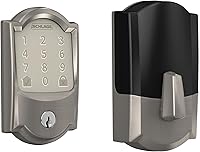
eufy Security Smart Lock C33: Best for fingerprint plus handle entry

- Fingerprint recognition with handle grip
- Built-in Wi-Fi for app control
- Back-lit keypad with passcodes
- 8 AA batteries
- Auto-lock
A handle-integrated deadbolt that pairs fingerprint entry with a keypad and built-in Wi-Fi. It fits a wide range of wood and metal doors when measurements match.
Pros
- Fingerprint grip on the handle feels natural
- Built-in Wi-Fi avoids a separate hub
- Stores up to 50 fingerprints and 100 passcodes
- Back-lit keypad helps at night
- Anti-peeping password and auto-lock
Cons
- Not compatible with Apple HomeKit, IFTTT or Matter yet
- NFC only works with official eufy cards
- Door bore and thickness must match exact limits
Model T85L0 measures 7.24 x 6.06 x 5.12 inches and weighs 1.9 kg. It is a deadbolt style lock with a rectangular shape and a painted finish.
Included components list a single lock unit. That keeps the box simple and leaves setup focused on fitting the lock and adding users in the app.
Control options include app and voice. It works with Amazon Alexa and Google Assistant for hands-free locking requests.
That matters if you want voice commands for locking when your hands are full. It also means you should test voice control during your first week so commands work smoothly for everyone at home.
The color is black, which fits many front and side doors without standing out. The metal build and IP53 rating suit covered entry areas where light rain or splashes are common.
Power comes from 8 AA batteries, so there is no hardwiring to plan. You can keep spare AA batteries at home and swap them in a few minutes when the app shows low power.
Recommended uses include front doors, bedrooms, side doors and garages. That range helps if you want the same keyless feel on a main entry and a work or garage door.
In daily use, the handle shape matters as much as the specs. A grip you already use to open the door makes fingerprint entry feel natural from the first day.
Check your door bore, backset and thickness before you move ahead. Those three numbers decide whether this rectangular deadbolt will sit cleanly on your door.
Who the C33 suits and who should skip it
The C33 suits families who want separate entry methods for different ages. Parents and children can use fingerprints, while guests can use a passcode.
That split helps you hand out temporary access without copying keys.
It also suits side and garage doors. Built-in Wi-Fi means you can check status from inside the house.
You do not need to be near the door to see recent events.
Skip it if Matter or HomeKit is essential. The C33 is not compatible with those platforms yet.
You should also skip it if you want third-party NFC fobs.
Our guide to smart door locks explains how deadbolts, lever locks and mortise locks differ. Use it to confirm this handle style fits your door setup.
Fingerprint recognition on the integrated handle
Fingerprint entry is built into the handle grip for a natural grasp-and-go motion. eufy says the biometric system learns and adapts to your usage over time.
That claim suggests accuracy can improve with regular use.
You can store up to 50 fingerprints. That number covers a large household plus frequent visitors.
You can enroll children and parents without running out of slots quickly.
The grip design also changes daily habits. You grip the handle to open the door anyway.
Reading the fingerprint during that grip avoids a separate sensor pad.
Wet, dirty or very dry fingers can still affect any fingerprint reader. Keep the grip clean with a soft dry cloth.
Enroll more than one finger per person as a backup.
Keypad, passcodes and anti-peeping protection
The keypad gives you a back-lit entry option with up to 100 passcodes. Back lighting helps you enter a code at night without a phone light.
That is useful when your hands are full.
Codes suit guests, cleaners and short-term helpers. You can set a temporary code and remove it later.
That is easier than making a spare key.
Anti-peeping password adds a layer of privacy. You can enter extra digits before or after your real code.
That makes shoulder surfing harder for someone watching the pad.
Auto-lock helps if you forget to lock up. You can set the lock to secure after a set time.
That feature is worth turning on for busy households.
Learn the manual steps in how to lock eufy smart lock before guests arrive. Teach each user how to lock from inside and outside.
Built-in Wi-Fi and app control in daily use
Integrated Wi-Fi is the main reason to pick this model over a Bluetooth-only lock. You can manage access from anywhere with the app.
That includes checking lock status when you are away.
Real-time notifications tell you when someone opens the door. Detailed event history shows who entered and when.
Those records help you track teens, guests or service visits.
Access management lets you add and remove users remotely. You can change a code without standing at the door.
That saves time for Airbnb hosts or busy families.
The lock also works with eufy Video Doorbells and eufy Security Cameras. That link can tie door events to camera views.
Check compatibility in the app before you plan automations.
Power, battery life and low-power care
Power comes from 8 AA batteries for reliable daily operation. That choice avoids hardwiring and keeps installation simple.
Most households can find AA batteries anywhere.
Battery power also means you should plan replacements. Check the app for battery status on a regular schedule.
Replace all 8 batteries at once for steady voltage.
Keep spare AA batteries near the door. That way a low battery warning does not turn into a lockout.
Label the spares so anyone in the house can swap them.
Extreme heat or cold can affect battery life in any electronic lock. The C33 has an IP53 rating for splash resistance.
That rating helps on covered porches but does not mean full waterproofing.
Door fit, installation and compatibility limits
Fit matters more than features. Wood or metal doors with a 2 1/8 in bore hole should work.
Backset must be 2 3/8 in or 2 3/4 in. Door thickness must be 1 3/8 in to 2 1/6 in.
eufy says installation takes about 15 minutes with no drilling required. That assumes your door already has a standard bore.
Measure first, since a mismatch can block a smooth install.
It works with left-hand and right-hand doors. That flexibility helps for side doors and garage doors.
Recommended uses include front doors, bedrooms, side doors and garages.
If you have a Euro cylinder door, this is not the right type. See smart lock euro cylinder for locks made for that standard.
Do not force a deadbolt into a door built for a cylinder.
Setup steps, enrollment and first-week habits
Start by measuring bore, backset and thickness before you unbox the lock. Write the numbers down and compare them with the ranges above.
That one check prevents most returns.
Install the lock following the manual, then add it to the app. Enroll fingerprints for each regular user right away.
Add passcodes for guests and helpers with clear names in the app.
Test each method from both sides of the door. Check auto-lock timing and notification settings.
Confirm voice control with Alexa or Google Assistant if you plan to use it.
For broader context, compare the best eufy smart door lock options side by side. That roundup helps you see where the C33 sits in the range.
Care, noise and what owners often report
Care is simple. Wipe the fingerprint grip and keypad with a soft dry cloth.
Avoid harsh cleaners that can damage the painted finish.
Keep the grip free of grit that can affect reads.
Some owners report slight internal noise and a loose feel. eufy says that is normal for some smart locks.
It does not affect lock function or security, according to the brand.
Tighten the lock hardware if it feels loose after install. Check screws after the first week and after seasonal temperature changes.
A firm fit helps the handle feel solid.
Back up codes in a safe place at home. Store a spare physical key or method where trusted family members can reach it.
Test your backup after you change batteries.
Trade-offs versus other eufy and non-eufy locks
The C33 trades platform breadth for simplicity and built-in Wi-Fi. You gain remote access without a hub.
You lose HomeKit, IFTTT and Matter support for now.
NFC is another trade-off. Only official eufy encrypted cards work.
That limits fob sharing compared with open NFC systems.
Compare it with the eufy smart lock c210 review if you want a simpler eufy option. Also check the eufy smart lock c30 review for a different feature mix.
Those comparisons make the handle and Wi-Fi benefits clearer.
If you want Matter from the start, see best matter smart lock picks. For a budget keypad alternative, read the wyze lock bolt review.
Pick based on platform needs first, then features.
Verdict: should you buy the eufy Smart Lock C33?
Buy the C33 if you want fingerprint entry on the handle plus Wi-Fi without a hub. It fits families who need many fingerprints and passcodes for daily use.
It also fits side, garage and office doors with standard measurements. Built-in Wi-Fi means you can check status from inside the house or from away.
Skip it if Matter, HomeKit or third-party NFC is a must. The C33 is not compatible with Apple HomeKit, IFTTT or Matter yet, and NFC only works with encrypted cards officially provided by eufy.
Also skip it if your door bore or thickness falls outside the stated ranges. In those cases, a platform-specific model or a lock made for your door type will serve you better.
This review shows a strong all-around lock for the right door. Measure first, enroll users carefully and turn on auto-lock for a safer routine.
Fingerprint entry suits regular users, while passcodes suit guests and short-term helpers who should not get a key. Storage of up to 50 fingerprints and 100 passcodes is a real plus for households.
You can add children, parents and regular visitors without racing to delete old entries. For hosts and busy families, app access management saves time at the door.
You can change a code remotely instead of standing outside with a phone. Keep the grip and keypad clean with a soft dry cloth.
Enroll more than one finger per person and test a backup passcode so a wet hand or a low battery does not cause stress. Check the hardware after the first week and after seasonal changes.
A firm fit helps the handle feel solid and keeps the fingerprint reader lined up well. If your home already uses eufy Video Doorbells or eufy Security Cameras, this lock fits that setup.
If your home depends on Matter or HomeKit automations, compare other models before you commit. Measure bore, backset and thickness, and confirm wood or metal construction first.
With those checks done, the C33 is a practical pick for keyless daily entry.
Frequently asked questions
How many fingerprints and passcodes does the eufy Smart Lock C33 store?
The C33 stores up to 50 fingerprints and 100 passcodes. That capacity suits most households, guests and short-term helpers without frequent deleting.
You can add or remove entries in the app as needs change, so plan codes for regular users and temporary visitors separately.
Does the eufy Smart Lock C33 work with Apple HomeKit or Matter?
The C33 is not compatible with Apple HomeKit, IFTTT or Matter yet. It currently works with eufy Video Doorbells and eufy Security Cameras.
If Matter or HomeKit support is a must for your smart home, compare other models before you buy this one.
What doors fit the eufy Smart Lock C33?
Wood or metal doors with a 2 1/8 in bore hole, a 2 3/8 in or 2 3/4 in backset and a thickness of 1 3/8 in to 2 1/6 in should fit. Measure bore, backset and thickness before ordering.
If your door falls outside those ranges, choose a lock made for your door type.
Does the eufy Smart Lock C33 support NFC?
The C33 only supports encrypted NFC cards officially provided by eufy. Third-party fobs or phone taps outside that system are not supported.
If you want NFC entry, budget for official cards and keep a fingerprint or passcode as a backup method.