eufy Smart Lock C210 Review: Worth It? (November 2026)
The eufy Security Smart Lock C210 is a strong fit for buyers who want remote keypad entry without a separate bridge. It suits homes that need app control, guest codes, and voice control, while buyers who prefer a simpler non-Wi-Fi lock may want a different model.
On this page (14 sections)
- The eufy Smart Lock C210 at a glance
- Why this eufy smart lock c210 review centers on remote keypad entry
- Built-in Wi-Fi and app control in daily use
- Keypad codes, guests, and privacy
- Voice, watch, and physical key options
- Security, durability, and alerts
- Specs that matter before you order
- Setup and installation
- Battery life and emergency access
- Care, support, and daily habits
- Trade-offs to weigh before you buy
- The alternatives here
- Alternatives for other lock routines
- Verdict: who should buy the eufy Smart Lock C210
The eufy Smart Lock C210 is a good pick for straightforward remote keypad entry without a separate bridge. Built-in Wi-Fi lets you control the lock from anywhere in the eufy Security app.
That makes this eufy smart lock c210 review a fit for households that want guest codes, alerts, and voice control in one nickel deadbolt.
Our score weighs specs, features and buyer feedback against what you're shopping for. The C210 earns its place for buyers who value simple remote access over a long list of extra sensors.
The eufy Smart Lock C210 at a glance
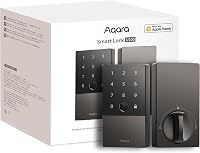
The C210 is a nickel, aluminum smart deadbolt with built-in Wi-Fi and a touchscreen keypad. It is made for standard US deadbolts and installs without drilling in about 15 minutes, according to eufy.
eufy Security Smart Lock C210: Best for straightforward remote keypad entry

- Built-in Wi-Fi with no bridge required
- Touchscreen keypad in nickel
- 5 ways to open from app, keypad, physical key, Apple Watch, or voice
- Up to 100 passcodes
- BHMA Certified after more than 100,000 lock cycles
A nickel, aluminum, Wi-Fi deadbolt for buyers who want app and keypad entry without extra hardware. It fits standard US deadbolts and suits family, guest, and service codes.
Pros
- Built-in Wi-Fi removes the need for a separate bridge
- App, keypad, physical key, Apple Watch, and voice options give flexible entry
- Up to 100 passcodes can be managed and removed in the app
- BHMA Certified after more than 100,000 cycles
- 15-minute install without drilling on most standard US deadbolts
Cons
- Battery life depends on daily use and is roughly 4 months at about 10 uses a day
- Voice control depends on Alexa or Google Voice Assistant setup
- Emergency power charging requires a portable charger when batteries run out
The finish is Nickel, the body is aluminum, and the size is 7.69 x 7.69 x 4.41 inches. Those details matter if you want a matching look with a standard deadbolt on a front door.
Who the C210 suits best
Buy it if you want family, guest, and service codes you can change from your phone. Parents, hosts, and homeowners who share a door with others will use that control most.
Skip it if you want the lowest possible setup. A basic keypad lock with no Wi-Fi needs less app management and fewer battery checks.
Why this eufy smart lock c210 review centers on remote keypad entry
This review focuses on remote keypad entry because that is the main job of the C210. You can open the door from the app, use the keypad, use a physical key, use Apple Watch, or use voice with Alexa or Google Voice Assistant.
That is 5 ways to open the lock.
For daily life, that mix matters. A family member can use a code at the door.
You can check an alert from work. A guest can use a temporary code you later remove.
Our smart door locks guide explains how the main lock types compare. Use it to decide if Wi-Fi control is worth the extra setup for your home.
Built-in Wi-Fi and app control in daily use
Built-in Wi-Fi is the main reason to pick the C210 over a Bluetooth-only lock. There is no bridge required, so you can control the lock from anywhere through the eufy Security app after setup.
App features include access management, real-time notifications, and event history. You can see door activity and manage who has access without standing at the door.
If you have a eufy doorbell, you can add the lock to routines and control devices together in the app. That helps if you want one place for door activity and entry control.
Keypad codes, guests, and privacy
The touchscreen keypad stores up to 100 different passcodes for family, guests, or service people. You can create, manage, or delete user profiles in the app, even for guests.
You can disable individual codes as needed. That is useful for a cleaner, a sitter, or a contractor who no longer needs access.
You can also add random digits to a pincode to hide the real number from prying eyes. That small step helps when someone stands close while you type.
Voice, watch, and physical key options
The C210 gives you more than one way to get in when your phone is not in hand. Apple Watch lets you open the door from your wrist.
Voice assistants let you open it hands-free when you carry packages.
The Gens? No, the spare physical key still matters.
Keep it in a safe place outside the home, not inside a drawer by the door.
Voice control works through Amazon Alexa and Google Assistant. That means your assistant setup, Wi-Fi, and account links all need to work before voice entry feels reliable.
How to lock eufy smart lock options compared
If you are unsure how each method works, our guide to how to lock eufy smart lock walks through the daily actions. It helps you match the method to your routine before you buy.
Security, durability, and alerts
eufy says the C210 is BHMA Certified after being locked and opened more than 100,000 times. That certification is a useful sign for a lock you will use several times a day.
The lock can send an alarm triggered by an unusual attempt to open it. Real-time notifications in the app show door activity as it happens.
The maker says the solid materials and design can support use up to 10 times a day for over 30 years. Treat that as a maker claim about durability, not a promise for every home.
Specs that matter before you order
Check the size, material, and finish before you order. The C210 is Nickel, made of aluminum, and measures 7.69 x 7.69 x 4.41 inches.
It is listed as a keypad WiFi smart lock with remote control.
The model name is Smart Lock C210, the model number is T8502, and the style name is Built-in WiFi. It comes as 1 count with 1 piece in the pack.
It is compatible with most standard US deadbolts. Measure your door and check your current deadbolt if your door is not standard.
Setup and installation
Setup is designed to be quick for most standard US deadbolts. eufy says the install takes about 15 minutes without drilling.
That timing suits renters and first time buyers who want a simple swap on a front door that already has a standard deadbolt.
Start by checking door thickness, backset, and clearance before you open the box. Confirm the door matches the standard size this lock is made for.
Gather the parts and read through the app prompts before you remove the old deadbolt. Keep the old lock and keys nearby as a fallback during setup.
Remove the old deadbolt and fit the new sections in order. Check that the bolt moves smoothly before you tighten everything down.
Pair the lock with the eufy Security app and connect it to your Wi-Fi. No separate bridge is needed, but the signal at the door should be strong enough for a stable connection.
Create your main family code first and test it at the keypad. Add guest or service codes later once the main code works every time.
Test app control from inside the house and then from outside it. Make sure the lock responds quickly and notifications arrive as expected.
Test each entry method in turn, including the phone app, the keypad, and the physical key. Leave the physical key somewhere safe outside the home once you are sure it works.
Walk through a normal entry and exit a few times on the first day. That check helps you spot a loose fit, a weak Wi-Fi spot, or a code that was set up wrong.
Keep the app updated and review your settings after the first week. Small fixes early on save trouble later.
Battery life and emergency access
Battery life is roughly 4 months at about 10 uses a day. Four AA batteries are included, and you will get a notification when power runs low.
That estimate suits a busy front door. A home with family, guests, and service visits will use the lock more than a quiet home with one or two people.
More app commands, more keypad use, and weak Wi-Fi can shorten battery life. Remote control uses more power than a code typed at the door.
Plan ahead for an average household routine. Replace batteries before a holiday, a long trip, or a busy week with visitors.
Keep spare AA batteries at home so a swap takes only a few minutes. Store them in a cool, dry place.
Use the low battery notification as your cue to act soon. Do not wait until the lock stops working.
If it runs out of power, use a portable charger for emergency access. Keep a charged portable charger in a known place, such as a bag or a kitchen drawer.
Keep a physical key as the backup you trust most. Store it in a safe place outside the home.
After emergency charging, replace the batteries right away. Test the keypad, the app, and the notifications to make sure normal entry is back to full strength.
Set a phone reminder for the next replacement. That habit fits the four month guide and helps you avoid a surprise failure.
Care, support, and daily habits
Keep the keypad clean and dry, and check the batteries before a long trip. Wipe the touchscreen with a soft, dry cloth.
Avoid harsh cleaners on the nickel finish. Strong sprays and rough pads can dull the surface and make the keypad harder to read in low light.
Keep moisture away from the lock where you can. Rain, snow, and direct spray from a hose can wear parts down over time.
Check that the bolt moves smoothly every few weeks. If it feels stiff, look for dirt around the door or a small misalignment before it becomes a bigger problem.
eufy offers 18-month aftersales service with 24/7 customer support. Keep your receipt, model number T8502, and serial details in a safe place.
Save those details in a phone note or a folder you can find quickly. You will save time if you ever need help with setup, codes, or a fault.
Review codes and guest profiles on a regular schedule. Remove old codes and check event history for entries you do not recognize.
Choose a simple rhythm, such as the first day of each month. That short check keeps access current and stops old guest codes from staying active for too long.
Share main codes only with people in the household. Give guests and service people their own codes so you can remove them without changing the family code.
Trade-offs to weigh before you buy
The C210 trades simplicity of setup for ongoing app and battery care. Built-in Wi-Fi is convenient, but it means batteries, notifications, and account settings become part of door life.
Voice and watch entry are helpful extras. They do not replace a working keypad, a physical key, and a charged battery plan.
If you rarely need remote control, a simpler lock may fit better. If you share access often, the app control is the point of this lock.
eufy Smart Lock C30 review for comparison
If you want to compare a related eufy model, read the eufy smart lock c30 review. That review helps you see what changes when you move to another model in the range.
eufy Smart Lock C33 review for comparison
For the next model up in the line, see the eufy smart lock c33 review. Use both reviews to check features and finish before you choose.
The alternatives here
Only one product is covered in this review. The C210 is the pick here for straightforward remote keypad entry with built-in Wi-Fi.
Other models in the broader range may add features, but they are not part of this review.
eufy Security Smart Lock C210
If you want a quick sense of the wider range, our guide to the best eufy smart door lock compares models by use case. That helps you check if a different eufy lock fits your door better.
Alternatives for other lock routines
Some buyers want a different routine. If you use another brand, our guide on how to lock kwikset smart lock covers that process.
It is a useful check before you switch brands.
If a reset is ever needed on a Kwikset model, see the kwikset halo touchscreen factory reset guide. That is separate from the C210, but it helps if you compare brands.
For newer phone-based entry ideas, read how do UWB smart locks work. That topic is different from Wi-Fi and keypad control, so compare the trade-offs first.
Verdict: who should buy the eufy Smart Lock C210
Pick the C210 if you want remote keypad entry, guest codes, and app alerts without a bridge. It fits families, hosts, and homeowners who share access and want control from anywhere.
Pick a different lock if you want the least upkeep or if your door does not match standard US deadbolts. For this eufy smart lock c210 review, the C210 is the clear pick for straightforward remote keypad entry at a mid-range tier.
Next, check your door measurements, then set up codes for family first. Keep the physical key safe, replace batteries before they run low, and review guest access on a regular schedule.
Frequently asked questions
Is the eufy Smart Lock C210 good for remote keypad entry?
Yes, the C210 suits buyers who want remote keypad entry with built-in Wi-Fi. You can control it from anywhere in the eufy Security app, manage codes for family and guests, and receive real-time notifications.
The touchscreen keypad also lets people enter without a phone.
Keep a physical key handy as a backup.
How many passcodes can the eufy Smart Lock C210 store?
The C210 can store up to 100 different passcodes. You can create codes for family, guests, or service people and disable individual codes as needed.
Random digits can be added around a code to hide the real number from someone watching.
Manage every code from inside the app.
How long does the C210 battery last?
Battery life is roughly 4 months depending on use, at about 10 keypad or app uses a day. Four AA batteries are included.
You will get a notification when power runs low.
If the batteries die, use a portable charger for emergency access, then replace the batteries.
Does the C210 work with Alexa and Google Assistant?
The C210 works with Amazon Alexa and Google Assistant for voice control. You can use your voice to open the door when your hands are full.
Voice control depends on your assistant setup and a working Wi-Fi connection.
The app, keypad, Apple Watch, and physical key remain available as other ways in.