Does Schlage Encode Plus Support Matter?
No, the Schlage Encode Plus does not list Matter support. It connects with built-in Wi-Fi and Bluetooth and works with the Schlage Home app, Apple Home, Alexa and Google Home.
On this page (11 sections)
- Does Schlage Encode Plus support Matter?
- What protocols does Encode Plus use instead?
- How does Apple Home work on Encode Plus?
- How many access codes can Encode Plus manage?
- Is Encode Plus more secure than regular Encode?
- Which Encode model should you buy?
- What door sizes and batteries does Encode Plus use?
- How should you check compatibility before you buy?
- Can Matter users use a hub or bridge instead?
- What about cameras and recording with your lock?
- Is Encode Plus right for Matter shoppers?
No, the Schlage Encode Plus does not support Matter. It uses built-in Wi-Fi and Bluetooth, and Schlage lists Apple Home, Alexa and Google Home as the smart home platforms it works with.
That answer matters because Matter and Wi-Fi are not the same thing. If you plan automations in a Matter hub, you need a lock that lists Matter first.
If you plan around Apple Home, the Encode Plus has a clear path.
Does Schlage Encode Plus support Matter?
No, Matter is not listed for Encode Plus. Its connectivity protocols are Bluetooth and Wi-Fi, and its controllers are Amazon Alexa, Apple HomeKit and Google Assistant.
We checked the specs for the Encode Plus in Aged Bronze. It also connects to your 2.4 GHz home Wi-Fi for the Schlage Home app, so remote control does not need a separate hub for that app path.
Matter support would appear as a listed protocol or controller. It does not appear here, so do not plan a Matter routine around this lock.
If Matter is the top priority, start with our guide to a schlage matter smart lock and compare only locks that list Matter by name.
What protocols does Encode Plus use instead?
Encode Plus uses Wi-Fi for remote app control and Bluetooth for nearby access. Apple Home keys let an iPhone or Apple Watch tap to lock or open.
Schlage says you can lock and open from anywhere with the Schlage Home app when the lock is on your 2.4 GHz home Wi-Fi. That path also gives you lock history, custom notifications and multi lock management.
For voice and routines, it pairs with Alexa and Google Home. It also pairs with the Airbnb app for guest codes and notifications, which helps short stay hosts.
This mix suits Apple households well. It suits Alexa or Google households too, as long as they do not need Matter as the bridge between brands.
How does Apple Home work on Encode Plus?
Apple Home and Apple home keys are the main reason to pick Encode Plus over the regular Encode. A tap from an iPhone or Apple Watch can lock or open the door.
Schlage describes home keys as an easy and secure way to get in without opening the app each time. That tap path is separate from the touchscreen keypad on the outside of the door.
You still get the Schlage Home app for codes, history and locks. Apple Home adds the tap experience and fits Apple automations you already run.
If you use iPhone or Apple Watch every day, this feature alone can justify the Plus model. If you do not, the regular Encode may cover your needs for less fuss.
For setup steps, see how to use schlage encode plus.
How many access codes can Encode Plus manage?
Encode Plus manages up to 250 access codes for keyless entry. You can schedule codes in the Schlage Home app when the lock is paired and on Wi-Fi.
The regular Encode manages up to 100 access codes. That gap matters for homes with cleaners, sitters, family members and guests who each need their own code.
More codes also make it easier to remove one person without changing every code. You can keep shared codes out of everyday use and give each person a separate one.
For most families, 100 codes is already generous. For a busy household or rental, 250 codes gives more room to plan.
Is Encode Plus more secure than regular Encode?
Both use encrypted connections and a built-in alarm, and both carry the top residential security rating. Encode Plus adds tap access and more codes, not a different alarm system.
Schlage says both locks have a customizable alarm for door movement and forced entry attempts. Both also have a fingerprint resistant touchscreen.
The difference in certification wording is worth noting. Encode Plus lists Grade 1/AAA from ANSI/BHMA, while the regular Encode lists the highest residential Security, Durability and Finish rating from BHMA.
In daily use, the alarm, encryption and touchscreen are the shared security core. Encode Plus adds convenience and capacity on top of that core.
Which Encode model should you buy?
Buy Encode Plus for Apple home keys and 250 codes, and buy regular Encode for core Wi-Fi control with 100 codes. Finish is the other main choice.
The two regular Encode models share the same core features. One is Satin Nickel and one is Matte Black, so match the finish to your door hardware.
Encode Plus uses Camelot trim in Aged Bronze. Check that style against your other hardware before you order, since trim shapes differ across models.
For handle pairing, check the best schlage encode plus door handle guide before you add a lever or pull.
What door sizes and batteries does Encode Plus use?
Encode Plus fits standard doors from 1-3/8 in to 1-3/4 in thick, with a 2-3/8 in or 2-3/4 in backset. Install takes minutes with a screwdriver and no hardwiring.
The regular Encode fits the same door thickness and backset range. It uses four AA batteries, which are included, with up to six months of battery life with typical use.
Encode Plus data does not state a battery life figure in the same way, so plan to watch the low battery indicator in the app and on the touchscreen.
Both locks have auto lock with time delay options you can turn off. One touch locking from the outside touchscreen helps when you leave in a rush.
The Snap and Stay design holds the lock on the door while you work, which frees both hands during install. Measure your door thickness and backset first.
How should you check compatibility before you buy?
Check three things before you order: Matter need, Apple use, and door fit. That order stops most returns.
First, decide if Matter is a must.
If yes, Encode Plus is the wrong pick, since it does not list Matter. Look at locks that list Matter as a protocol.
Second, decide if Apple home keys matter to you.
If you carry an iPhone or Apple Watch daily, Encode Plus has a real edge. If not, regular Encode covers app and voice control.
Third, measure door thickness and backset. Both Encode families need 1-3/8 in to 1-3/4 in thickness and a 2-3/8 in or 2-3/4 in backset.
For a wider view of lock types, read our smart door locks guide. For Schlage only options, see the best schlage keyless entry door lock picks.
Can Matter users use a hub or bridge instead?
A hub cannot add Matter to a lock that does not list Matter. A bridge only helps if the lock itself supports the protocol the hub uses.
Some shoppers hope a hub will translate Wi-Fi into Matter. It will not create a Matter endpoint for Encode Plus, so Matter automations still will not see this lock.
Voice assistants are the workaround here. Alexa and Google Home can run routines with Encode Plus, even though those routines are not Matter routines.
That is fine if your home already runs on Alexa or Google. It is not fine if your whole plan is Matter only across brands.
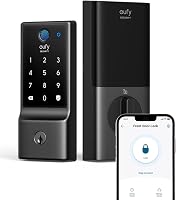
If you want to compare Matter first, read about eufy smart lock matter locks as a Matter focused alternative path.
What about cameras and recording with your lock?
Your lock controls entry, and cameras control recording, so plan them as separate systems. A smart lock does not record video, and a camera does not deadbolt your door.
That split matters when you build a full entry plan. Use the lock for codes, history and alerts, and use cameras for video at the door and around the home.
If you are new to recording, our guide on How Does a DVR Work, and Why It Matters? explains local recording in plain terms.
If you plan a multi camera home, check How Many Cameras Can an NVR Support in Most Homes? before you buy storage and recorders.
Keep the lock on Wi-Fi and the cameras on their own strong signal. A weak router spot can hurt both, so test range at the front door first.
Is Encode Plus right for Matter shoppers?
Encode Plus is right for Apple Home users and wrong for Matter only plans. That single rule makes the choice clear.
Pick Encode Plus if you want tap access with iPhone or Apple Watch, 250 codes, and Apple Home support. It is a strong lock for that setup, with Wi-Fi app control and voice options.
Pick a Matter lock if Matter is a must for your hub and automations. Do not buy Encode Plus hoping Matter will arrive later, since Matter is not listed now.
Pick regular Encode if you want core Wi-Fi control, 100 codes and a lower fuss setup without Apple home keys. Choose Satin Nickel or Matte Black based on your hardware.
We compared the three Encode models here, and the protocol check came first. Check Matter need, Apple use and door fit, in that order, and you will buy the right lock the first time.
Frequently asked questions
Does Schlage Encode Plus support Matter?
No. The Encode Plus lists Bluetooth and Wi-Fi as its connectivity protocols, plus Apple HomeKit, Alexa and Google Assistant as controllers.
Matter is not listed, so plan on Wi-Fi and Apple Home for automation instead.
What smart home systems does Encode Plus work with?
Schlage says it works with Apple Home and Apple home keys, plus Alexa and Google Home for voice and routines. It also pairs with the Schlage Home app over 2.4 GHz Wi-Fi for remote use and codes.
Is the regular Encode different from Encode Plus for Matter?
No. The regular Encode models list Wi-Fi, and one also lists Bluetooth, with Alexa, Google Assistant and Vera as controllers.
Neither Encode version lists Matter, so the difference is features and access, not Matter support.
Should I buy Encode Plus if I want Matter?
No, choose a lock that lists Matter as a protocol if Matter is a must. Encode Plus is a strong pick for Apple Home users who want tap to lock, but Matter shoppers should check a Matter lock guide before they order.