How to Replace an eufy Smart Lock Battery
For an eufy smart lock battery replacement, identify your exact lock model first, then use the battery format and quantity listed in its manual. Replace the batteries with the lock unprotected, keep the door open, and test the keypad, app, and physical key before closing it.
On this page (7 sections)
- What should you check before an eufy smart lock battery replacement?
- How do you remove the eufy smart lock battery cover?
- What is the correct way to install the replacement batteries?
- How do you test the lock after changing batteries?
- What should you do if the lock still reports low battery?
- How can you prevent another battery problem?
- What is the safest eufy smart lock battery replacement routine?
For an eufy smart lock battery replacement, identify the exact lock model first and use the battery format and quantity stated for that model. For the C220, see the eufy Smart Lock C220 review.
Replace the batteries while the door is open, then test the lock before closing the door.
The cover design, battery location, and reset steps can differ between eufy locks. For the C210, see the eufy Smart Lock C210 review.
Your model number matters more than the lock's general appearance, so check the inside label, manual, or eufy's support information before ordering batteries.
What should you check before an eufy smart lock battery replacement?
Check the model, battery format, battery count, and access options before removing anything. This prevents a common mistake: opening the lock first and discovering that the replacement batteries or instructions do not match.
Have the new batteries ready, along with a small flashlight if the compartment is dark. Keep the door open and make sure you can open the door with the keypad, app, fingerprint reader, or physical key, depending on your model.
Write down any battery warning or error message. If the lock still works, open the app and confirm that the lock is connected before beginning.
This gives you a useful comparison after the replacement.
If you are comparing battery-powered entry products, our guide to smart door locks explains the main lock types, access methods, and setup questions. For a model comparison, see the Aqara Smart Lock U400 review.
Which battery format fits your eufy lock?
The correct battery format is the one specified for your exact eufy model. Do not choose a battery only because it looks similar to the old one.
Check the battery compartment markings and the manual together. Confirm the size, chemistry, voltage, and number of batteries where those details are given.
If the markings and manual appear to disagree, stop and confirm the model before installing anything.
Use a complete matching set. Avoid mixing brands, partially used batteries, or batteries with different chemistry unless eufy's instructions specifically permit it.
Our guide to best batteries for smart locks covers selection factors that apply across many lock brands.
How do you remove the eufy smart lock battery cover?
Remove the cover according to the lock's design without forcing clips, screws, or sliding parts. The battery compartment may be behind an interior cover, under a panel, or inside another protected section.
Start with the door open and the lock in its normal unprotected position. Look for a screw, latch, release tab, or sliding direction.
Use the correct screwdriver if the cover is secured, and place small screws in a dish so they do not fall near the door.
Do not pry against the keypad, circuit board, wiring, or weather seals. If the cover does not move after the stated release step, stop and check the model instructions.
For comparison, see how to replace a Kwikset Halo battery cover because cover access varies by lock family.
Take a quick photo of the old battery direction before removing the set. The markings inside the compartment remain the final guide, but a photo can help you remember the original arrangement.
What is the correct way to install the replacement batteries?
Remove the old set, inspect the compartment, and install the new batteries in the marked direction. Match every positive and negative symbol instead of relying on memory.
Remove the batteries gently. Look for moisture, corrosion, dirt, loose contacts, or a damaged spring.
Do not scrape aggressively or bend a contact. If you see liquid damage or a broken contact, pause the replacement and follow eufy's support guidance.
Insert the batteries one at a time. Make sure each cell sits flat and the cover can close without pressure.
A cover that will not seat properly may indicate a misplaced battery, trapped wire, or wrong battery format.
The August Home Connect Wi-Fi Bridge is an accessory for an August Smart Lock, not a replacement battery or an eufy lock part. For other components, see August smart lock replacement parts.
It connects an August lock to Wi-Fi, requires a North American outlet with 110-240 volt, and works with iOS 9.0 or higher or Android 5.0 or higher smartphones.
How do you test the lock after changing batteries?
Test the lock while the door remains open. Use the normal keypad or other local entry method first, then check app control, alerts, and any connected access method your model supports.
Run the lock through a complete lock and open cycle. Listen for unusual grinding, repeated beeps, weak movement, or a motor that stops before the bolt reaches its full position.
Check the battery indicator in the lock or app if your model provides one. A warning that remains after replacement may point to a poor contact, an incorrect battery format, a cover that is not seated, or a lock fault.
If the lock connects to an app, confirm that its status changes after the physical test. Do not assume the app status is correct until the lock completes a real lock and open cycle.
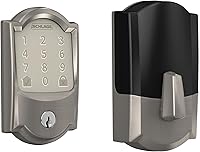
The Schlage Encode Smart WiFi Deadbolt Lock offers a useful comparison for readers deciding whether they prefer a lock with built-in Wi-Fi. For another Schlage option, see the Schlage Encode Plus review.
It uses four AA batteries, includes a low-battery indicator on the touchscreen and in the Schlage Home app, and fits doors 1-3/8 in to 1-3/4 in thick with a 2-3/8 in or 2-3/4 in backset.
The Schlage model is not an eufy replacement part. Its battery format and door measurements apply to that Schlage lock only, so do not transfer them to an eufy model.
What should you do if the lock still reports low battery?
If the low-battery warning remains, check the battery direction, contacts, cover, and model instructions before repeating the replacement. A warning does not always mean that another battery set is needed.
Remove and reseat the batteries only after confirming the marked direction. Check that the cover is fully closed and that no internal piece is pressing against the batteries.
If the lock operates but the app shows an old status, allow the app to refresh and check the lock's connection. Avoid repeated factory resets unless the instructions call for one, because a reset can remove settings or access information.
If the lock is completely unresponsive, use the model's emergency power or physical key method if available. Keep the door open while troubleshooting.
A hardwired doorbell transformer cannot replace smart-lock batteries.
The Hardwired Transformer for Ring Wired Video Doorbells accepts 120V AC 60 Hz input and provides 16V 30VA output. It is for compatible Ring wired video doorbells and should not be connected to an eufy smart lock unless a qualified professional and the lock's instructions specifically support that setup.
How can you prevent another battery problem?
Track the replacement date, keep the emergency entry method available, and respond to low-battery alerts early. Battery life varies with model, use, connection conditions, and battery type.
Keep the physical key or approved emergency entry method in a safe place outside the locked area. Do not hide it where someone could easily find it, and do not rely on the phone app as your only way in.
Clean the outside of the lock with the method eufy allows. Keep water away from the battery compartment and avoid products that can damage seals or electronic parts.
If the lock repeatedly drains batteries quickly, check for bolt friction, door misalignment, weak wireless connection, repeated motor cycles, or a battery contact problem. A lock that needs excessive force may need door adjustment before another battery replacement.
For broader battery planning, compare smart lock battery replacement guidance and smart locks with long battery life before changing hardware.
What is the safest eufy smart lock battery replacement routine?
Choose the exact model-specific battery format, replace the full matching set with the door open, and test every access method before closing it. That routine reduces the risk of a wrong battery, a loose cover, or an avoidable lockout.
Pick batteries from the format and chemistry approved for your eufy model. Keep the old set until the lock has passed its tests, then recycle used batteries through an appropriate local program.
If the warning remains after correct installation, stop replacing batteries repeatedly. Check the contacts and cover, review the model instructions, and contact eufy support if the lock still fails its keypad, app, or physical operation checks.
Frequently asked questions
How do I replace an eufy smart lock battery?
Open the door, keep it open, identify the exact eufy model, and follow its manual for the battery cover and battery format. Remove the old batteries, install the correct replacements in the marked direction, close the cover, and test the keypad, app connection, alerts, and backup entry method.
What batteries do eufy smart locks use?
The battery format depends on the eufy smart lock model. Check the label inside the battery compartment, the lock manual, or eufy's support information before buying replacements.
Do not mix formats, old and new batteries, or different battery chemistries unless the instructions specifically allow it.
Should I replace all eufy lock batteries at once?
Usually, replace the complete battery set together with matching batteries. A partial change can leave the lock with uneven battery levels, while mixing old and new batteries can shorten useful runtime.
Follow the exact replacement instructions for your eufy model.
Can I replace smart lock batteries with the door closed?
Do not replace them with the door closed unless you have another reliable way to enter and operate the lock. Keep the door open during an eufy smart lock battery replacement so you can test the lock and avoid being locked out if the cover, batteries, or connection needs attention.