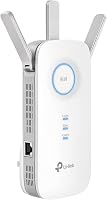
9 Best Outdoor Access Points (November 2026)
The best outdoor access points include the TP-Link Omada AC1200 Outdoor Wireless Access Point (best overall outdoor access point), the TP-Link Omada AX3000 Outdoor Wireless Access Point for Wi-Fi 6 capacity, and the TP-Link EAP110-Outdoor V3 for basic long-range coverage.
On this page (6 sections)
- How we chose the best outdoor access points
- The best outdoor access points for different setups
- What should you check before installing an outdoor access point?
- Is an outdoor access point better than a range extender?
- How do you choose between Wi-Fi 5 and Wi-Fi 6 outdoors?
- Verdict: which best outdoor access point should you choose?
The best outdoor access point for most homes is the TP-Link Omada AC1200 Outdoor Wireless Access Point. It combines dual-band Wi-Fi, IP65 weather protection, multiple PoE choices and Omada management, making it a balanced option for yards, patios and outdoor cameras.
Choose the TP-Link AX3000 model if you expect more Wi-Fi 6 traffic. For a large property, the WAVLINK AX3000 offers a wider stated range and higher connection capacity, while the TP-Link EAP110-Outdoor V3 keeps the setup focused on basic 2.4 GHz coverage.
The right outdoor AP needs more than a high speed number. Check the weather rating, Ethernet uplink, power method, band support and management system before you decide.
If you're planning a wider home network, our guide to mesh Wi-Fi explains how multiple wireless points can work together. For a longer reach, see our comparison of the best outdoor access point long range options.
Our picks at a glance
-
1
 Best overall outdoor access point
TP-Link Omada AC1200 Outdoor Wireless Access Point
9.7/10 our score
See it on Amazon -
2
 Best for Wi-Fi 6 capacity
TP-Link Omada AX3000 Outdoor Wireless Access Point
9.6/10 our score
See it on Amazon -
3

- 4
 Check it
BrosTrend AX3000 WiFi 6 Outdoor Access Point
Best for security cameras - 5
 Check it
BrosTrend AC1200 Outdoor WiFi Access Point Gigabit
Best for wide AC1200 coverage - 6
 Check it
WAVLINK AX3000 Outdoor WiFi 6 Extender Long
Best for large outdoor areas - 7
 Check it
Cudy AC1200 Wi-Fi 5 Gigabit Port Outdoor
Best for advanced network control - 8
 Check it
Cudy AC1200 Wi-Fi 5 Dual-Band Outdoor Access
Best for simple dual-band setup - 9
 Check it
Tenda AC1200 Wireless Access Point
Best for managed indoor-to-outdoor networks
How we chose the best outdoor access points
The best outdoor access point for your home should match the cable run, weather exposure and number of connected devices. A model that suits a small patio may not suit a farm building, a detached garage or a lens of garden used for work.
We compared the stated Wi-Fi class, Ethernet port, weather protection, power options and management features for each pick. We also looked at how an AP is meant to be mounted, because a wall mount, a pole mount and a detachable antenna change daily use in practical ways.
We also gave more weight to wired uplinks than to repeater-only operation. A wired connection from the router or switch gives an outdoor AP a direct network path, while a repeater depends on the strength of the wireless signal reaching it.
That distinction matters for cameras in particular. A camera that uploads video all day needs a steadier path than a phone used for a quick check of messages beside the door.
Our score weighs specs, features and buyer feedback against what you're shopping for. We did not treat a maximum wireless rate as a guarantee of real-world speed.
In practice, trees, walls, metal roofs, hills and neighbouring networks all affect outdoor signal. A stated range is best read as a guide for open space, not as a promise for every yard.
We also paid attention to power. PoE can make fitting easier when no outdoor socket is close, but passive PoE and standard PoE are not always interchangeable.
That is why we kept the picks at different price and feature levels. Each one has an honest trade-off, and the right choice depends on where the cable ends and what devices will use the signal.
| Product | Best for | Wi-Fi class | Weather rating | Power | Our score |
|---|---|---|---|---|---|
| TP-Link Omada AC1200 Outdoor Wireless Access Point | overall outdoor access point | AC1200 dual-band | IP65 | 802.3af/at PoE or passive PoE | 9.7 |
| TP-Link Omada AX3000 Outdoor Wireless Access Point | Wi-Fi 6 capacity | AX3000 dual-band | IP67 | 9.6 | |
| TP-Link EAP110-Outdoor V3 | basic long-range coverage | N300 2.4 GHz | P65 dustproof and weatherproof | 9.4 | |
| BrosTrend AX3000 WiFi 6 Outdoor Access Point | security cameras | AX3000 dual-band | IP65 | Included passive PoE injector or compatible PoE switch | 9.2 |
| BrosTrend AC1200 Outdoor WiFi Access Point Gigabit | wide AC1200 coverage | AC1200 dual-band | IP65 | Passive PoE injector or standard PoE switch | 8.9 |
| WAVLINK AX3000 Outdoor WiFi 6 Extender Long | large outdoor areas | AX3000 dual-band | IP67 | 802.3af/at active PoE or passive PoE | 8.7 |
| Cudy AC1200 Wi-Fi 5 Gigabit Port Outdoor | advanced network control | AC1200 dual-band | IP65 | 8.4 | |
| Cudy AC1200 Wi-Fi 5 Dual-Band Outdoor Access | simple dual-band setup | AC1200 dual-band | IP65 | 8.2 | |
| Tenda AC1200 Wireless Access Point | managed indoor-to-outdoor networks | AC1200 dual-band | 802.3af PoE or 12V DC | 7.9 |
The best outdoor access points for different setups
The TP-Link Omada AC1200 is the strongest all-around pick, while the AX3000 models suit heavier traffic and larger outdoor areas. The lower-scoring models remain useful when their specific power, antenna or management features fit your installation.
TP-Link Omada AC1200 Outdoor Wireless Access Point: Best overall outdoor access point
- AC1200 dual-band Wi-Fi
- IP65 weatherproof enclosure
- 802.3af/at and passive PoE
- Omada SDN and app management
This TP-Link balances dual-band speed, weather protection and flexible management. It suits homes that want one outdoor AP with Omada controller options.
Pros
- Dual-band Wi-Fi
- Multiple PoE options
- Omada cloud and app access
Cons
- 100 Mbps LAN port
- Older Wi-Fi 5 standard
The TP-Link Omada AC1200 Outdoor Wireless Access Point is the best fit for a general home deployment. Its dual-band AC1200 design supports up to 1200 Mbps, and MU-MIMO helps it serve multiple devices at the same time.
The IP65 enclosure is rated for dust and rain exposure. TP-Link states outdoor coverage of more than 200 m at 2.4 GHz and more than 300 m at 5 GHz, though walls, trees, interference and client devices affect the result.
Power choices include 802.3af/at PoE and passive PoE. The included box contents include a PoE injector, power adapter, mounting kits and installation guide.
Omada gives you standalone operation or centralized control through an Omada hardware, software or cloud controller. Mesh, roaming, band steering, airtime fairness and beamforming are also supported through the stated Omada features.
The trade-off is the 10/100 Mbps LAN port. That makes this a strong fit for ordinary outdoor browsing, smart devices and cameras, but less suitable when you need a faster wired uplink.
TP-Link Omada AX3000 Outdoor Wireless Access Point: Best for Wi-Fi 6 capacity
- AX3000 Wi-Fi 6
- IP67 weatherproof enclosure
- Up to 2976 Mbps dual-band speed
- Omada SDN management
The EAP650-Outdoor is the strongest TP-Link choice here for newer Wi-Fi 6 clients and heavier outdoor traffic. Its IP67 enclosure adds protection for exposed installations.
Pros
- Wi-Fi 6
- IP67 enclosure
- Omada management
Cons
- Larger and heavier than some picks
- Controller features need compatible Omada equipment
The TP-Link Omada AX3000 Outdoor Wireless Access Point is the top choice for Wi-Fi 6 clients and busier outdoor networks. Its stated dual-band rate reaches 2976 Mbps, with 1024-QAM, HE60 and Long OFDM Symbol support.
The IP67 enclosure gives it a higher weather rating than the IP65 models here. The unit also has dedicated high-gain antennas and a stated 3500 sq ft connectivity range.
Its LAN port is rated up to 10,000 Mbps, which leaves more room for a fast wired network. Power comes through the included passive PoE adapter and power cord, and mounting hardware is included.
Omada SDN can provide centralized management, cloud access and app control. Mesh and roaming require compatible Omada SDN controllers, so check your controller and firmware before planning those features.
Choose this model when the rest of your network can use its Wi-Fi 6 and faster Ethernet capacity. It may be more equipment than you need for a small patio with only a few devices.
For brand-specific comparisons, read our guide to the best Ubiquiti outdoor access point options.
TP-Link EAP110-Outdoor V3: Best for basic long-range coverage
- N300 single-band Wi-Fi
- Coverage up to 200 meters
- Passive PoE with injector
- Centralized management
This single-band AP is a practical fit for simple outdoor browsing and connected devices where 5 GHz speed is not required.
Pros
- Simple outdoor deployment
- Passive PoE injector included
- Long-range 2.4 GHz coverage
Cons
- Single-band Wi-Fi
- 300 Mbps maximum rate
The TP-Link EAP110-Outdoor V3 is best for basic long-range coverage where 2.4 GHz is enough. It uses single-band N300 Wi-Fi, with a maximum data rate of 300 Mbps and coverage up to 200 meters.
Its high-gain antennas and high transmission power are intended for outdoor Wi-Fi applications. The enclosure is described as P65-rated for dust and weather protection.
Passive PoE simplifies installation, and the package includes a PoE adapter, power cord, mounting kit, waterproof rubber insert and installation guide. Its 10/100 Mbps LAN port matches the AP's lower maximum rate.
Security features include WPA/WPA2 enterprise, 802.1X with RADIUS authentication and rogue AP detection. You can also use centralized management and multiple SSIDs.
The clear limitation is the lack of 5 GHz. Pick it for simple coverage, older devices or a basic outdoor network, not for high-throughput streaming across many modern clients.
BrosTrend AX3000 WiFi 6 Outdoor Access Point: Best for security cameras
- AX3000 Wi-Fi 6
- Gigabit Ethernet uplink
- IP65 protection
- Support for up to 80 devices
Its wired uplink and Gigabit port suit outdoor cameras, smart devices and busy patios. The included mounting hardware helps with a more complete installation.
Pros
- Gigabit Ethernet
- Wi-Fi 6
- Included outdoor Ethernet cable
Cons
- IP65 is below the IP67 rating of some picks
- Two-antenna design needs careful placement
The BrosTrend AX3000 WiFi 6 Outdoor Access Point suits security cameras and smart-home devices because it uses a wired Ethernet uplink. Its AX3000 rating combines up to 2402 Mbps at 5 GHz with 574 Mbps at 2.4 GHz.
BrosTrend states support for up to 80 devices, along with 160 MHz, UL/DL MU-MIMO and a Gigabit Ethernet port. That combination gives this model more room for multiple cameras, phones and outdoor devices than a 100 Mbps AP.
The IP65 enclosure includes 6 kV lightning protection and 8 kV ESD protection. It is designed to operate from -22 F to 140 F.
The box includes two detachable waterproof antennas, a Gigabit passive PoE injector, power adapter, outdoor PoE Ethernet cable, wall-mounting bracket, screws, cable ties and grounding hardware.
Setup uses Access Point Mode through a web interface. Use Cat5e or higher cable up to 328 ft, and confirm that a PoE switch supports the required 802.3at or 802.3bt standard if you use one instead of the included injector.
BrosTrend AC1200 Outdoor WiFi Access Point Gigabit: Best for wide AC1200 coverage
- AC1200 dual-band Wi-Fi
- Coverage up to 656 feet
- Gigabit Ethernet
- IP65 housing
This BrosTrend model fits a yard, poolside area or garden that needs a wired outdoor AP with dual-band Wi-Fi and Gigabit Ethernet.
Pros
- Gigabit port
- Two adjustable antennas
- Standard and passive PoE support
Cons
- Wi-Fi 5 rather than Wi-Fi 6
- Outdoor cable selection is your responsibility
The BrosTrend AC1200 Outdoor WiFi Access Point Gigabit is a good match for a yard, garden, deck or poolside area that needs dual-band Wi-Fi through a wired connection. It supports up to 867 Mbps at 5 GHz and 300 Mbps at 2.4 GHz.
The unit has a Gigabit Ethernet port, two adjustable 5 dBi omni-directional antennas and beamforming. BrosTrend states coverage up to 656 ft and support for up to 60 devices.
Its IP65 housing includes 6 kV lightning protection and 8 kV ESD shielding. Power can come through the included passive PoE injector or a standard 802.3af/at/bt PoE switch.
For outdoor installation, use Cat5e or higher cable that is waterproof, shielded and UV-resistant. The included box has a wall-mounting bracket, cable ties, grounding screw, anti-theft screw and mounting hardware.
This is a Wi-Fi 5 model, so the AX3000 BrosTrend is the better fit when you want Wi-Fi 6 or more stated capacity.
WAVLINK AX3000 Outdoor WiFi 6 Extender Long: Best for large outdoor areas
- AX3000 Wi-Fi 6
- 200 to 300 meter range
- Four 8 dBi antennas
- Up to 256 connections
The WAVLINK is aimed at broad outdoor coverage, with four detachable antennas and multiple operating modes. It suits large yards, farms and RV areas.
Pros
- High connection capacity
- IP67 enclosure
- Active and passive PoE
Cons
- Heavier 2.5 kg body
- Mesh mode is limited to WAVLINK series products
The WAVLINK AX3000 Outdoor WiFi 6 Extender Long is the strongest choice here for a large outdoor area. It states a 200 to 300 meter range, up to 256 connections and a Gigabit Ethernet port.
Four detachable 8 dBi fiberglass antennas and two built-in amplifiers support the wide coverage design. The IP67 enclosure is rated for outdoor use, with 15 kV ESD and 6 kV lightning protection.
You can use 802.3af/at active PoE or passive PoE through one Ethernet cable. WAVLINK recommends Cat5e or higher cable up to 328 ft, and the PoE converter itself is not waterproof.
Operating modes include AP, router, repeater, AP plus repeater and mesh. Mesh mode is limited to WAVLINK series products, so it is not the most flexible choice for a mixed-brand network.
The 2.5 kg weight is much higher than several other picks. Plan the mounting surface carefully, especially where wind exposure is high.
Cudy AC1200 Wi-Fi 5 Gigabit Port Outdoor: Best for advanced network control
- AC1200 dual-band Wi-Fi
- Gigabit PoE port
- IP65 aluminum enclosure
- Cudy Mesh and OpenWRT-ready support
This Cudy AP adds Gigabit networking, Cudy Mesh and OpenWRT-ready support for buyers who want more control than a basic access point provides.
Pros
- Gigabit port
- VPN features
- Wall and pole mount kit
Cons
- Wi-Fi 5
- Advanced firmware work may require more setup
The Cudy AC1200 Wi-Fi 5 Gigabit Port Outdoor Access Point is for buyers who want an outdoor AP with more network control. It has 867 Mbps at 5 GHz, 300 Mbps at 2.4 GHz, a Gigabit port and support for Cudy Mesh.
Its IP65 aluminum enclosure is designed for temperatures from -40 F to 149 F. The unit also includes 4 kV surge protection, 8 kV ESD protection and two detachable RP-SMA antennas.
Cudy supports wired and wireless mesh backhaul, fast roaming and more than 30 connected devices. The Cudy App and C200P controller provide management options, while OpenWRT-ready support is aimed at users who want custom packages.
The box includes a PoE adapter, power cord, Ethernet cable, detachable antennas and a pole and wall mount kit. Power comes through 802.3at/af PoE, passive PoE or the included DC adapter.
Choose this when advanced routing and firmware control matter. Its Wi-Fi 5 standard makes it less future-focused than the AX3000 picks.
Cudy AC1200 Wi-Fi 5 Dual-Band Outdoor Access: Best for simple dual-band setup
- AC1200 dual-band Wi-Fi
- IP65 enclosure
- Detachable 4.6 dBi antennas
- 24V passive PoE adapter
The AP1200 Outdoor keeps the feature set simple while offering dual-band Wi-Fi, detachable antennas and a mounting kit for outdoor coverage.
Pros
- Dual-band Wi-Fi
- Detachable antennas
- Wall and pole mounting
Cons
- 100 Mbps LAN port
- Passive PoE adapter is not waterproof
The Cudy AC1200 Wi-Fi 5 Dual-Band Outdoor Access Point keeps outdoor Wi-Fi simple with dual-band AC1200 performance. It supports up to 867 Mbps at 5 GHz and 300 Mbps at 2.4 GHz.
The IP65 enclosure is described for rain and dust protection when mounted vertically. It also has 4 kV surge protection, 8 kV ESD protection and an operating range from -40 F to 149 F.
Two detachable 4.6 dBi RP-SMA antennas can be changed for directional options. A wall and pole mounting kit is included, along with a 24V passive PoE adapter.
The main limitation is the 100 Mbps LAN port. The passive PoE adapter is also not waterproof, so keep it in a protected indoor or weather-safe location and run suitable outdoor Ethernet to the AP.
Pick this model for a basic dual-band outdoor network where the Ethernet uplink does not need to exceed 100 Mbps.
Tenda AC1200 Wireless Access Point: Best for managed indoor-to-outdoor networks
- AC1200 dual-band Wi-Fi
- Gigabit Ethernet port
- Cloud, app and local web management
- 802.3af PoE or 12V DC
Tenda's i24 is a flexible managed AP with fast roaming, VLAN support and dual power choices. It is described for indoor installation, so use it where outdoor exposure is not required.
Pros
- Gigabit Ethernet
- VLAN and multiple SSIDs
- PoE or DC power
Cons
- Indoor-focused design
- No outdoor IP rating in the data
The Tenda AC1200 Wireless Access Point is a flexible option for managed indoor networks that extend toward an outdoor area without exposing the unit to weather. Its dual-band rate reaches 1167 Mbps, with 300 Mbps at 2.4 GHz and 867 Mbps at 5 GHz.
Tenda states coverage up to 1300 sq ft and support for more than 50 connected devices. The Gigabit Ethernet port helps avoid the bottleneck found on the 100 Mbps models.
Management options include the Tenda CloudFi App, cloud platform and local web interface. It supports up to 12 SSIDs, VLAN tagging, AP isolation, fast roaming and 802.3af PoE or 12V DC power.
The available data describes wall or ceiling mounting for indoor space and does not provide an outdoor IP rating. That makes it a poor choice for direct exposure to rain, dust or snow.
Use it near a window, inside a garage or in another protected area when you want managed Wi-Fi features without installing an outdoor-rated enclosure.
What should you check before installing an outdoor access point?
Check the enclosure rating, wired uplink, PoE method and cable route before installing an outdoor access point. A higher IP number generally gives more protection against water and dust, but the AP still needs correct mounting and sealed cable connections.
A wired uplink is usually the best choice for a fixed outdoor AP. It avoids repeating a weak wireless signal and gives cameras, phones and smart devices a direct path back to the router or switch.
Power over Ethernet can simplify placement because one cable carries power and data. Confirm whether the AP needs passive PoE, 802.3af/at or 802.3bt, and do not assume different PoE types are interchangeable.
For camera systems, an outdoor AP can provide the Wi-Fi connection, but it does not replace a recorder. Read What Is a PoE NVR, and How Does It Work? if your cameras record to a network video recorder.
Is an outdoor access point better than a range extender?
An outdoor access point is usually better when you can run Ethernet to the installation point. A range extender can be easier to place, but it must receive a usable wireless signal before it can repeat that network.
Our Wi-Fi range extender vs access point comparison explains the main difference. An AP creates or extends Wi-Fi from a wired connection, while an extender relies on wireless backhaul unless it supports another mode.
A wired AP is often steadier because it does not depend on the same weak signal it is trying to fix. This is a real help for gates, sheds and outbuildings that sit beyond the reach of the main router.
A repeater is a related but different term. See Wi-Fi range extender vs repeater when you need to compare wireless repeating behavior and placement limits.
Placement still matters with either choice. An extender that is too far from the router may repeat a poor signal, while a wired AP can be placed for the outdoor area instead.
If your camera is wired directly to a recorder or switch, it may not need Wi-Fi at all. Our guide to whether security cameras work without WiFi covers that setup choice.
For outdoor cameras that do need Wi-Fi, a wired uplink also leaves more capacity for other devices. Phones, tablets and smart displays then share a network that starts from a stronger base.
The simpler option is not always the worse one. If running cable is not possible, a wireless option may be the only choice that fits the home.
How do you choose between Wi-Fi 5 and Wi-Fi 6 outdoors?
Choose Wi-Fi 6 when you have newer phones, laptops, cameras or many clients sharing the outdoor network. Choose Wi-Fi 5 when the area has lighter traffic and the lower cost or simpler setup matters more.
Wi-Fi 6 appears in the TP-Link AX3000, BrosTrend AX3000 and WAVLINK AX3000 picks. These models also provide higher stated rates or connection capacity than the single-band and AC1200 options.
The access point's Ethernet port still matters. A Wi-Fi 6 radio connected through a slower 100 Mbps port may not suit a fast wired network, while a Gigabit port gives more room for camera streams and file transfers.
Think about the devices that will actually connect. A newer phone or laptop can use Wi-Fi 6 features, while older smart bulbs, cameras and tablets may have older radios.
Wi-Fi 5 can still serve a patio well when only a few people use it at once. Video calls, streaming and browsing do not always need the newest standard if the area is small.
Wi-Fi 6 becomes more useful when many devices share the same outdoor space. That can include family phones, work laptops, smart TVs and several cameras at the same time.
Connection capacity is another point to check. A model that states support for more devices may cope better at a gathering or in a busy work area, but it still needs a good wired uplink.
Set-up also matters. Some Wi-Fi 6 models work best when the rest of your network can use their speed, so match the AP to the router and switch you already have.
For a single camera and occasional phone use, Wi-Fi 5 is often enough. For a busy yard with newer devices, Wi-Fi 6 is the safer fit.
Verdict: which best outdoor access point should you choose?
The TP-Link Omada AC1200 Outdoor Wireless Access Point is the best outdoor access point for most homes because it balances dual-band Wi-Fi, IP65 protection, flexible PoE and Omada management. It is a sensible starting point when you want one AP for a yard, patio and cameras without moving to a larger system.
Pick the TP-Link Omada AX3000 for Wi-Fi 6 clients and a faster Ethernet network. Its higher stated speed and IP67 enclosure suit a busier outdoor area, but check that your controller and switch can use those features.
Choose the BrosTrend AX3000 for a wired camera and smart-home setup. The Gigabit uplink, included outdoor cable and support for many devices make it a fit for security cameras and smart displays.
Consider the WAVLINK AX3000 when a large property needs broad stated coverage. Four detachable antennas and a high connection count help with a farm, RV area or large garden, though the heavier body needs a firm mount.
For simple 2.4 GHz coverage, the TP-Link EAP110-Outdoor V3 is the focused choice. It suits basic browsing and a small number of devices where 5 GHz speed is not needed.
If you want advanced firmware and network options, choose the Cudy AC1200 Gigabit model. That route suits buyers who want more control, and it still keeps the set-up within a wired outdoor AP.
Then review our best outdoor access point TP-Link guide for more brand-specific options. That guide can help if you prefer to stay with one brand across the network.
The best pick is the one that matches your cable, weather exposure and devices. Speed numbers help, but placement, power and the wired uplink decide how well an outdoor AP works each day.
Our top 3 picks at a glance
-
1
Best overall outdoor access point
TP-Link Omada AC1200 Outdoor Wireless Access Point
9.7/10 our score
See it on Amazon -
2
Best for Wi-Fi 6 capacity
TP-Link Omada AX3000 Outdoor Wireless Access Point
9.6/10 our score
See it on Amazon -
3