Can Security Cameras Work Without WiFi, and Why It Matters?
On this page (3 sections)
Yes, security cameras can absolutely work without WiFi. Many systems use local storage or cellular connections. This means you can still record footage and stay secure. You don’t always need a home internet connection for surveillance. We found this is a major plus for many homeowners.
Not all security cameras are reliant on your home’s internet. Some cameras connect directly to a recorder using cables. Others can use a mobile data plan. This offers flexibility and peace of mind. It’s a smart solution when WiFi is unreliable or unavailable. We’ve seen this become very popular.
- Many security cameras work without WiFi.
- They can use local storage or cellular connections.
- This is great for areas with poor internet.
- It ensures you still get surveillance footage.
- You can maintain security even offline.
Below, we’ll show you the different ways security cameras can function without WiFi and why this matters for your safety. Our guide to a standalone camera vs security system can help you decide.
Security Cameras Operating Without a WiFi Connection
Can your security cameras function even if your home WiFi goes down? Yes, they absolutely can! You don’t always need a stable internet connection for your surveillance system to work. Many systems are designed with this in mind. They offer reliable security even when your usual internet is out of reach.
Understanding How Cameras Work Without WiFi
The main point is that WiFi is just one way for devices to communicate. Security cameras have other options to send and store footage. These methods ensure you don’t lose critical recordings. Let’s look at the most common ways this happens.
Direct Cable Connections (Wired Systems)
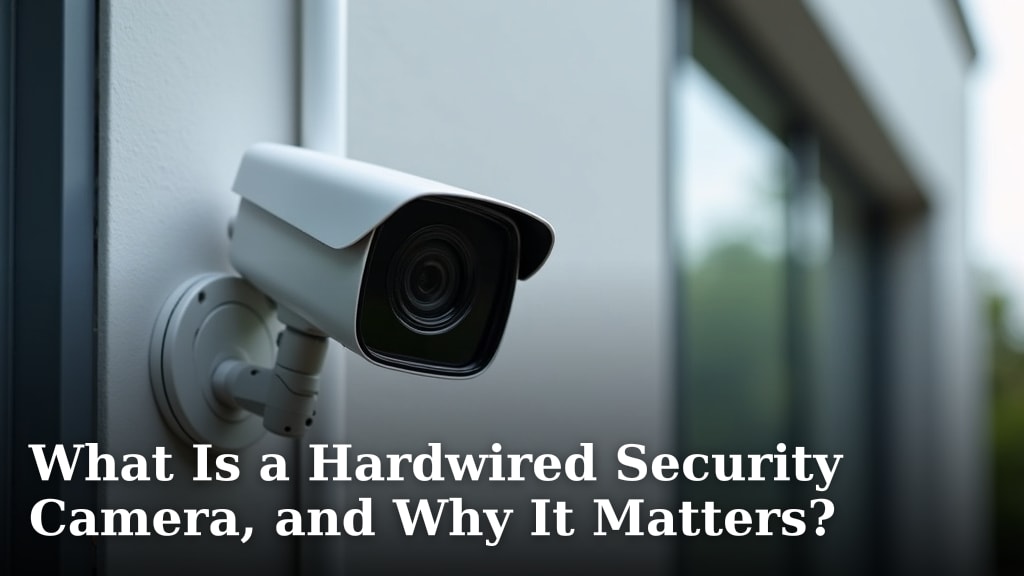
Think of wired security camera systems like a traditional landline phone. They use physical cables to connect the cameras directly to a recorder. This is the basic idea behind a hardwired camera system. This recorder is often called a DVR (Digital Video Recorder) or NVR (Network Video Recorder). The cables carry both the video signal and power to the cameras. This setup bypasses your home WiFi entirely. You get a very stable connection. It’s like having a direct line to your footage.
Local Storage Options
Many cameras, even wireless ones, have a slot for a microSD card. This is like a tiny digital notebook. The camera records footage directly onto this card. You can then remove the card and view the recordings on a computer or other device. This is a fantastic backup. It works even if your internet is completely offline. Some systems also allow you to connect a larger external hard drive to the recorder for more storage.
Cellular Connections for Remote Monitoring
For ultimate flexibility, some cameras use cellular data. This is similar to how your smartphone connects to the internet. The camera has a built-in SIM card. It uses a mobile data plan to send footage to the cloud or directly to your phone. This is a great solution for remote locations. Think of cabins, construction sites, or RVs. Places where traditional WiFi or internet might not be available at all. You’re essentially using the same network your phone uses.
Why Not Relying on WiFi Matters for Your Security
Having security cameras that can work without WiFi offers significant advantages. It’s not just a convenience; it’s a smart security strategy. Let’s break down why this is so important for your peace of mind.
Protection Against Internet Outages
We’ve all experienced internet outages. Whether it’s a storm, a service provider issue, or even a squirrel chewing through a cable, your WiFi can go down. If your security cameras rely solely on WiFi, they might stop recording or sending alerts during these times. This leaves your property vulnerable. Cameras that can operate independently maintain their surveillance. They keep recording essential footage. This is vital for security.
Securing Remote or Underserved Areas
Not everyone lives in an area with robust internet service. Some rural locations or newly developing areas may have spotty or non-existent WiFi. For these homeowners, a WiFi-dependent camera system simply won’t work. Cameras that use wired connections or cellular data are ideal solutions. They allow you to secure your property regardless of local internet infrastructure. This ensures everyone can have effective security.
Enhanced Privacy and Data Security
When cameras send data over your home WiFi, it travels through your router and potentially to the internet. While most reputable brands use encryption, some users prefer to keep their footage more contained. Wired systems with local storage mean your video data doesn’t necessarily leave your property. This offers an extra layer of privacy control. You decide who sees the footage. It reduces the potential points of access for hackers.
Cost Savings on Internet Plans
Some advanced camera systems, especially those with continuous cloud recording, can consume a significant amount of data. This might push you into a higher-tier internet plan. If you choose a system that relies on local storage or direct connections, you can often avoid these extra internet costs. This makes the overall security system more budget-friendly. It’s a practical consideration for many households.
Types of Cameras That Don’t Need WiFi
When you’re looking for cameras that work offline, you’ll generally find a few main categories. Each has its own strengths and ideal use cases. Understanding these can help you pick the best option for your needs.
Wired DVR/NVR Systems
These are the classic security camera setups. Many coaxial systems use analog security cameras. They consist of multiple cameras connected by coaxial or Ethernet cables to a central DVR or NVR unit. Learn how IP cameras work in networked setups. This unit stores the recorded footage on a hard drive. This is a robust and reliable option. It’s often used for whole-home or business security. They require more complex installation because of the wiring. But they offer consistent performance.
Standalone IP Cameras with Local Storage
Many modern “wireless” cameras are actually WiFi-enabled but also offer local storage. These cameras connect to your WiFi for remote access. But they also have a microSD card slot. If the WiFi fails, they can still record locally. Some of these cameras can even be configured to connect directly to a network storage device (like a NAS) using a cable. This gives you flexibility. You get the convenience of wireless setup and offline recording.
Cellular Security Cameras
These cameras are built from the ground up to use cellular networks. They don’t rely on WiFi at all. They often come with a built-in cellular modem and require a monthly data plan. These are perfect for areas with no internet. They are also useful for temporary setups like construction sites or events. Their mobility is a key advantage. They can be placed almost anywhere with a cellular signal.
Choosing the Right Camera System for You
So, how do you decide which type of camera system is best? Consider your specific situation and what’s most important to you. We’ve put together a few points to help guide your choice.
Assess Your Internet Reliability
Is your home WiFi generally stable? Or does it cut out frequently? If it’s unreliable, you’ll definitely want a system that doesn’t depend on it. For very remote areas, cellular is your best bet. If you have occasional internet issues but otherwise decent service, a camera with local storage is a solid choice.
Consider Your Installation Capabilities
Are you comfortable running cables through walls and attics? If so, a wired DVR/NVR system offers excellent performance. If you prefer a simpler, wire-free setup, look for wireless cameras with microSD card slots. Cellular cameras are also typically easy to install. Just mount them and connect them to power.
Determine Your Budget
Wired systems can sometimes have a higher upfront cost. Cellular cameras often have an ongoing monthly data plan fee. Cameras with local storage might seem cheaper initially but consider the cost of microSD cards. Think about the total cost of ownership. What fits best with your overall budget?
A Quick Checklist for Non-WiFi Cameras
Here’s a simple rundown of things to remember when looking at cameras that can work without WiFi:
- Local Storage: Does it have an SD card slot or support external drives?
- Wired Options: Are you looking for a fully wired system or just backup recording?
- Cellular Capability: Is a cellular plan an option for your location?
- Power Source: How will the camera be powered? (Battery, solar, wired power)
- Ease of Access: How will you access recordings if your WiFi is down? (e.g., physically retrieving an SD card)
Conclusion
You’ve learned that your security cameras don’t need WiFi to keep an eye on things. Whether you choose wired systems, local storage, or cellular connections, reliable surveillance is achievable even without a stable internet connection. This flexibility is key for securing your home or business, especially in areas with spotty service or during unexpected internet outages. You can maintain peace of mind knowing your property is protected, regardless of your WiFi status. Your next step is to assess your internet reliability and choose the non-WiFi camera system that best fits your needs and budget.
Frequently Asked Questions
Can I view my cameras live if they don’t use WiFi?
Yes, for wired systems, you can usually view live feeds through your DVR or NVR, often by connecting a monitor directly. Cellular cameras typically offer live viewing via a smartphone app that uses their data connection. Local storage cameras primarily record, but some can still offer live viewing over a local network connection.
What’s the difference between a DVR and an NVR system for non-WiFi cameras?
A DVR system typically uses older analog cameras connected via coaxial cables, while an NVR system uses digital IP cameras connected via Ethernet cables. Both record footage to a hard drive. NVR systems generally offer higher resolution and more advanced features.
How much data do cellular security cameras use?
Data usage varies based on camera resolution, recording length, and whether you’re streaming live or just recording. Continuous recording at high quality can use several gigabytes per month, so choosing a plan that accommodates your usage is important.
Will my non-WiFi camera still send me alerts if the internet is down?
Generally, push notifications and email alerts rely on an internet connection to be sent to your phone. Cameras that work without WiFi will still record footage locally, but you might not receive real-time alerts if your internet is completely offline.
Can I add local storage to a camera that doesn’t originally have it?
This depends on the camera model. Some wireless cameras are designed with an SD card slot, even if they primarily use WiFi. If a camera lacks a card slot or external storage support, you typically cannot add local storage functionality to it.