Wi-Fi Range Extender vs Repeater: What Is the Difference? (November 2026)
A Wi-Fi repeater is a type of Wi-Fi range extender that receives and retransmits your wireless signal. The labels overlap, but features such as dual-band support, Ethernet access point mode and Wi-Fi generation can change how well a device fits your home.
On this page (10 sections)
- Wi-Fi range extender vs repeater: what is the difference?
- Does a repeater reduce Wi-Fi speed?
- Is a range extender better with Ethernet?
- Which Wi-Fi bands should you choose?
- How many devices can the extender support?
- Are “Wi-Fi booster” and “Wi-Fi extender” different?
- How should you place and set up a repeater?
- Is a repeater better than mesh Wi-Fi?
- What should security camera owners consider?
- Wi-Fi range extender vs repeater: which should you buy?
A Wi-Fi repeater is a type of Wi-Fi range extender that receives and retransmits your wireless signal. The terms often describe the same wireless repeating method.
The main difference is usually the feature set, not the name. A repeater uses a wireless connection back to your router.
A range extender can do that job too. It may also accept a cable from the router and create Wi-Fi near the cable.
That overlap is why shopping pages can sound confusing. Two boxes may look similar yet work in quite different ways once plugged in.
An extender may also offer Ethernet, access point mode, dual-band operation or mesh compatibility.
Some extenders add a second wireless band. That can help a nearby laptop use a faster band while a distant device stays on the band that reaches farther.
Others add mesh compatibility. That can help devices move between points under one network name when the router and extender are compatible.
The name on the box is only a starting point. The connection method, bands and modes tell you more about daily use.
This guide compares the practical differences between a wifi range extender vs repeater, including speed, placement, wired setup and products for common home networking needs.
It also looks at who each option suits. A small flat with one weak bedroom is different from a larger home with several rooms and many devices.
Setup matters as well. Some models use an app and a signal indicator, while others rely on a WPS button press for a quick link.
Care matters too. Firmware updates, a clear plug location and strong passwords can keep a coverage device working as intended.
Use the sections that follow to match the hardware to your home. Start with the distance between the router and the weak area, then check whether Ethernet can reach that spot.
If Ethernet is possible, access point mode may be the cleaner fix. If it is not, a wireless repeater may be simpler, even with its speed limits.
Wi-Fi range extender vs repeater: what is the difference?
A repeater repeats a wireless signal, while a range extender is a broader term for equipment that expands Wi-Fi coverage. In many product categories, the same device may be called a Wi-Fi extender, repeater, booster or signal amplifier.
A wireless repeater connects to your router over Wi-Fi. It then creates coverage farther away, which can help a phone, camera, streaming device or laptop reach the network from a weak room.
The connection still depends on the signal reaching the repeater. Thick walls, floors, distance and interference can reduce the result, so a large coverage number does not guarantee the same area in every home.
A range extender may also support access point mode. In that setup, Ethernet carries the network to the extender, and the device provides Wi-Fi near the cable connection.
That wired approach changes the main limitation. The device no longer needs to receive the router's signal wirelessly from across the house, although the Ethernet run and router still determine the setup.
Does a repeater reduce Wi-Fi speed?
A wireless repeater can reduce available throughput because it receives and retransmits data over the air. TP-Link states that wireless extenders are designed to improve coverage rather than directly increase speed, and actual speeds may be 50% or less of current speeds.
That does not make a repeater useless. A reliable signal in the room you use may perform better than a faster connection that drops repeatedly.
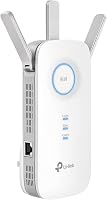
Dual-band models can give you more flexibility. The TP-Link AC1900 WiFi Range Extender RE550 supports 2.4 GHz and 5 GHz bands, with up to 1,300 Mbps on 5 GHz and up to 600 Mbps on 2.4 GHz according to its product information.
The TP-Link AX3000 WiFi 6 Dual-Band Range Extender supports 2.4 GHz and 5 GHz bands, with stated rates up to 574 Mbps and 2,404 Mbps. It also supports up to 64 devices and includes a Gigabit Ethernet port.
Is a range extender better with Ethernet?
A range extender with access point mode is usually the better fit when you can run Ethernet to the weak area. The wired connection avoids using Wi-Fi for the link between the router and the coverage device.
This does not mean every home needs a cable. Running Ethernet may be difficult across floors, through finished walls or around doors.
If cabling is not practical, a wireless repeater can be the simpler choice.
The TP-Link AC1900 WiFi Range Extender RE550 has a Gigabit Ethernet port and Access Point mode. The TP-Link AX3000 WiFi 6 Dual-Band Range Extender also has a Gigabit Ethernet port and Access Point mode.
For a deeper look at the wired option, compare a Wi-Fi range extender vs access point before you choose. An access point is built around a wired network connection, while a repeater is built around a wireless link.
Which Wi-Fi bands should you choose?
Choose dual-band when you want both wider 2.4 GHz reach and faster 5 GHz connections. Choose a 2.4 GHz-only model when your coverage goal and device mix do not require 5 GHz.
The 2.4 GHz band often reaches farther through a home, but it can face more interference. The 5 GHz band can offer higher stated rates at shorter distances, but walls and distance can affect it more.
The TP-Link AC1900 WiFi Range Extender RE550 and TP-Link AX3000 WiFi 6 Dual-Band Range Extender both support 2.4 GHz and 5 GHz. The Baetaey 2026 WiFi Extender Signal Booster supports 2.4 GHz only.
Your router and client devices also matter. A Wi-Fi 6 extender cannot make an older device use Wi-Fi 6, but it can still provide coverage for the devices and bands it supports.
How many devices can the extender support?
Use the stated device count as a comparison point, then leave room for traffic, distance and signal conditions. Phones, cameras, laptops, consoles and streaming devices all share the available connection.
The TP-Link AC1900 WiFi Range Extender RE550 is described for up to 32 devices. The TP-Link AX3000 WiFi 6 Dual-Band Range Extender is described for up to 64 devices.
The Finwarm 2026 WiFi Extender supports 55+ devices and offers repeater, bridge, access point and router modes. Its title also states a 15,888 sq. ft. range claim and 1-tap setup.
A device count does not tell you how much traffic the network can handle at once. Four cameras sending video may place a different load on the network than four phones used for light browsing.
Placement also shapes the real result. An extender set up between the router and a busy room may serve that room well, while one pushed into a dead zone may struggle to serve anyone.
A device count does not tell you how much traffic the network can handle at once. Four cameras sending video may place a different load on the network than four phones used for light browsing.
Are “Wi-Fi booster” and “Wi-Fi extender” different?
Wi-Fi booster is a broad marketing term, while Wi-Fi extender usually describes a device that expands an existing network. A repeater is one way to extend coverage, and an access point is another.
The name alone does not tell you whether the device uses a wireless or wired connection to the router. Check for repeater mode, bridge mode, access point mode, Ethernet and the supported wireless bands.
“Booster” and “amplifier” are often used on packaging to stress stronger coverage. They do not mean the device creates more speed from nothing.
A wireless repeater still depends on the signal it receives. If the link from the router is weak, the repeated signal will be limited as well.
An access point, by contrast, starts from a wired connection. That can suit a detached room, a garage or an outdoor area where a cable already reaches.
Bridge mode generally points to passing network traffic to wired devices, rather than serving as the main wireless source.
Router mode appears on some flexible models too. That mode is different from simple repeating and should be checked against the rest of your home setup.
Bands matter in daily use. Dual-band models can serve newer devices on a faster band and older or distant devices on a broader band.
A 2.4 GHz-only model may be enough for basic coverage in some homes. It will not offer the same choice for devices that expect a 5 GHz connection.
Mesh compatibility is another point to verify. A device may work with an EasyMesh-compatible router yet not with a different mesh system, so the exact names matter.
Setup method can also shape who a product suits. An app and signal indicator can help with placement, while a button-based setup may suit someone who wants fewer steps.
Our guide to Wi-Fi range extender vs booster explains why these labels can overlap. The useful comparison is the connection method and the features you need.
Also check the coverage claim in context. Walls, floors, distance and traffic can all change what that number means inside a real home.
Choose the option that matches the weak area you actually use. For one room, a simple repeater may be enough, while a wired access point may suit a spot with a cable nearby.
How should you place and set up a repeater?
Place the repeater where it still receives a usable signal from the router, not at the far edge of the dead zone. A weak source connection gives the repeater less to repeat.
Start near the router, connect the device, then move it toward the weak room. Check the signal indicator or setup app after each move.
Avoid hiding it behind large furniture or placing it beside sources of interference.
The TP-Link models use the Tether app and an intelligent signal indicator for setup guidance. The Finwarm and Baetaey products describe 1-tap or WPS setup, which can reduce the number of manual connection steps.
After setup, check the rooms that matter most. Test the camera, laptop, phone or streaming device from its usual location rather than standing next to the extender.
For larger homes, compare the best long range Wi-Fi extenders after measuring where the weak areas actually are. A claimed range figure cannot replace good placement.
Is a repeater better than mesh Wi-Fi?
A repeater is often simpler for one weak room, while mesh Wi-Fi is designed for broader whole-home coverage. Choose based on the size of the problem and how much network coordination you want.
A single extender can be enough when the router covers most rooms and only one area needs help. Mesh may make more sense when several areas have weak coverage or you want a system designed around multiple nodes.
The TP-Link AC1900 WiFi Range Extender RE550 and TP-Link AX3000 WiFi 6 Dual-Band Range Extender support EasyMesh-compatible routers, but the information says they are not compatible with Deco mesh Wi-Fi systems.
Read our Wi-Fi range extender vs mesh comparison before mixing an extender with an existing mesh system. Compatibility depends on the exact router and system, not just the word “mesh.”
What should security camera owners consider?
For a security camera, stable coverage matters more than a headline speed number. Place the extender where it can maintain a usable connection to both the router and the camera's location.
A wired access point can be useful when you can run Ethernet near an outdoor camera or detached room. A wireless repeater may be easier when cabling is not practical, but walls and outdoor construction can weaken the link.
The TP-Link AC1900 WiFi Range Extender RE550 includes a Gigabit Ethernet port and supports Access Point mode. The TP-Link AX3000 WiFi 6 Dual-Band Range Extender also includes a Gigabit Ethernet port and Access Point mode.
If your camera is outside, check the network path and weather protection separately. Our guide to an outdoor Wi-Fi extender compatible with eero can help if eero is part of your setup.
Use strong router and extender passwords, keep firmware current and choose the security settings supported by your devices. CISA's Secure by Design guidance offers broader security context for connected products.
Wi-Fi range extender vs repeater: which should you buy?
Choose a repeater when you need a wireless fix for one weak area. Choose a range extender with access point mode when Ethernet is available.
Then narrow the choice by bands, device count, router compatibility and setup method.
Choose the TP-Link AC1900 WiFi Range Extender RE550 for flexible dual-band coverage, Gigabit Ethernet and EasyMesh compatibility. Choose the TP-Link AX3000 WiFi 6 Dual-Band Range Extender for Wi-Fi 6 devices and a stated capacity of up to 64 devices.
Choose the Finwarm 2026 WiFi Extender for several operating modes and 1-tap setup. Choose the Baetaey 2026 WiFi Extender Signal Booster for 2.4 GHz coverage, four modes and four adjustable external antennas.
The best wifi range extender is the one that matches your router and reaches the room you use. Measure the distance, identify whether Ethernet is possible and place the device where its source signal is still usable.
Frequently asked questions
Is a Wi-Fi repeater the same as a Wi-Fi extender?
A Wi-Fi repeater is a type of Wi-Fi extender. It connects to your existing wireless network and retransmits that signal to reach a weak area.
The word extender can also describe devices that use a wired Ethernet connection as an access point, so check the operating modes before choosing.
Does a Wi-Fi repeater reduce speed?
A wireless repeater can reduce available throughput because it receives and retransmits data over Wi-Fi. The amount depends on the device, bands, distance, walls and network traffic.
A wired access point avoids the wireless hop between the router and the coverage device.
Should I choose a range extender or repeater?
Choose a range extender with repeater mode when you need a wireless setup. Choose one with access point mode when you can run Ethernet to the weak area.
The best choice depends on your wiring, router, bands, device count and the distance between the router and the dead zone.
Can a Wi-Fi extender work with any router?
Many extenders support standard Wi-Fi routers, gateways and access points, but special mesh features may be limited to compatible systems. Check the exact compatibility notes before buying.
For example, the TP-Link models here support EasyMesh-compatible routers but are not compatible with Deco mesh Wi-Fi systems.
Where should a Wi-Fi repeater be placed?
Place the repeater between the router and the weak area, where it can still receive a usable signal. A repeater placed inside the dead zone may repeat a poor connection.
Use its signal indicator or app guidance, then check the rooms and devices that need coverage.