What Is the Uplink Port on a PoE Switch?
A PoE switch uplink port connects the switch to your router, NVR, or another network switch. It carries traffic from connected cameras and devices toward the rest of your network.
On this page (9 sections)
- What does a PoE switch uplink port do?
- Where should you connect the uplink?
- How does an uplink affect camera bandwidth?
- Do PoE switches have a dedicated uplink port?
- Can you use a normal Ethernet port as an uplink?
- Is a PoE injector better than a PoE switch uplink?
- Can a small switch connect to a PoE switch uplink?
- Should you choose an RJ45 or SFP uplink?
- How should you plan a PoE switch uplink?
A PoE switch uplink port connects the switch to your router, NVR, or another switch. It carries the combined data from connected cameras and other devices, while the regular PoE ports usually send both power and data to compatible devices.
A simple camera network may use one uplink from the PoE switch to the router or NVR. Larger systems can use uplinks to connect several switches, extend the network, or send traffic toward a faster central switch.
What does a PoE switch uplink port do?
The uplink sends network traffic from the PoE switch toward the rest of your network. A camera connected to a PoE port sends video into the switch, and the uplink carries that video to the NVR, router, computer, or remote-access path.
The uplink may be a regular RJ45 Ethernet port. Some switches also include an SFP port for a compatible fiber or copper transceiver, which can help connect network sections over longer distances.
An uplink is not automatically faster than every other port. Its speed depends on the switch design.
A Gigabit uplink can negotiate up to 1,000 Mbps when the connected device and cable support that speed.
Where should you connect the uplink?
Connect the uplink to the network device that needs to receive or route the camera traffic. In a home setup, that may be a router.
In a camera system, it may be a PoE NVR or another switch connected to the recording network.
Use the regular PoE ports for compatible cameras and powered access points. A port marked uplink may not provide PoE, so plugging a camera into it could leave the camera without power even if the network connection is active.
Your layout may also include mesh Wi-Fi when wireless coverage matters elsewhere in the home. The PoE switch still needs a wired path to the router or network device that handles the camera traffic.
How does an uplink affect camera bandwidth?
The uplink carries the combined traffic from the devices connected to that switch. If 4 cameras each send 8 Mbps, the switch needs to move about 32 Mbps toward the recorder, before allowing for other network activity.
A 100 Mbps uplink may work for a small camera system with modest bit rates. A Gigabit uplink gives more room for multiple cameras, higher recording bit rates, live viewing, and other wired devices.
The uplink does not improve a camera's image quality by itself. It only provides a path for data.
The camera settings, recorder capacity, cable quality, and network equipment still affect the result.
For a broader overview of switch choices, see our guide to best PoE switches. If your recorder has built-in PoE ports, what a PoE NVR does explains how those camera connections differ from a separate switch.
What happens when the uplink is too slow?
A slow uplink can become a shared bottleneck. Cameras may still power on and communicate, but live views can stutter, remote access can slow down, or recorded streams may compete for limited capacity.
Check the total expected camera traffic before choosing the switch. Leave room for overhead and other devices instead of matching the uplink to the camera total exactly.
A fast uplink cannot fix a slow connection farther along the network. If the router, NVR port, cable, or second switch only supports 100 Mbps, the path may still operate at that lower speed.
Do PoE switches have a dedicated uplink port?
Some PoE switches have dedicated uplink ports, while others let selected ports serve as either regular Ethernet ports or uplinks. The labels may show “Uplink,” “SFP,” “SFP+,” or a port number separated from the main PoE group.
A dedicated uplink can make the intended wiring clear. A flexible port can give you more choices, but you need to confirm whether using it changes the number of available PoE ports.
The TP-Link 8 Port Gigabit Ethernet Network Switch is an unmanaged switch with 8 RJ45 ports supporting 10/100/1000 Mbps, plug-and-play setup, fanless operation, a metal housing, shielded ports, and traffic optimization.
This model suits a small wired network where you want to connect Ethernet devices and send their traffic through one network path. Its ports support Gigabit speeds, but the switch does not turn every connection into a dedicated uplink.
Choose one port for the connection toward the router or NVR and use the others for compatible network devices.
The fanless design can suit a home office, bedroom, or other noise-sensitive area. The metal housing and shielded ports are useful when you want a sturdy desktop switch.
Because it is unmanaged, it does not provide the traffic controls found on managed switches.
Can you use a normal Ethernet port as an uplink?
Yes, a normal Ethernet port can often serve as the uplink on an unmanaged switch. Ethernet switches forward traffic between ports, so the important part is connecting the correct devices and confirming the negotiated speed.
For example, you can connect one switch port to a router, then connect cameras, computers, or another network device to the remaining ports. The switch does not need a special “uplink” button for this basic arrangement.
Do not connect two ports from the same switch to the same network unless the equipment and configuration support it. That can create a network loop and cause connectivity problems.
Is a PoE injector better than a PoE switch uplink?
A PoE injector and a PoE switch solve different problems. An injector adds power to one Ethernet connection, while a PoE switch can power multiple compatible devices and forward their traffic through its uplink.
The PoE injector vs switch comparison can help if you are powering one camera or access point. An injector may suit a single device when your existing network switch has no PoE ports.
The TP-Link Omada PoE+ Injector has 1 Gigabit Ethernet input port and 1 Gigabit Ethernet output port. It supports IEEE 802.3at/af PoE devices, provides up to 30W to a PoE+ device, supports up to 100 m transmission, and uses plug-and-play setup.
This injector suits a setup where one compatible camera or access point needs power but the existing switch does not provide PoE. It is not a replacement for a multi-port PoE switch because it powers one Ethernet path and does not create several PoE camera ports.
The input connects toward the network switch or router, and the output connects toward the powered device. Keep the direction clear during setup, and use a compatible device that supports the injector's PoE standards.
Can a small switch connect to a PoE switch uplink?
Yes, a small Ethernet switch can connect to a PoE switch uplink when the devices and traffic needs match. This lets you place more wired devices in another room, but the uplink becomes the shared path for those devices.
The TP-Link TL-SG105 is a 5-port Gigabit unmanaged switch with 5 RJ45 ports supporting 10/100/1000 Mbps, auto negotiation, auto MDI/MDIX, fanless operation, a metal case, flow control, QoS, and IGMP Snooping.
This switch suits a small group of Ethernet devices when you need more ports near a desk, recorder, or network cabinet. It is an unmanaged switch, so setup does not require software or configuration, while QoS and IGMP Snooping can help with traffic handling for video or voice data.
It does not supply PoE. Use it as a downstream Ethernet switch, and connect it to a PoE switch or router through one port.
If the downstream devices need power, add compatible power equipment for those devices.
Should you choose an RJ45 or SFP uplink?
Choose an RJ45 uplink for ordinary copper Ethernet cabling and an SFP uplink when your network design calls for a compatible transceiver or a different cable path. The right choice depends on the ports on both ends and the distance between network locations.
SFP ports are not automatically faster or more useful for every home camera system. You need matching hardware, compatible modules, and a cable type that suits the connection.
Our guide to best PoE switches with SFP ports covers switches designed around that type of expansion. For branded equipment, see best Cisco PoE switches and compare the port layout with your recorder and router.
How should you plan a PoE switch uplink?
Plan the uplink around device count, total camera traffic, distance, and the destination device. Identify where the cameras will connect, where the NVR will record, and which device will provide the route to remote viewing.
Keep the switch near a suitable power source, label both ends of each Ethernet cable, and check the link indicators after connecting the uplink. If a connection negotiates at 100 Mbps when you expected Gigabit, inspect the cable, connectors, and ports.
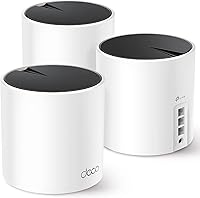
Do not confuse a mesh system with a wired camera backbone. A mesh Wi-Fi system versus router comparison can clarify the wireless side, while a TP-Link Deco BE3600 review may help when you are considering a particular mesh system for other home devices.
The uplink decision is simple: use a regular Ethernet uplink for a straightforward wired network, choose Gigabit when several cameras share the path, and consider SFP only when your network equipment and cable plan support it. Use a PoE switch for several powered devices, or a PoE injector when one compatible device needs power.
Frequently asked questions
What is an uplink port on a PoE switch?
A PoE switch uplink port is the connection that sends traffic from the switch to a router, NVR, core switch, or another network device. It may use a standard RJ45 Ethernet port or an SFP port, depending on the switch.
The uplink carries data, but it does not usually power the device on the other end.
Can I plug a camera into the uplink port?
Usually, you should connect cameras to the regular PoE ports, not the uplink port. The standard PoE ports supply power and data to compatible cameras, while the uplink port normally connects the switch to the network.
Follow the switch's labels and manual because port behavior can vary by model.
Does a PoE switch uplink reduce camera bandwidth?
It can become a bottleneck if several cameras send more traffic than the uplink can carry. A Gigabit uplink provides more capacity than a 100 Mbps uplink, but the real result also depends on camera bit rates, recording settings, network traffic, and the speed of the router or NVR connection.
Is an uplink port the same as a normal Ethernet port?
An uplink port is still an Ethernet connection, but its intended role is different. It links the switch to another network device instead of serving an end device such as a camera or computer.
Some modern switches use flexible ports that can work as regular ports or uplinks, so check the labels and specifications.