Which Batteries Does an August Smart Lock Need?
Most August Smart Lock models use either 4 AA batteries or 2 CR123 lithium batteries, depending on the generation. Check the model and battery compartment before buying, because the wrong battery size will not fit.
On this page (10 sections)
- Which August smart lock batteries fit each generation?
- How can you identify your August lock before buying batteries?
- Are AA or CR123 batteries better for an August lock?
- How do you replace August Smart Lock batteries?
- What can shorten August Smart Lock battery life?
- What if you want a lock that uses AA batteries?
- Do August locks need a wired power supply?
- Can you use rechargeable batteries in an August Smart Lock?
- What should you do after changing the batteries?
- Which August smart lock batteries should you buy?
The right August smart lock batteries depend on the lock generation, not on the brand name alone. Earlier August models commonly use 4 AA batteries, while newer models commonly use 2 CR123 lithium batteries.
This difference matters because the two formats are not interchangeable in the battery tray. Sending a AA set to a CR123 lock, or the reverse, will leave the lock without power even though the batteries look new.
Check the battery compartment or the model label before ordering any replacement set. August has released several versions with different power requirements, so the lock's shape alone is not a reliable way to identify the correct battery.
The inside cover is the best place to confirm what your lock expects. Look for the printed battery type, the count of slots, and any model marking that matches the installation guide or the app.
It also helps to note who uses the lock and how often. A household with guests, cleaners or regular deliveries may run through batteries faster than a single user household, even with the same model.
If you are still choosing a connected lock, our guide to smart door locks explains how battery power, remote access and installation fit together. That guide can help you decide whether to keep your current August lock or move to a different system.
Before you buy, match the battery size and count to the marking in your compartment. A short check at that stage is easier than returning the wrong format later.
Which August smart lock batteries fit each generation?
The original August Smart Lock and many 2nd generation models use 4 AA batteries. The August Smart Lock 3rd generation, 4th generation and Wi-Fi Smart Lock commonly use 2 CR123 lithium batteries.
Use this table as a starting point, then confirm the model number and the marking inside the battery compartment.
| August lock family | Common battery type | Battery count |
|---|---|---|
| Original August Smart Lock | AA | 4 |
| August Smart Lock 2nd generation | AA | 4 |
| August Smart Lock 3rd generation | CR123 lithium | 2 |
| August Smart Lock 4th generation | CR123 lithium | 2 |
| August Wi-Fi Smart Lock | CR123 lithium | 2 |
The word "August" on the outside does not identify the generation or the battery format it needs. Several locks share similar casing, so the exterior name is only a starting point for identification.
If you also want keypad entry, check August keypad options. A keypad changes how guests enter, but it does not change the battery type inside the lock mechanism.
Look for the model name in the August app, on the packaging, on the inside assembly or in the installation guide. The app is useful when the lock is still connected, while the inside assembly gives a physical check you can trust with the door open.
Original and 2nd generation models commonly use 4 AA batteries. The 3rd generation, 4th generation and Wi-Fi Smart Lock commonly use 2 CR123 lithium batteries, so generation is the key detail to confirm.
Do not mix battery types or combine old and new cells in the same tray. Replace the full set with matching batteries so the lock receives even power on every cycle.
Keep the old set together while you work so you can see the count at a glance. That small habit makes it easier to avoid leaving one weak cell behind when you fit the new set.
How can you identify your August lock before buying batteries?
Identify the model first, then buy the battery type printed inside the lock. The battery compartment is the quickest final check because it shows the size the lock was designed to accept.
Open the inside cover carefully and inspect the battery tray. Count the slots, read any printed battery label and look for a model number.
You can also check the August app if the lock is still connected. The device name may show whether you have a Smart Lock, Smart Lock Pro or Wi-Fi Smart Lock, but the app name should support the physical check rather than replace it.
If you cannot find the model, photograph the inside assembly and compare its layout with August's support information. Avoid guessing from the exterior finish or the age of the lock.
For general replacement steps, see our guide to smart lock battery replacement. It covers safe access, contact checks and testing after installation.
Are AA or CR123 batteries better for an August lock?
Neither battery type is automatically better. The correct battery is the one required by your August generation, and using a different size or chemistry can stop the lock from working correctly.
AA-powered August locks are easy to match because AA batteries are widely available. Choose a complete set from the same package and check that the cells are fresh before installing them.
CR123-powered models use a smaller lithium battery format. Check that the package says CR123, not a similar-looking camera battery with a different voltage or designation.
Battery life also depends on the door. A deadbolt that rubs against the strike plate needs more motor effort than one that turns freely.
Before blaming the batteries, check that the door closes without pushing or pulling the lock.
For more battery selection advice, read our guide to the best batteries for smart locks.
How do you replace August Smart Lock batteries?
Replace August Smart Lock batteries with the door open, the lock disconnected from the deadbolt if needed, and the correct battery set ready. Test the lock before closing the door so a weak connection does not leave you locked out.
- Open the door and keep it open.
- Remove the inside cover according to your August model.
- Take out all old batteries.
- Check the contacts for dirt, corrosion or bent metal.
- Insert the new batteries in the direction shown in the compartment.
- Refit the cover without pinching wires or parts.
- Operate the lock while the door remains open.
- Check the August app for the new battery status.
Do not force the cover. If it does not close easily, remove it and check that every battery is seated correctly.
After the first test, lock and open the deadbolt several times. Listen for a strained motor sound and watch whether the bolt reaches the fully locked position.
If your home uses another brand, our guide to eufy smart lock battery replacement covers a different battery compartment and replacement process.
What can shorten August Smart Lock battery life?
A tight or misaligned deadbolt can shorten battery life because the motor works harder. Wi-Fi use, frequent locking, temperature and repeated failed movements can also increase power demand.
Check the strike plate and deadbolt alignment with the door closed. The bolt should extend and retract without needing you to push, lift or pull the door.
A connected accessory can also affect how you use the lock. The August Home Connect Wi-Fi Bridge connects an August Smart Lock to Wi-Fi and supports remote locking, opening, alerts and voice control.
It uses Wi-Fi and Bluetooth, requires a North American outlet with 110–240 volt, and works with iOS 9.0 or higher or Android 5.0 or higher.
The bridge measures 1.5 x 2.4 x 2.4 in and is white. It is an accessory for an August Smart Lock, not a replacement battery or a substitute for the lock's required battery type.
What if you want a lock that uses AA batteries?
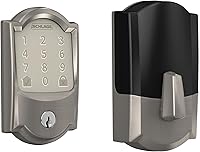
A different smart lock may suit you if you prefer a model with a clearly stated AA battery setup. The Schlage Encode Smart WiFi Deadbolt Lock uses 4 AA batteries and includes a low-battery indicator.
It connects to home Wi-Fi through the Schlage Home app and supports up to 100 access codes. It fits standard doors 1-3/8 to 1-3/4 in thick with a 2-3/8 or 2-3/4 in backset.
The lock has a satin nickel finish, zinc material and Camelot trim. It includes installation hardware, installation instructions and one physical backup key.
Schlage says typical battery life can reach 6 months.
This is a complete deadbolt, not an August accessory. Choose it only if you are replacing the lock and its door measurements fit.
Do August locks need a wired power supply?
August Smart Locks are battery-powered, so they do not use a wired transformer at the lock. A doorbell transformer cannot replace August Smart Lock batteries.
The Hardwired Transformer for Ring Wired Video Doorbells is designed for compatible Ring wired doorbells. It accepts 120V AC 60 Hz input and provides 16V 30VA output.
August Smart Locks run on batteries rather than a fixed mains supply. A separate wired device at the door cannot charge or replace the cells inside the lock.
The transformer measures 2.34 x 2.55 x 1.92 in and weighs 1.57 lb. Ring describes it as a replacement for most North American doorbell transformers.
It accepts 120V AC 60 Hz input and provides 16V 30VA output for compatible wired doorbells. That output is made for doorbell wiring, not for a battery powered deadbolt motor.
Keep doorbell power and smart lock power separate when planning an entry system. A transformer may help a wired doorbell, but it will not charge or run a battery-powered August lock.
This separation also helps with troubleshooting. If the lock stops working, the fault is more likely to be batteries, contacts or door alignment than the doorbell transformer.
If the doorbell is weak because the transformer is underpowered, replacing that transformer is the right fix for the doorbell. It still does not remove the need for fresh August batteries at the correct size and count.
Can you use rechargeable batteries in an August Smart Lock?
Use rechargeable batteries only when the exact August model supports them. Battery size is not enough because rechargeable cells can use different voltage and chemistry from standard batteries.
For an AA-powered lock, compare the voltage required by the August instructions with the rechargeable cell specification. For a CR123-powered lock, confirm that the replacement is approved for that model before installing it.
Rechargeable batteries also need a charging plan. Keep a matched spare set ready, and do not leave the lock without a working battery set while you wait for cells to charge.
If you want to avoid regular battery replacement, compare our guide to the best smart lock with rechargeable battery. A rechargeable lock is a different product choice from adding rechargeable cells to an existing August model.
What should you do after changing the batteries?
After changing the batteries, test the lock while the door is open and confirm the app shows normal battery status. A successful motor sound does not prove the bolt will work under the pressure of a closed door.
Running the lock with the door open lets you stop quickly if the bolt does not travel fully. It also keeps you from being locked out while you are still checking contacts and battery direction.
Check the lock and open commands several times in a row. Repeat the motion and watch for hesitation, a strained tone or a bolt that stops short of the locked position.
Then close the door and repeat the test while watching the bolt and listening for rubbing. A closed door adds the pressure from the strike plate, which can reveal alignment problems that the open door test misses.
If the bolt scrapes or needs a push to engage, adjust the door or strike plate before assuming the batteries are faulty. A freer moving bolt asks less of the motor and helps the new set last longer.
Keep the old batteries away from children and follow local battery disposal rules. Tape the terminals or store them in a case so loose cells do not touch metal objects.
Do not store loose batteries beside keys, coins or other metal items, because the contacts can short. A small battery case makes storage safer and keeps fresh and used cells apart.
If the warning returns quickly, inspect the door alignment, battery contacts and model-specific battery type. Check that every cell is seated in the direction shown and that the cover closes without pinching part of the assembly.
Clean the contacts gently if they look dusty or dull, and refit the cover before testing again. If the same warning returns after a clean fit and a free moving bolt, the issue may need support from August rather than another battery set.
Note the date you changed the batteries and the model you confirmed. That record helps you spot a pattern if the lock starts using power faster than before.
Which August smart lock batteries should you buy?
Buy 4 AA batteries for an original or 2nd generation August lock, or 2 CR123 lithium batteries for many 3rd generation, 4th generation and Wi-Fi Smart Locks. Confirm the exact model and battery marking before ordering.
The battery compartment gives the final answer for your door. Open the inside cover, count the slots and read the printed type before you place an order.
Pick the August replacement route if you already own the lock and want to keep its existing hardware. A matched new set is the simplest option when the lock itself still works well.
Consider a new AA-powered smart lock if you are replacing the entire deadbolt and want a different access system. A full replacement makes more sense when the old lock is worn, damaged or no longer fits your door.
Think about who will use the lock each day, including family, guests and anyone who needs keyless entry. That use pattern affects how often you will change batteries and which access method feels easiest.
For broader entry planning, compare myQ front door smart lock options and read our smart lock vs video doorbell guide if you are deciding which upgrade to make first.
Those guides help you weigh a lock change against a doorbell change, rather than treating them as the same purchase. A doorbell upgrade will not fix a worn lock, and a lock will not add video at the door.
Once you have confirmed the generation, buy the full set from the same package. Fitting all new cells at once keeps power even and makes the next replacement easier to plan.
Frequently asked questions
What batteries does an August Smart Lock use?
August Smart Lock batteries depend on the generation. Many earlier August locks use 4 AA batteries, while several newer models use 2 CR123 lithium batteries.
Remove the inside cover and match the battery type printed in the compartment before replacing them.
Can I use rechargeable batteries in an August Smart Lock?
Use rechargeable batteries only if the August model specifically supports their voltage and chemistry. Rechargeable AA cells may not provide the same voltage as standard alkaline batteries, while CR123 replacements also vary.
Match the lock's instructions instead of choosing by size alone.
How long do August Smart Lock batteries last?
Battery life depends on the August generation, lock activity, temperature, Wi-Fi use and door alignment. A lock that moves a tight deadbolt uses more power.
Replace the batteries when the app or lock gives a low-battery warning, then test the lock with the door open.