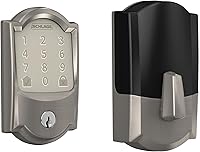
Which Yale Smart Locks Support Matter?
Yale smart locks support Matter only when the specific lock and communication module are compatible. Check the Yale model, module, Matter support, and hub requirements before adding a lock.
On this page (9 sections)
- Which Yale smart locks support Matter?
- Does the Yale module decide Matter compatibility?
- Can a Yale Assure Lock use Matter?
- How is Matter different from Wi-Fi, Bluetooth, and Zigbee?
- Which Yale lock should you choose for a front door?
- What if you decide against a Yale Matter lock?
- Do smart locks need a separate power solution?
- Can a Yale smart lock work with a security camera system?
- What should you do before adding a Yale lock to Matter?
A Yale smart lock supports Matter only when its exact model and communication module are compatible with Matter. Check both parts before you buy, because the lock body alone doesn't tell you which smart home standards it supports.
Matter is a smart home standard designed to help compatible devices work across supported platforms. The Connectivity Standards Alliance explains the standard in its Matter overview, but Matter support still depends on the device's hardware, software, and setup requirements.
Which Yale smart locks support Matter?
The Yale lock and its installed module must both support Matter. A Yale Assure model with a Wi-Fi, Bluetooth, Zigbee, or other module should not be treated as Matter compatible unless Yale identifies that specific combination as supported.
This matters because many Yale smart locks use removable communication modules. The same lock family may support different smart home platforms depending on the module installed inside the lock.
Before adding a Yale lock to Matter, record these details:
- The exact Yale lock model
- The module installed in the lock
- The module's wireless protocol
- The Matter support statement for that model and module
- The Matter controller or hub required by your smart home platform
- Any app, firmware, or account steps required during setup
If you are comparing lock types first, our guide to smart door locks explains the main differences between app-controlled, keypad, Bluetooth, Wi-Fi, and hub-based options.
Does the Yale module decide Matter compatibility?
Yes, the module can decide whether a Yale lock joins Matter. The lock's mechanical body may fit your door, but the module controls how the lock communicates with your smart home system.
Don't assume that replacing one module with another will automatically make the lock Matter ready. The replacement must match the Yale lock model, and Yale must support that combination.
Module compatibility also affects the way you control the lock. A Matter module may require a Matter controller, while a Zigbee module may require a compatible Zigbee hub or bridge.
Our guide to the best Yale Assure lock can help you compare the lock family before focusing on the wireless standard.
Can a Yale Assure Lock use Matter?
A Yale Assure Lock may use Matter when the exact Assure model and module support it. Check the model number and module before installation rather than relying on the Assure name alone.
A Yale Assure Lock with a Zigbee module is a different setup from one with a Matter module. If your current lock uses Zigbee, see whether a Yale Assure Lock works with Zigbee before planning a Matter upgrade.
The same check applies to newer Yale models. A keypad, touchscreen, fingerprint reader, or other lock feature does not prove Matter support.
Those features describe how you use the lock at the door, not how it connects to your smart home platform.
What should you check before buying a Yale Matter smart lock?
Check the model number first, then confirm the module and controller requirements. This short process helps prevent buying a compatible-looking lock that cannot join your intended Matter network.
- Find the exact Yale lock model.
- Identify the installed or included communication module.
- Confirm that Yale supports Matter for that combination.
- Check whether your smart home platform has a Matter controller.
- Confirm the lock's setup method and app requirements.
- Measure your door before ordering or changing hardware.
Yale model names can look similar across generations. Keep the model number, module name, and platform support together when comparing products.
How is Matter different from Wi-Fi, Bluetooth, and Zigbee?
Matter is the smart home standard, while Wi-Fi, Thread, Bluetooth, and other technologies describe how devices communicate during setup or operation. The presence of one wireless protocol does not automatically prove Matter support.
Bluetooth may help with nearby setup or direct control. Wi-Fi can connect a lock to your home network.
Zigbee can connect a lock through a compatible hub. Matter provides the shared smart home language, but the lock still needs suitable hardware and software.
This is why a Yale smart lock with Matter, a Yale smart lock with Zigbee, and a Yale smart lock with another module may require different hubs or setup steps.
A Matter-compatible lock may also have limits based on the platform you choose. Check whether your controller supports smart locks, remote control, notifications, and the routines you want.
Which Yale lock should you choose for a front door?
Choose the Yale model that fits your door first, then choose the compatible Matter module and controller. A lock that supports Matter but doesn't fit your door or preferred access method is still the wrong choice.
Compare door thickness, backset, keyway needs, keypad style, and whether you want a physical key. Then verify the Matter combination before you order.
For a focused comparison, read our guide to the best Yale smart locks for front doors. If you are considering a newer touchscreen model, our Yale Assure Lock 2 Touch review covers that product separately.
Does a bridge make a Yale lock Matter compatible?
A bridge can connect some smart locks to a network, but it doesn't turn every Yale lock or module into a Matter device. Confirm that the bridge, lock, module, and smart home platform support the same control path.
The August Home Connect Wi-Fi Bridge is designed to connect an August Smart Lock to Wi-Fi for remote access. It supports Bluetooth and Wi-Fi, requires a North American outlet with 110–240 volt, and works with Alexa, Google Assistant, or Siri.
This bridge is useful for August owners, not as a general Yale Matter adapter. It measures 1.5 x 2.4 x 2.4 in, and its purpose is to connect an August Smart Lock to Wi-Fi.
What if you decide against a Yale Matter lock?
Choose another smart lock only after comparing its protocol, app, controller needs, and door fit. A lock with built-in Wi-Fi may need fewer separate parts, while a module-based lock can offer more platform choices when the right module is available.
Compare eufy Matter smart locks if you are considering another brand.
The Schlage Encode Smart WiFi Deadbolt Lock has built-in Wi-Fi, keypad entry, app control through the Schlage Home app, and voice control with Alexa and Google Home. It fits standard doors from 1-3/8 in to 1-3/4 in thick with a 2-3/8 in or 2-3/4 in backset.
It uses 4 AA batteries and includes a physical backup key. Schlage describes support for up to 100 access codes, customizable notifications, lock history, and an auto-lock option with adjustable time delays.
This is not a Matter recommendation by itself. Choose it when its built-in Wi-Fi approach and Schlage Home app fit your setup better than a Yale lock with a compatible Matter module.
For supported models, check Schlage Matter compatibility.
Do smart locks need a separate power solution?
Most battery-powered smart locks don't use a doorbell transformer, so don't buy a transformer as a Matter accessory. Check the lock's own power requirements and follow the installation instructions for that model.
The Hardwired Transformer for Ring Wired Video Doorbells is made for compatible Ring wired video doorbells. It takes 120V AC 60 Hz input and provides 16V 30VA output.
This product helps with a wired doorbell power problem, not Yale smart lock connectivity. Keep it separate from your Matter planning unless you are also upgrading a compatible Ring wired doorbell.
Can a Yale smart lock work with a security camera system?
A Yale lock and a camera system can be part of the same smart home, but Matter compatibility doesn't guarantee a specific camera automation. Confirm that your chosen platform supports the lock, camera, notifications, and routines you want.
A lock may report a locked or unprotected state to a supported platform. A camera system may record activity separately.
The platform must connect those devices before you can build an automation, and some actions may need extra permissions.
For storage and recording basics, see how a DVR works and why it matters and how many cameras an NVR can support in most homes. Those systems solve video recording needs, while Matter solves supported smart home device communication.
What should you do before adding a Yale lock to Matter?
Verify the Yale model, module, Matter support, and controller before installation. Then measure the door and confirm that the lock's access method suits everyone who will use it.
Use this decision rule:
- Choose a Yale lock with Matter support when the exact model and module are confirmed compatible with your controller.
- Choose a Zigbee module when you already use a compatible Zigbee hub and don't need Matter.
- Choose a built-in Wi-Fi lock when you prefer direct Wi-Fi control and its app fits your home.
- Choose a different lock style when the Yale model doesn't fit your door or access needs.
For unusual doors, check the opening before buying. Our guide explains how to choose a smart lock for a sliding glass door, where standard deadbolt advice may not apply.
The safest answer to “which Yale Matter smart lock should I buy?” is to start with the exact Yale model and module combination. Compatibility comes before the app, voice assistant, or camera automation you plan to use.
Frequently asked questions
Which Yale smart locks work with Matter?
Yale smart locks work with Matter only when the lock model and its communication module support Matter. Check the exact Yale model, module version, supported wireless protocol, and required Matter controller before buying or pairing the lock.
Can I add a Yale Assure Lock to Matter?
You may be able to add a Yale Assure Lock to Matter when it uses a compatible Matter communication module and your smart home controller supports the required setup. A Yale Assure Lock with a different module, such as Zigbee, may need a separate integration instead.
Does a Yale smart lock need a Matter hub?
Usually, a Matter smart lock needs a compatible Matter controller in the smart home system. The controller manages the Matter network, while the Yale lock and its module provide the supported connection.
Confirm both requirements before installation.
Is every Yale smart lock Matter compatible?
No. Yale has several lock models and communication modules, and support can vary by combination.
A Yale lock that works with Wi-Fi, Bluetooth, Zigbee, or another platform does not automatically support Matter.