TP-Link Deco X50 Review: Worth It? (November 2026)
The TP-Link Deco X50 family suits homes that need WiFi 6 mesh coverage with flexible wired installation. Choose the outdoor unit for patios and guest houses, or the PoE 3-pack for broad indoor coverage and ceiling mounting.
On this page (9 sections)
- TP-Link Deco X50 review at a glance
- Which Deco X50 model should you choose?
- How does the Deco X50-PoE compare?
- Is the second Deco X50-Outdoor worth considering?
- How should you plan wired connectivity?
- What should you know about outdoor placement?
- How do you set up a Deco X50 mesh system?
- How does the Deco X50 compare with other Deco systems?
- Final verdict: is the TP-Link Deco X50 worth it?
The TP-Link Deco X50 family is a good match for WiFi 6 mesh coverage when you need outdoor placement, PoE power or stronger wired connectivity. The best choice depends on where the units will sit, how power will reach them and how important wired ports are in daily use.
This is not one single router with one clear job. The family includes an outdoor add-on, a three pack PoE system and a smaller one pack outdoor and indoor unit, so a careless pick can leave you with the wrong unit count or the wrong ports.
The Deco X50-Outdoor AX3000 Dual Band WiFi 6 Mesh Add-On Extender suits a backyard, patio or guest house that needs coverage as part of an existing Deco mesh network. Its weatherproof and dustproof design, pole, wall and table mounting options, plus PoE or AC power, make awkward outdoor spots more practical.
The TP-Link AX3000 PoE Mesh WiFi 6, Deco X50-PoE (3-Pack) suits a larger indoor home where coverage has to reach several areas rather than one outside space. It offers three units, ceiling and wall mounting kits, stated coverage up to 6,500 sq ft and two 2.5 Gigabit ports on each unit.
The TP-LINK Deco X50-Outdoor(1-pack) AX3000 Outdoor / Indoor Whole Home Mesh WiFi 6 Unit suits a smaller plan, with one unit and stated coverage up to 2,000 sq ft. It is a simpler fit when you need one outdoor or indoor mesh point and do not need a three pack or 2.5 Gigabit ports.
We compared stated features, connection options and installation choices across all three products, including power methods, port speeds and mounting styles. Outdoor flexibility favors the X50-Outdoor options, while wider indoor deployment favors the X50-PoE 3-pack.
TP-Link Deco X50 review at a glance
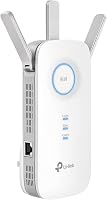
The TP-Link Deco X50-Outdoor AX3000 Dual Band WiFi 6 Mesh Add-On Extender is the best overall fit when a compatible Deco network needs coverage in a backyard, patio or guest house. Its weatherproof and dustproof design, two Gigabit PoE ports and PoE or AC power options give you more placement choices than a standard indoor mesh unit.
TP-Link Deco X50-Outdoor AX3000 Dual Band WiFi: Best for outdoor mesh coverage

- AX3000 dual-band WiFi 6
- 2 Gigabit PoE ports
- Weatherproof outdoor design
- PoE or AC power
The strongest fit for extending a compatible Deco network to a backyard, patio or guest house. Its outdoor weather protection and PoE support make placement more flexible.
Pros
- Works with all TP-Link Deco Mesh WiFi
- Weatherproof and dustproof design
- PoE and AC power options
- Wall, pole and table installation
Cons
- One outdoor unit
- Gigabit ports rather than 2.5 Gigabit ports
Choose this model when the location matters more than multi-Gigabit wired speed. It can use one Ethernet cable for data and power through its PoE ports, or it can use the included AC power adapter.
The Deco app handles setup and management, and the unit works with all TP-Link Deco Mesh WiFi systems. TP-Link also includes HomeShield features such as basic network security, IoT device identification, basic parental controls, quality of service and basic reports.
What does the Deco X50 name mean?
The AX3000 label identifies the WiFi class, while dual-band means the system uses 2.4 GHz and 5 GHz bands. The B0BKPRCS6W data lists a 2,402 Mbps data transfer rate and 10/100/1000 Mbps LAN port bandwidth.
Those figures describe the network's capability, not a guaranteed internet speed for every device. Your internet plan, wired equipment, wireless conditions and the distance between mesh units still affect daily performance.
WiFi 6 mesh is useful when several devices need access around the home. For a broader explanation of placement, backhaul and node count, see our mesh WiFi buying guide.
Which Deco X50 model should you choose?
Choose the B0BKPRCS6W for outdoor expansion, the B0BJZ3VFP4 for broad indoor coverage with PoE, and the B0BVKZDF98 for a simpler one-unit outdoor or indoor extension. Their names are similar, but their intended setups are different.
The B0BKPRCS6W is a single outdoor mesh add-on with two Gigabit PoE ports. It is pole, wall and table mountable, and its power input supports IEEE 802.3at PoE or 100-240V AC.
The B0BJZ3VFP4 is the TP-Link AX3000 PoE Mesh WiFi 6, Deco X50-PoE (3-Pack). Each unit has two 2.5 Gigabit Ethernet ports, and the system supports up to 6,500 sq ft of stated coverage and up to 150 devices.
The B0BVKZDF98 is the TP-LINK Deco X50-Outdoor(1-pack) AX3000 Outdoor / Indoor Whole Home Mesh WiFi 6 Unit. Its stated coverage is up to 2,000 sq ft, and it has two ports with 1,000 Mbps LAN bandwidth.
For a higher-end alternative in the same brand family, compare our TP-Link Deco BE11000 review. If your main question is whether a mesh node is better than a range extender, read TP-Link Deco vs TP-Link Extender.
How does the Deco X50-PoE compare?
The TP-Link AX3000 PoE Mesh WiFi 6, Deco X50-PoE (3-Pack) is the better choice for a larger indoor layout where three units and wired installation matter. It combines WiFi 6, up to 6,500 sq ft of stated coverage and two 2.5 Gigabit Ethernet ports on each router.
TP-Link AX3000 PoE Mesh WiFi: Best for PoE whole-home coverage

- Deco X50-PoE 3-pack
- WiFi 6 speeds up to 3 Gbps
- Up to 6,500 sq ft coverage
- Two 2.5 Gigabit ports per unit
A strong choice when you want three indoor mesh units, PoE+ installation and 2.5 Gigabit wired ports. A PoE+ switch is needed for PoE installation and is not included.
Pros
- Three-unit system
- Ceiling and wall mounting kits
- Two 2.5 Gigabit ports per router
- Works with all internet service providers
Cons
- PoE+ switch is not included
- Indoor system rather than an outdoor unit
The three-unit design helps you plan coverage across separate parts of a home. The units are ceiling and wall mountable, which can help when floor placement is limited.
PoE+ adds another installation option. You can power the units through PoE+ or use a standard power plug, but a PoE+ switch is not included.
The system works with all internet service providers, although a modem is required for most providers. Its Deco app supports setup and management, and the system works with Alexa for voice control of guest WiFi.
The product information gives WiFi 6 speeds of 2,402 Mbps on 5 GHz and 574 Mbps on 2.4 GHz. It also describes AI-driven mesh behavior that adjusts to network loads and moves devices between network sources when needed.
The 2.5 Gigabit ports are the main wired advantage over the outdoor options here. If you already use multi-Gigabit networking, check your switch, modem and other wired devices before expecting a faster end-to-end connection.
Is the second Deco X50-Outdoor worth considering?
The TP-LINK Deco X50-Outdoor(1-pack) is a sensible fit for a smaller outdoor or indoor expansion, with up to 2,000 sq ft of stated coverage and two ports. It keeps the setup to one unit and uses app control.
TP-LINK Deco X50-Outdoor: Best for simple outdoor expansion

- AX3000 outdoor and indoor mesh unit
- WiFi 6
- Up to 2,000 sq ft coverage
- Two ports
This one-pack unit fits a smaller expansion plan where you want outdoor or indoor placement and up to 2,000 sq ft of stated coverage.
Pros
- Outdoor and indoor use
- AX3000 WiFi 6
- Two ports
- App control
Cons
- One unit
- Gigabit LAN bandwidth
This model is easier to match to a limited coverage need than a three-unit kit. Its AX3000 WiFi 6 design and dual-band operation suit a user who wants a single mesh unit for an outdoor or indoor area.
The data identifies it as an outdoor and indoor whole-home mesh WiFi 6 unit. It supports WiFi 6, Ethernet, Dynamic IP, Static IP, PPPoE, PPTP and L2TP connection types.
Its two ports and 1,000 Mbps LAN bandwidth are appropriate for Gigabit-class wired connections. If you need 2.5 Gigabit wired ports or three indoor units, the X50-PoE 3-pack is the closer match.
How should you plan wired connectivity?
Plan the Ethernet path before choosing the Deco X50 model. PoE is most useful when you want one cable to carry data and power, while standard AC power may be simpler when an outlet is already near the planned location.
The B0BKPRCS6W supports 802.3at PoE plus and AC power, with two Gigabit PoE ports. This gives you a way to reduce extra power adapters in an outdoor installation.
The B0BJZ3VFP4 supports PoE+ or standard power and has two 2.5 Gigabit ports per unit. A PoE+ switch is not included, so include that requirement in your installation plan.
For related wired equipment, our guide to best Gigabit PoE injectors can help you compare the type of power equipment used with Gigabit Ethernet installations.
Measure the cable route, identify the network equipment at the source and confirm the power method before mounting anything. A clean wired path is easier to maintain than a route added after the units are already installed.
What should you know about outdoor placement?
Outdoor placement works best when you plan for weather exposure, cable routing and access for future changes. The B0BKPRCS6W has a weatherproof and dustproof design, while the B0BVKZDF98 is described for outdoor and indoor use.
Keep the location practical for the network cable and power method you selected. Pole, wall or table mounting gives the B0BKPRCS6W flexible placement options, but the final position still needs a suitable route back to your network.
The outdoor units are not identical in the information provided. The B0BKPRCS6W specifically lists weatherproofing, two Gigabit PoE ports and PoE or AC power, while the B0BVKZDF98 lists up to 2,000 sq ft of coverage and two ports.
Check the exact model name before ordering. The similar product names can make it easy to select a one-pack outdoor unit when you actually need a three-unit indoor system.
How do you set up a Deco X50 mesh system?
Start with the Deco app, a clear placement plan and the correct power connection. The product information for the B0BKPRCS6W and B0BJZ3VFP4 says the app provides visual setup guidance and management when you are away from home.
Place the first unit where it can connect to your modem or existing network equipment. Then position additional units where they can serve the areas that need better coverage without being placed too far from the mesh network.
For the X50-PoE 3-pack, decide whether each unit will use PoE+ or a standard power plug. For the outdoor units, choose between PoE and AC where supported, then keep cable routing protected and organized.
Use the app to manage guest WiFi and other available settings. HomeShield features vary by product information, so review the available controls after setup rather than assuming every security option is included.
How does the Deco X50 compare with other Deco systems?
The Deco X50 range is most compelling when you need WiFi 6, outdoor placement or PoE installation. Other Deco systems may make more sense if your priority is a different wireless generation, a different port speed or a different coverage plan.
Our TP-Link Deco BE25 review is a useful next comparison if you are considering another newer Deco option. The TP-Link Deco X55 review gives you another WiFi 6 model to place beside the X50 family.
You can also compare the TP-Link Deco BE3600 review when deciding whether the X50 features match your home network needs. Focus on the installation method and wired ports first, then compare the wireless specifications.
Final verdict: is the TP-Link Deco X50 worth it?
The TP-Link Deco X50-Outdoor AX3000 Dual Band WiFi 6 Mesh Add-On Extender is the strongest pick for outdoor Deco coverage, especially when weather protection and PoE or AC power matter. It suits a user who already has Deco mesh equipment and needs a weatherproof way to extend that network to a backyard, patio or guest house.
PoE support is a real placement benefit here, because one Ethernet cable can carry data and power through its PoE ports when an outlet is not nearby. AC power remains available, so the choice should follow the cable route you can install and keep tidy outside.
Choose the TP-Link AX3000 PoE Mesh WiFi 6, Deco X50-PoE (3-Pack) when the priority is broad indoor coverage with three units and stronger wired connections. Its ceiling and wall mounting kits, stated coverage up to 6,500 sq ft and two 2.5 Gigabit ports per unit make it the best fit for a larger home.
Remember that a PoE+ switch is not included, so PoE installation needs extra planning before you start. If standard power plugs are already in the right places, that route may be simpler and avoid added equipment.
Pick the TP-LINK Deco X50-Outdoor(1-pack) AX3000 Outdoor / Indoor Whole Home Mesh WiFi 6 Unit when you need a smaller outdoor or indoor expansion with up to 2,000 sq ft of stated coverage. It keeps the setup to one unit with app control, which can suit a smaller area or a simpler plan.
Its two ports and 1,000 Mbps LAN bandwidth suit Gigabit-class wired use rather than multi-Gigabit equipment. Anyone planning around 2.5 Gigabit ports, three units or ceiling mounting should look at the X50-PoE 3-pack instead.
Across the range, the Deco app is the shared control point for setup and management, and the products list Alexa support for voice control of guest WiFi. TP-Link HomeShield features are also listed, with basic security, parental controls, quality of service and reports, so check the exact controls after installation.
Your best choice comes down to location, unit count, power method and wired speed, in that order. Match the outdoor unit to weather exposure, the PoE pack to a larger indoor layout, and the one pack to a smaller expansion need.
Frequently asked questions
Is the TP-Link Deco X50 good for outdoor WiFi?
The TP-Link Deco X50-Outdoor models are designed for outdoor and indoor mesh use. The B0BKPRCS6W version has a weatherproof and dustproof design, while the B0BVKZDF98 model is described as an outdoor and indoor whole-home unit with up to 2,000 sq ft of coverage.
Which TP-Link Deco X50 has PoE?
The B0BKPRCS6W Deco X50-Outdoor supports IEEE 802.3at PoE and AC power, with two Gigabit PoE ports. The B0BJZ3VFP4 Deco X50-PoE 3-pack supports PoE+ or standard power and has two 2.5 Gigabit Ethernet ports on each unit.
What is the difference between Deco X50-Outdoor and Deco X50-PoE?
Deco X50-Outdoor is aimed at extending a Deco network outside, while the Deco X50-PoE 3-pack is an indoor whole-home system with three units, ceiling and wall mounting kits, up to 6,500 sq ft of stated coverage and 2.5 Gigabit ports.
Can Deco X50 units work with other TP-Link Deco systems?
The B0BKPRCS6W and B0BJZ3VFP4 product information says they work with all TP-Link Deco Mesh WiFi systems. That makes them useful when you want to expand an existing Deco network instead of replacing every unit.