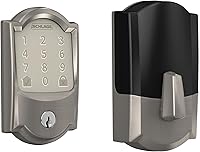
Aqara Smart Lock U200 Review: Worth It? (November 2026)
The Aqara Smart Lock U200 is a retrofit lock for people who want to keep their existing deadbolt and add fingerprint, passcode and Apple Home Key access. It suits renters and Apple households, if your door already has a compatible deadbolt and you have a Thread hub for remote features.
On this page (10 sections)
- The Aqara Smart Lock U200 at a glance
- Who the U200 suits best in this Aqara Smart Lock U200 review
- Specs that matter in daily use
- Apple Home Key and hub requirements
- Passcodes, access methods and security features
- Battery design and charging
- Setup: check your deadbolt before you order
- Care, maintenance and everyday use
- Trade-offs to weigh before you buy
- Verdict: Aqara Smart Lock U200 review
The Aqara Smart Lock U200 adds smart access to your existing deadbolt instead of asking you to replace the whole lock. That retrofit idea is the main reason to choose it.
You get fingerprint, passcode, Bluetooth, NFC card and physical key options, plus Apple Home Key when you have the right hub.
This Aqara Smart Lock U200 review looks at who it suits, which specs matter in daily use, how to check fit, and where the trade-offs sit. Our score weighs specs, features and buyer feedback against what you're shopping for.
Our score for this lock is 9.7. That high score reflects the retrofit design, the range of access methods and the dual power system.
It does not mean it fits every door. Fit matters more than extras, so read the setup section before you order.
The Aqara Smart Lock U200 at a glance
The U200 is a black retrofit deadbolt lock made by Aqara, model Smart Lock U200, model number RL-D11E. It measures 2.44 x 2.36 x 5.98 inches and is made of plastic.
Its lock type is deadbolt, and it is made for home use.
Aqara Smart Retrofit Lock U200 with Apple: Best for renters keeping their deadbolt

- Retrofit design for existing deadbolt
- Apple Home Key with Thread hub
- 160x160 fingerprint sensor
- Rechargeable interior battery and AAA keypad batteries
A retrofit lock that adds fingerprint, passcode, Bluetooth, NFC card and Apple Home Key access without replacing your current deadbolt.
Pros
- Keeps existing deadbolt and hardware
- Fingerprint, passcode, Bluetooth, NFC and keys
- Rechargeable interior battery
- Auto-lock and Scheduled Quiet Mode in app
Cons
- Requires compatible existing deadbolt
- Apple features need Thread-enabled hub
- NFC card sold separately
Aqara describes the design as simple to install with no permanent changes. That matters if you rent, because you can take the unit with you when you move.
It also matters if you like your current cylinder and do not want to rekey.
The included component is the smart door lock itself. The exterior keypad is included.
An NFC card is sold separately and needs an Aqara NFC card if you want that access method.
Who the U200 suits best in this Aqara Smart Lock U200 review
The U200 suits renters and Apple users who want to keep their deadbolt. If you already have a deadbolt you trust, this approach avoids replacing it.
You add the smart unit and keep the core hardware in place.
It also suits households that want more than one way in. You can use a fingerprint, a passcode, Bluetooth, an NFC card or the included physical keys.
That range helps when phones are dead, hands are full, or a guest needs a code.
Our guide to smart door locks explains how retrofit locks compare with full replacement locks. A retrofit model keeps your cylinder.
A full replacement changes the whole assembly. Pick based on fit and on whether you want to keep your current keys.
Renters should also read our best renter friendly smart lock guide. The U200 fits that group because it needs no rekeying and no permanent changes.
Always check your lease and get landlord approval where required.
Specs that matter in daily use
The fingerprint sensor is 160x160 pixels, double the size of common 128x96 sensors. Aqara says that larger array captures richer detail.
It also says recognition takes under 0.3 seconds, with a False Acceptance Rate below 0.0001 percent. You can store up to 25 fingerprints.
That capacity covers a whole family. It also means guests may need a passcode or a key instead of their own fingerprint.
Plan access for cleaners, sitters and visitors before you rely on fingerprints alone.
Connectivity is Bluetooth and NFC, with Matter over Thread support. It lists control by app and voice.
It supports Apple Home, Alexa and SmartThings, but remote and ecosystem features need a Matter-enabled hub that matches the ecosystem you use.
The U200 connects to the Aqara App over Bluetooth for in-app controls. That includes auto-lock timing and Scheduled Quiet Mode for silent operation at night or during set hours.
Remote control through a hub app needs a Matter-enabled hub.
Apple Home Key and hub requirements
Apple Home Key lets you tap an iPhone or Apple Watch to open the door, or use Siri for hands-free access. Aqara says this needs a Thread-enabled Apple hub.
The hub options named are HomePod 2nd generation, HomePod mini, or Apple TV 4K from 2021 or 2022.
That hub requirement is a real trade-off. If you already live in the Apple ecosystem, it may cost you nothing extra.
If you do not, you may need to buy a hub before the headline feature works.
Remote control works the same way. The U200 needs a Matter-enabled hub to connect to the internet.
Only when paired with such a hub can it be controlled remotely through the hub's compatible app.
Check your current setup before you buy. If your home has no Thread hub, plan for Bluetooth-only use at first.
Fingerprint, passcode, NFC card and keys still work without the hub.
Passcodes, access methods and security features
You get fingerprint, passcode, Bluetooth, NFC card and included physical keys. That mix is useful because no single method fits every moment.
A fingerprint is fast with empty hands. A passcode helps guests.
A physical key works when batteries or phones fail.
Passcode options include one-time passwords viewed in the app and periodical passwords set after Bluetooth connection. One-time codes suit a delivery or a single visit.
Periodical codes suit recurring access, such as a cleaner who comes on set days.
Anti-peeping protection lets you enter random digits before or after the real code. That can hide the pattern from someone watching over your shoulder.
Aqara notes this also helps prevent errors from repeated retries, but you should still keep codes private.
The NFC card is sold separately and must be an Aqara NFC card. Do not assume a generic card or fob will work.
If NFC access matters to you, add that card to your order and set it up after install.
Battery design and charging
The U200 uses dual power: a rechargeable lithium battery inside and four AAA batteries in the keypad. Aqara says each provides about 6 months of battery life.
That split keeps the interior lock body and the exterior keypad running on separate power.
The rechargeable battery is removable. You can take it out and charge it separately.
Aqara says it charges in a few hours and can last up to 6 months on a single charge. An interior USB-C port also lets you charge with a power bank.
That design reduces battery anxiety, but it adds two routines. You need to move and charge the interior battery, and you need to replace AAA batteries in the keypad.
Set a phone reminder for both, and test the lock after each charge or battery change.
Keep the included physical keys stored in a safe place. They are your backup if power runs out or a fingerprint fails.
Test them during setup so you know they work with your existing cylinder.
Setup: check your deadbolt before you order
Setup starts with checking that your door already has a deadbolt. Aqara says to make sure the deadbolt is installed and that the rotary knob can be removed.
You need to remove the interior cover of the deadbolt first to check compatibility.
Check the tailpiece shape and size. Aqara says the tailpiece must match one of five types shown in its diagram.
The tailpiece must be within a stated size range, or be able to be trimmed or replaced to fit. Measure first, because a mismatch is the most common reason a retrofit lock fails to fit.
Also check the bore hole diameter. Aqara says to ensure it falls within its stated range.
If your door does not meet these checks, a full replacement lock may fit better than a retrofit unit.
Our best smart lock for apartment guide helps if you share walls, hallways or building rules. Apartment doors vary.
Some have narrow backsets, some have existing hardware you cannot change, and some need landlord approval. The U200 suits apartments only when the deadbolt checks pass.
Alternatives here
Aqara Smart Lock U200 with Apple
This is the only product in this review, so there is no second lock to compare here. The choice is between this retrofit approach and other lock types covered in our linked guides.
If your deadbolt does not fit, look at full replacement options instead of forcing this unit.
Care, maintenance and everyday use
Care is mostly battery care, fingerprint care and periodic fit checks. Keep the fingerprint sensor clean and dry so it reads well.
Wipe it with a soft, dry cloth when it feels worn or dusty. Do not use harsh cleaners on the sensor or keypad.
Check battery levels in the app on a regular schedule. Charge the removable lithium battery before it runs low, and replace the four AAA batteries in the keypad as needed.
Aqara says each power source provides about 6 months, but heavy use and cold weather can shorten that time.
Test all access methods after setup. Try each stored fingerprint, a one-time passcode, a periodical passcode, Bluetooth access, the NFC card if you bought one, and the physical keys.
That test shows which methods work for each person in your home.
If you move, remove the unit and take it with you, as Aqara describes for renters. Keep the original interior cover and parts in a labeled bag, so you can restore the door.
That simple step protects your deposit and saves time on moving day.
Trade-offs to weigh before you buy
The biggest trade-off is fit versus features. The U200 packs a long feature list, but it only works on a compatible existing deadbolt.
A full replacement lock may cost more in hardware, yet it can fit doors that a retrofit unit cannot.
The hub requirement is the next trade-off. Apple Home Key, remote control and some ecosystem features need a Matter-enabled hub.
Without a Thread hub, you still get local access methods, but you miss the remote and voice features that drive many buys.
The NFC card is another small cost. It is sold separately, and it must be an Aqara card.
If you want card access for kids or guests, add that cost to your total before you compare with other locks.
Plastic construction is also worth noting. The U200 is listed as plastic, in black, for home use.
That keeps weight down and suits interior retrofit use, but it is not metal. Judge it as a retrofit add-on, not as a replacement for a heavy-duty cylinder.
Verdict: Aqara Smart Lock U200 review
Choose the U200 if your existing deadbolt fits and you want Apple Home Key access. It suits renters, Apple households and families who want fingerprint, passcode, Bluetooth, NFC and key backup in one unit.
The removable rechargeable battery and the 6 month battery claims for each power source also help.
Skip it if your tailpiece or bore hole does not match the stated checks, or if you do not want to buy a Thread hub for Apple and remote features. In that case, a full replacement lock may fit your door better.
If you already own an August lock, our august smart lock keypad guide may help you compare keypad options. For parts and fit checks, see august smart lock replacement parts.
Those guides cover a different brand, but they help you judge whether a retrofit or a replacement path fits your door.
For this Aqara Smart Lock U200 review, the decision rule is simple. Confirm fit first, confirm your hub second, and buy the U200 when both check out.
Frequently asked questions
Does the Aqara Smart Lock U200 replace my deadbolt?
No. The U200 is a retrofit design that adds smart control to your current deadbolt.
You keep the existing deadbolt, avoid rekeying, and remove the unit when you move.
Check that your door already has a deadbolt and that the tailpiece fits the supported shapes before you order.
What do I need for Apple Home Key on the U200?
Apple Home Key and Apple features need a Thread-enabled Apple hub, such as HomePod 2nd generation, HomePod mini, or Apple TV 4K 2021 or 2022. Without that hub, you can still use fingerprint, passcode, Bluetooth, NFC card and keys, but Apple Home integration will not work as described.
How is the U200 powered?
The interior lock body uses a rechargeable lithium battery, and the exterior keypad uses four AAA batteries. Aqara says each provides about 6 months of battery life.
The rechargeable battery can be removed and charged separately, and an interior USB-C port lets you charge with a power bank.