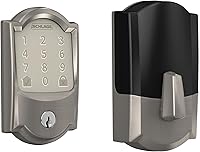
Does Schlage Encode Plus Use Thread or Z-Wave?
Schlage Encode Plus does not use Thread or Z-Wave. Its listed connection protocols are built-in Wi-Fi and Bluetooth, so you can use it with compatible apps and smart-home systems without choosing a Z-Wave hub.
On this page (8 sections)
- What connection protocols does Schlage Encode Plus use?
- Does Schlage Encode Plus use Thread?
- Does Schlage Encode Plus use Z-Wave?
- Does Encode Plus need a separate hub?
- Which Schlage lock is a better fit for a Wi-Fi setup?
- What makes Encode Plus different from Schlage Encode?
- How do Wi-Fi and Bluetooth affect daily use?
- What should you choose for your smart-home system?
Schlage Encode Plus does not use Thread or Z-Wave. Its listed connection protocols are Wi-Fi and Bluetooth, with support for the Schlage Home app, Apple Home, Apple home keys, Alexa, Google Home, and Airbnb.
That matters when you are choosing a hub or planning routines. A Z-Wave hub is not required for Encode Plus, and no Thread border router is listed as a requirement.
Built-in Wi-Fi is the main path for remote control through the Schlage Home app. When connected to a compatible 2.4 GHz home Wi-Fi network, you can lock and open from away, manage access codes, view lock history, and receive notifications.
Bluetooth is also listed for the lock. It supports nearby device communication, while Wi-Fi handles the wider app and remote access functions most owners use daily.
Plan around Encode Plus as a Wi-Fi and Bluetooth lock, not a Thread or Z-Wave device. That is the key point if you already own a hub or border router and hope to add this lock to an existing setup.
You also need a usable Wi-Fi signal at the door. A router that works in the living room may not reach an exterior door or garage entry as well, so check coverage before installation.
For Apple households, the Wi-Fi base stays the same. Apple Home and Apple home keys add tap based entry with an iPhone or Apple Watch, without changing the connection from Wi-Fi and Bluetooth.
What connection protocols does Schlage Encode Plus use?
Schlage Encode Plus uses built-in Wi-Fi and Bluetooth. The lock connects to a 2.4 GHz home Wi-Fi network for app-based remote control, monitoring, access-code management, notifications, and lock history.
Bluetooth also appears among its listed connection protocols. That does not change the main buying decision: plan around the lock's Wi-Fi connection and the smart-home platforms you already use.
Schlage also identifies Encode Plus as compatible with Apple Home and Apple home keys. With an iPhone or Apple Watch, you can tap to lock or gain entry when using the supported Apple features.
For a wider look at lock types, connection choices, and access methods, read our guide to smart door locks.
Does Schlage Encode Plus use Thread?
No, Thread is not listed as a connection protocol for Schlage Encode Plus. Its connection details identify Wi-Fi and Bluetooth instead.
Thread is a low-power mesh networking technology used by some smart-home devices. If your setup is built around Thread, do not assume that every smart lock with a modern app joins that network.
Match the lock to the systems you already have. If your plan depends on a Thread border router or Thread-only automations, confirm compatibility before buying.
Do that check early, before you remove your current deadbolt or write routines. A lock can look current and app driven while still using a different connection path from the rest of your home.
Encode Plus is built around direct Wi-Fi for the Schlage Home app and for remote functions. You do not need to add a Thread border router just to connect this lock, even if other devices in your home use Thread.
The trade-off is that Thread based automations should not be assumed to work with this deadbolt. If your lighting, sensors, or other locks rely on Thread, keep those devices on their own network or choose a different lock for that part of the plan.
Bluetooth does not fill that gap either. It supports nearby communication for the lock, but it does not turn Encode Plus into a Thread device or let it join a Thread mesh.
For daily use, keep it simple. Use Wi-Fi for app control and notifications, use Apple Home and Apple home keys if you are in the Apple system, and treat Thread as a separate system you already own rather than a requirement for this lock.
Does Schlage Encode Plus use Z-Wave?
No, Schlage Encode Plus is not identified as a Z-Wave lock. Its listed protocols are Bluetooth and Wi-Fi, so a Z-Wave hub should not be treated as the required bridge for this model.
Z-Wave can still be useful for a different smart lock. For example, our guide to a Yale Assure lock with Z-Wave helps you compare a lock designed around that hub-based connection.
This is the key difference between Schlage Encode Plus and a Z-Wave model: Encode Plus is designed around built-in Wi-Fi, while a Z-Wave lock generally needs a compatible hub or controller to join your home automation system.
Does Encode Plus need a separate hub?
Encode Plus does not need an extra hub for its Wi-Fi connection. Pair it with the Schlage Home app and connect it to a compatible 2.4 GHz home Wi-Fi network.
A direct Wi-Fi connection can simplify setup because you don't have to select a Z-Wave controller first. It also means the lock depends on a suitable Wi-Fi signal near the door.
Check your network location before installation. A strong signal at the router does not guarantee the same signal at an exterior door, garage entry, or detached area.
If you are working with the older Schlage Connect instead, the setup is different. Our guide explains how to connect Schlage Connect to Wi-Fi through a hub.
What should you check before installing?
Check the door thickness, backset, Wi-Fi coverage, and phone platform before you begin. Encode Plus fits standard doors from 1-3/8 in to 1-3/4 in thick and supports a 2-3/8 in or 2-3/4 in backset.
The lock installs with a screwdriver and does not require hardwiring. It includes installation hardware and instructions, but you should still confirm the existing deadbolt area is suitable before removing your current lock.
The Schlage Encode Plus instructions and support information can help you verify current setup details from Schlage.
Which Schlage lock is a better fit for a Wi-Fi setup?
The Schlage Encode Smart WiFi Deadbolt Lock with Century Trim, Satin Nickel suits readers who want a built-in Wi-Fi lock with a satin nickel finish, Schlage Home app control, up to 100 access codes, and Alexa or Google Home support.
It uses four included AA batteries and has a physical backup key. Schlage gives it a 1-3/8 in to 1-3/4 in door-thickness range and a 2-3/8 in or 2-3/4 in backset range.
The Schlage Encode Smart WiFi Deadbolt Lock with Century Trim, Matte Black offers the same listed Wi-Fi-centered approach in a matte black finish. Its connection details include Bluetooth and Wi-Fi, while the lock supports up to 100 access codes through the Schlage Home app.
Choose between these two based mainly on finish and the connection details you want to use. Both are keypad deadbolts with app control, voice control, four included AA batteries, and a physical backup key.
What makes Encode Plus different from Schlage Encode?
Encode Plus adds Apple Home and Apple home key support, plus up to 250 access codes. The regular Schlage Encode models in this comparison use Wi-Fi for app control and support Alexa and Google Home, while Encode Plus adds the Apple-focused access options.
The Schlage Encode Plus Smart WiFi Deadbolt Lock, Tap to Open, Aged Bronze uses Bluetooth and Wi-Fi. It connects to a 2.4 GHz home Wi-Fi network and works with Apple Home, Apple home keys, Alexa, Google Home, and Airbnb.
Its tap-to-enter feature lets you use an iPhone or Apple Watch for supported Apple home key access. That makes it the clearest choice here for someone already using Apple Home and wanting phone or watch-based entry.
Read our Schlage Encode vs Encode Plus comparison for a closer look at the differences between the two product lines. You can also see our Schlage Encode Plus review for more model-specific buying context.
How do Wi-Fi and Bluetooth affect daily use?
Wi-Fi handles the main remote-control path, while Bluetooth supports nearby device communication. The Schlage Home app can manage the lock when it is paired and connected to the required home network.
Remote access depends on the lock's Wi-Fi connection and your home's internet service. If the door area has weak coverage, app commands and notifications may not work as expected until the network issue is addressed.
Bluetooth is useful for nearby communication, but it does not turn Encode Plus into a Thread or Z-Wave device. Keep the lock's actual protocols in mind when building routines or choosing a controller.
What should you choose for your smart-home system?
Choose Schlage Encode Plus if you want built-in Wi-Fi, Apple Home support, Apple home keys, and up to 250 access codes. Its Wi-Fi and Bluetooth design does not require you to choose a Z-Wave hub or Thread border router for the connection described here.
Choose a regular Schlage Encode model if you want built-in Wi-Fi, keypad entry, app control, voice control, and up to 100 access codes, without the Apple home key features listed for Encode Plus.
Choose a different lock if your home automation plan specifically requires Thread or Z-Wave. Protocol support is a basic compatibility check, so confirm it before choosing a hub, writing routines, or replacing your existing deadbolt.
For installation and everyday operation, see how to use Schlage Encode Plus. If you are replacing the interior hardware too, our guide to the best Schlage Encode Plus door handle can help you check the handle fit and style.
Frequently asked questions
Does Schlage Encode Plus use Thread?
No. Schlage Encode Plus uses built-in Wi-Fi and Bluetooth.
Its connection details do not identify Thread, so choose your smart-home setup based on Wi-Fi, Bluetooth, Apple Home, Alexa, or Google Home compatibility instead.
Does Schlage Encode Plus use Z-Wave?
No. Schlage Encode Plus is not identified as a Z-Wave lock.
It connects through built-in Wi-Fi and Bluetooth, which means a Z-Wave hub is not the connection path described for this model.
Does Schlage Encode Plus need a hub?
No extra hub is needed for its Wi-Fi connection. Pair the lock with the Schlage Home app and connect it to a compatible 2.4 GHz home Wi-Fi network for remote control and monitoring.
Can Schlage Encode Plus work with Apple Home?
Yes. Schlage Encode Plus works with Apple Home and Apple home keys.
You can use an iPhone or Apple Watch for tap-based entry, while Wi-Fi supports remote control through the Schlage Home app.