9 Best Hard Drives for Reolink NVRs (November 2026)
The best Reolink NVR hard drives include the SEAGATE ST4000VX007 Skyhawk 4TB Surveillance Hard SATA for most Reolink NVR upgrades, the Seagate 8TB BarraCuda Internal Hard Drive for high capacity on a budget, and the Seagate 8TB IronWolf Internal NAS Hard Drive for multi-drive storage systems.
On this page (6 sections)
- The best Reolink NVR hard drives by use
- How much storage should a Reolink NVR hard drive have?
- What should you check before installing a Reolink NVR hard drive?
- Surveillance drive or desktop drive for a Reolink NVR?
- How should you care for a Reolink NVR hard drive?
- Final choice for the best Reolink NVR hard drive
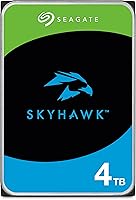
The best Reolink NVR hard drive for most upgrades is the SEAGATE ST4000VX007 Skyhawk 4TB Surveillance Hard SATA. It has a surveillance-focused design, 4TB capacity and a 3.5-inch SATA connection, making it a balanced choice for many recorder storage plans.
Choose the 2TB WD Purple for a smaller archive, move to 6TB or 8TB when you need more retention, and consider the 18TB WD Purple Pro only after confirming that your Reolink recorder supports that capacity.
The right drive depends on more than the number printed on the label. Check the NVR's supported capacity, internal bay size, connection type and recording workload before you order.
For the storage basics, read What Is an NVR Hard Drive, and What It Does?. If you are planning a recorder with network-powered cameras, What Is a PoE NVR, and How Does It Work? explains how the recorder fits into the system.
Our picks at a glance
-
1
 Best for most Reolink NVR upgrades
SEAGATE ST4000VX007 Skyhawk 4TB Surveillance Hard SATA
9.7/10 our score
See it on Amazon -
2
 Best for high capacity on a budget
Seagate 8TB BarraCuda Internal Hard Drive
9.6/10 our score
See it on Amazon -
3
 Best for multi-drive storage systems
Seagate 8TB IronWolf Internal NAS Hard Drive
9.6/10 our score
See it on Amazon
- 4
 Check it
Western Digital 4TB WD Purple Surveillance Internal
Best for mainstream surveillance recording - 5
 Check it
Seagate Skyhawk 4TB Video Internal Hard Drive
Best for a feature-rich 4TB recorder - 6
 Check it
Seagate Skyhawk 6TB Video Internal Hard Drive
Best for a longer video archive - 7
 Check it
Western Digital 18TB WD Purple Pro Surveillance
Best for high-capacity systems - 8Check it
Western Digital 2TB WD Purple Surveillance Internal
Best for smaller recording systems - 9
 Check it
MDD MAXDIGITALDATA MaxDigitalData 6TB 7200RPM 128MB Cache SATA
Best for a heavy-duty 6TB alternative
The best Reolink NVR hard drives by use
The best Reolink NVR hard drive depends on your storage goal. The SkyHawk 4TB is the most balanced pick, while the larger models suit longer retention and the smaller models suit modest camera systems.
Our score weighs specs, features and buyer feedback against what you're shopping for. We compared capacity, surveillance design, interface, rotation speed, cache and the practical trade-offs of each drive.
SEAGATE ST4000VX007 Skyhawk 4TB Surveillance Hard SATA: Best for most Reolink NVR upgrades
- 4 TB capacity
- 3.5-inch SATA 6Gb/s interface
- 64MB cache
- Up to 180TB/year workload rating
This 4TB SkyHawk is the strongest general match for a Reolink NVR storage upgrade when you want a surveillance-focused mechanical drive in a standard 3.5-inch size.
Pros
- Surveillance-focused design
- 180TB/year workload rating
- RV sensors for multi-drive systems
Cons
- Less capacity than the 8TB and 18TB options
- Mechanical drive needs compatible NVR installation space
The SEAGATE ST4000VX007 is the strongest all-around choice for a Reolink NVR upgrade. Its 4TB capacity gives more room than a 2TB drive without moving into larger sizes that some recorders do not support.
That middle size suits many home and small site setups. You get a longer archive than a small drive, while setup stays simpler than chasing maximum capacity.
The drive uses a 3.5-inch SATA 6Gb/s connection, 64MB cache and 5900 rpm rotation. Seagate describes SkyHawk as purpose-built for DVR and NVR systems, with ImagePerfect firmware for 24x7 video workloads.
Its stated workload rating reaches 180TB per year. RV sensors help maintain performance in RAID and multi-drive systems at 4TB and above.
Choose it when you want a surveillance-first drive with a middle-size capacity. For another look at capacity planning, compare our guide to a surveillance hard drive 4tb.
Before fitting it, confirm your Reolink model supports 4TB and a 3.5-inch internal drive. Also plan to format the drive in the recorder if it asks for initialization.
Keep the recorder ventilated and check storage status now and then. That balance avoids the limits of a small drive and the compatibility risk of a very large one.
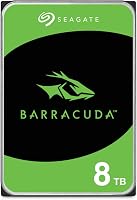
Seagate 8TB BarraCuda Internal Hard Drive: Best for high capacity on a budget
- 8 TB capacity
- 3.5-inch SATA 6Gb/s interface
- 256MB cache
- 190MB/s sustained transfer rate
The 8TB BarraCuda gives a Reolink recorder more room for stored video than 4TB drives. It is a general desktop drive, so confirm that your recorder supports this capacity and intended workload.
Pros
- 8 TB capacity
- 256MB cache
- 190MB/s sustained transfer rate
Cons
- General desktop design
- No cables, box or accessories included
The Seagate 8TB BarraCuda is the high-capacity general-purpose option in this group. Its 8TB capacity can give a recorder more archive space than the 4TB picks, provided your Reolink NVR supports the size.
More space can mean longer retention for the same camera setup. It can also help when you add cameras or raise recording quality over time.
It has a 3.5-inch SATA 6Gb/s interface, 256MB cache and 5400 rpm rotation. The stated sustained transfer rate is 190MB per second, and the drive is described for desktop, gaming console and general PC uses.
The larger cache and transfer rate describe general performance potential. They do not by themselves turn a desktop drive into a surveillance-optimized one.
That general desktop focus is the main trade-off. A recorder owner should confirm that the Reolink model supports this drive type and capacity, as continuous recording differs from mixed desktop use.
Frustration-Free Packaging is an anti-static bag with no cables, box or accessories. Plan for the mounting hardware and cables your NVR requires.
This pick suits buyers who value room to store more video. It suits them only when compatibility and workload fit are confirmed first.
Seagate 8TB IronWolf Internal NAS Hard Drive: Best for multi-drive storage systems
- 8 TB capacity
- 3.5-inch SATA 6Gb/s interface
- 256MB cache
- 7200 rpm rotation
IronWolf brings 8TB capacity and a NAS-focused design to buyers planning a larger storage setup. Its 7200 rpm speed and 256MB cache suit a recorder environment only when the Reolink unit supports the drive.
Pros
- 8 TB capacity
- NAS-focused design
- Health monitoring system
Cons
- NAS design may be more than a single-drive recorder needs
- Confirm Reolink capacity support
The Seagate 8TB IronWolf is the best fit for a buyer planning a larger storage environment around NAS-style hardware. It combines 8TB capacity, 256MB cache and 7200 rpm rotation.
That mix points to multi-user and multi-drive thinking. It is less about a single recorder and more about a wider storage setup.
IronWolf is designed for up to 8-bay, multi-user NAS environments. That makes it more specialized than the 8TB BarraCuda, so its value depends on whether your recorder or wider storage setup supports this type of drive.
The drive uses SATA 6Gb/s connectivity and includes IronWolf Health Management. Seagate also states a 1M-hour MTBF, a three-year limited warranty and three years of Rescue Data Recovery Services.
Health monitoring supports oversight where drives run for long periods in an enclosure. It does not replace checking the recorder storage pages yourself.
Choose it when multi-drive storage characteristics matter. For a surveillance-focused Seagate alternative, see our guide to the best SkyHawk surveillance hard drive.
Confirm capacity support and physical fit before ordering. If your plan is one recorder, a surveillance drive may be a closer match.
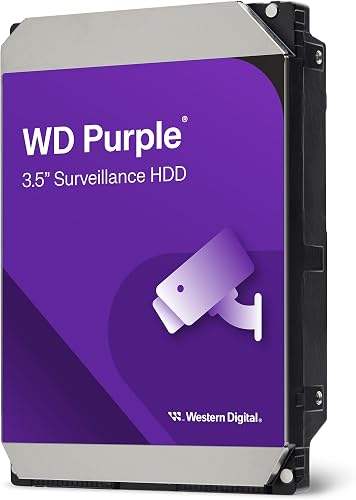
Western Digital 4TB WD Purple Surveillance Internal: Best for mainstream surveillance recording
- 4 TB capacity
- 256MB cache
- WD AllFrame technology
- Up to 180TB/year workload rate
WD Purple is a direct alternative to the 4TB SkyHawk for mainstream surveillance recording. Its AllFrame technology is designed for write-intensive, high-stream video workloads.
Pros
- Surveillance-focused design
- WD AllFrame technology
- Supports up to 16 bays for 3TB and larger capacities
Cons
- Less capacity than the 8TB and 18TB picks
- Confirm recorder support before installation
The Western Digital 4TB WD Purple is the closest alternative to the top SkyHawk pick. It is engineered for mainstream surveillance systems and uses WD AllFrame technology for write-intensive, low-bit-rate and high-stream-count workloads.
That matches how camera systems often record, with several streams writing at once while playback may be requested at the same time.
This model has 4TB capacity, a 256MB cache, 5400 rpm rotation and a SATA 6Gb/s interface. Its stated workload rate reaches 180TB per year, though your camera count and settings will decide how fast the drive fills.
WD says 3TB and larger models support up to 16 bays. That matters more in multi-drive environments than in a basic single-drive Reolink recorder.
Choose WD Purple when you want a surveillance-class drive from Western Digital with a sensible middle-ground capacity.
Confirm your Reolink recorder supports 4TB before fitting it. Then format or initialize it only as the recorder directs, keep the enclosure ventilated and review storage health from time to time.
Seagate Skyhawk 4TB Video Internal Hard Drive: Best for a feature-rich 4TB recorder
- 4 TB capacity
- 256MB cache
- 7200 rpm rotation
- SkyHawk Health Management
This SkyHawk adds a 256MB cache, 7200 rpm rotation and drive health management to a 4TB surveillance drive. It suits buyers who want more drive-management features than the other 4TB SkyHawk option.
Pros
- Surveillance-focused design
- 7200 rpm rotation
- Three-year in-house Rescue Data Recovery Services
Cons
- Confirm the NVR supports the drive's capacity and interface
- Mechanical drive requires internal installation
This Seagate SkyHawk 4TB model suits buyers who want a 4TB surveillance drive with 7200 rpm rotation, 256MB cache and SkyHawk Health Management.
Those features give it a different emphasis from the other 4TB SkyHawk. The focus is on rotation, cache size and drive oversight.
It is built for video DVR and NVR security camera systems and supports workloads up to 180TB per year. The drive also includes RV sensors for multi-bay systems and lower power consumption intended to reduce heat emissions.
Lower power use can help in a warm enclosure where airflow is limited. It does not remove the need to keep vents clear.
The drive has a 3.5-inch SATA connection and weighs 1.1 lb. Seagate includes three-year in-house Rescue Data Recovery Services and states a three-year limited warranty.
Choose this model when its extra cache and management features fit your priorities. Compare those features with the 5900 rpm, 64MB-cache ST4000VX007 before choosing between the two 4TB SkyHawk drives.
Confirm the Reolink model supports the capacity and interface before ordering. Then follow the recorder steps for mounting and formatting.
Seagate Skyhawk 6TB Video Internal Hard Drive: Best for a longer video archive
- 6 TB capacity
- 256MB cache
- 180MB/s transfer rate
- SkyHawk Health Management
The 6TB SkyHawk gives a Reolink recorder more storage than 4TB models while keeping a surveillance-focused design. It is a practical middle choice when 8TB is unnecessary or unsupported.
Pros
- 6 TB capacity
- Video-optimized design
- RV sensors for multi-bay systems
Cons
- Confirm Reolink capacity support
- 5400 rpm rotation
The Seagate SkyHawk 6TB is the middle-capacity choice for a longer archive. Its 6TB capacity adds room over 4TB drives while avoiding the jump to 8TB or 18TB.
That step up can be useful when retention is close to your target. It gives extra time without moving to a specialist large drive.
It uses a 3.5-inch SATA interface, 5400 rpm rotation and a stated 180MB per second transfer rate. The drive also has RV sensors, SkyHawk Health Management and a workload claim of up to 180TB per year.
Seagate describes it for DVR and NVR systems supporting up to 64 HD cameras. That camera count is a brand claim, not a retention guarantee, because recording time also depends on resolution, frame rate and recording schedule.
Choose it when your Reolink NVR supports 6TB and you want a surveillance-focused drive with more room than the 4TB models.
Check the manual for the exact maximum capacity before you buy. Then install and format the drive following Reolink guidance.
Keep airflow around the recorder and check storage status regularly. A mid-size drive works best when the recording plan is realistic.
Western Digital 18TB WD Purple Pro Surveillance: Best for high-capacity systems
- 18 TB capacity
- 512MB cache
- 7200 rpm rotation
- Up to 550TB/year workload rate
WD Purple Pro is the largest option here, with 18TB capacity and a 550TB/year workload rate. It is aimed at advanced video systems, so check Reolink recorder limits before considering it.
Pros
- Largest capacity in this group
- 512MB cache
- Designed for high-end video systems
Cons
- May exceed a Reolink NVR's supported capacity
- Advanced drive design may be unnecessary for a basic recorder
The Western Digital 18TB WD Purple Pro is the high-capacity pick for advanced systems. Its 18TB capacity, 512MB cache and 7200 rpm rotation are aimed at high-end video solutions and larger storage environments.
This is a drive for scale rather than a simple upgrade, pointing to systems with many streams or long retention goals.
WD describes Purple Pro for AI-enabled recorders, video analytics appliances, deep-learning servers and cloud-based storage. Its stated workload rate reaches 550TB per year, well above mainstream surveillance figures for smaller drives.
The drive uses SATA 6Gb/s connectivity and is compatible with server, storage system and video surveillance system environments. It includes a 3.5-inch hard drive, mounting screws and a quick install guide.
Having screws and a guide in the box helps with setup. It does not solve a recorder capacity limit.
This is not the default choice for a basic Reolink NVR. Verify the recorder's maximum supported capacity first, because a larger drive is useful only when the system can recognize and use it.
Only choose this model when your system is designed for high capacity. For most Reolink owners, a smaller surveillance drive will be simpler.
Western Digital 2TB WD Purple Surveillance Internal: Best for smaller recording systems
- 2 TB capacity
- 64MB cache
- WD AllFrame technology
- CMR recording
The 2TB WD Purple is the smallest surveillance-focused option here. It fits a modest recording plan when you do not need a long archive or many high-resolution cameras.
Pros
- Surveillance-focused design
- Smallest capacity in this roundup
- WD AllFrame technology
Cons
- Shortest archive potential
- Supports up to eight bays for 1TB through 2TB capacities
The 2TB WD Purple is the smallest surveillance-focused drive in this roundup. It suits a modest recording plan where you have fewer cameras, shorter retention needs or a Reolink NVR with a lower storage limit.
Small does not mean unsuitable. It means the system goal must match the available space.
It uses a 3.5-inch SATA 6Gb/s interface, 64MB cache and 5400 rpm rotation. WD AllFrame technology is designed for write-intensive surveillance workloads.
The design focus is on handling video writing patterns. Capacity is still the limit for how long footage remains.
WD states that 1TB through 2TB models support up to eight bays. The drive also uses CMR recording, which is a useful detail for buyers comparing drive types.
Bay support matters in larger systems, while CMR is a recording method detail. Both help you compare this model with other surveillance drives.
Choose it when 2TB meets your retention goal. If you need more archive space, moving to the 4TB WD Purple or a 4TB SkyHawk is a more direct upgrade.
This pick suits a single camera or a few cameras with motion recording. It can also suit a recorder that cannot accept a larger drive.
Confirm the Reolink model supports 2TB and the 3.5-inch form factor. Then format the drive only as the recorder instructs.
Keep the enclosure ventilated and check storage levels often. A smaller drive fills sooner, so review your retention settings.
MDD MAXDIGITALDATA MaxDigitalData 6TB 7200RPM 128MB Cache SATA: Best for a heavy-duty 6TB alternative
- 6 TB capacity
- 7200 rpm rotation
- 128MB cache
- Designed for 24×7 operation
This 6TB MaxDigitalData drive offers 7200 rpm rotation and 128MB cache for buyers considering a surveillance-oriented alternative. It is a bare drive, so no screws, cables or accessories are included.
Pros
- 6 TB capacity
- 7200 rpm rotation
- Designed for 24×7 operation
Cons
- Bare drive only
- Format the drive before the system detects it
The MDD MAXDIGITALDATA 6TB drive is a heavy-duty alternative for buyers who want 7200 rpm rotation and 128MB cache at 6TB capacity. It is designed for 24x7 operation and uses a 3.5-inch SATA 6Gb/s interface.
The 6TB size places it between the 4TB and 8TB choices. It offers more archive room without going to a very large drive.
The drive is described for surveillance systems, CCTV DVRs, desktop computers, PC, Mac, RAID systems and NAS network storage. Its stated media speed is about 150-200MB per second.
That wide list shows general compatibility aims. It does not confirm support for your exact Reolink model.
This is a bare drive only. No screws, cables or accessories are included, and the drive must be formatted for the system to detect it.
Bare packaging can be fine if you already have what you need. Check the recorder manual and your spare parts before you start.
Choose it when those installation conditions fit your setup. The Seagate SkyHawk 6TB is the simpler comparison if you want a more clearly video-focused drive family with SkyHawk Health Management.
The SkyHawk comparison is about design focus and included management features. The MDD option is about its stated rotation, cache and 24x7 aim.
Confirm capacity, size and connector support in your Reolink manual. Then format the drive through the recorder after fitting it securely.
Keep the recorder ventilated and monitor storage status over time. A heavy-duty claim still needs a suitable place and setup.
How much storage should a Reolink NVR hard drive have?
A 2TB Reolink NVR hard drive suits a smaller recording plan, while 4TB is a more flexible starting point for many systems. Choose 6TB or 8TB when you need a longer archive, and treat 18TB as a specialist capacity that requires careful compatibility checks.
The right size matches your retention target. Start with how long you need footage to remain available and work backward from there.
Storage time changes with camera count, resolution, frame rate, motion recording and whether audio is saved. Continuous high-resolution recording fills a drive faster than motion-based recording.
Each camera adds its own stream to the same drive. More cameras can shorten retention even when the drive itself is large.
Motion recording can save space during quiet periods. Audio recording adds another stream that is easy to overlook, and turning it off can extend retention.
Capacity alone does not tell you how long recordings will remain available. Set your retention goal first, then confirm the NVR's supported drive size.
Many recorders reuse old footage when the drive fills, so retention is a rolling window. Plan capacity around the oldest footage you must keep.
The 18TB option is for systems built for high capacity. It needs a recorder that can recognize and use the full size, so for a larger-capacity comparison read What to Look for in an 8TB Surveillance Hard Drive.
Choose the smallest drive that meets your retention goal with some room to spare.
What should you check before installing a Reolink NVR hard drive?
Check the recorder's maximum supported capacity, internal bay size, connection type and drive initialization process before buying. Most drives here are internal 3.5-inch mechanical models, but that does not guarantee compatibility with every Reolink NVR.
Look for the exact Reolink model number in the manual. Capacity limits can differ between models that look similar from the outside.
Also check whether installing a new drive will require formatting. Formatting can remove existing recordings, so save or copy any important footage before starting the upgrade.
Power the NVR down before opening it, follow Reolink's hardware instructions and keep the drive secure inside the enclosure. Avoid forcing a connector or mounting point.
After fitting, follow the on-screen steps to initialize or format the drive. That process may take time and may clear the new drive.
Check the storage page once the recorder restarts. Confirm the capacity shown matches the drive you installed.
Set the recording schedule after the drive is ready. Then review retention settings so the new capacity matches your goal, and keep the recorder in a ventilated spot.
Surveillance drive or desktop drive for a Reolink NVR?
A surveillance drive is the clearest match for continuous video recording because models such as SkyHawk and WD Purple are built around surveillance workloads. The BarraCuda can make sense when capacity is the priority and your Reolink recorder supports a general desktop drive.
The difference is design intent. Surveillance drives are planned for long periods of video writing.
The IronWolf is more specialized for NAS environments and multi-user storage. It may suit a broader storage setup, but it is not automatically the best choice for a single NVR.
NAS design assumes shared access and multiple users. A single recorder has a narrower job.
Look at the way you record before comparing cache or rotation speed. A drive's stated capacity and interface matter only when the recorder supports them.
Cache and rotation describe aspects of performance. They do not override workload design or recorder support.
You can also read How Does an NVR Work, and What It Means? to connect the storage choice with the recorder's wider role.
That wider role helps explain why video storage is specialised. The recorder, cameras and drive need to work as one system.
How should you care for a Reolink NVR hard drive?
Keep the NVR in a dry, ventilated location and avoid blocking its airflow. Continuous recording creates a steady workload, so heat and vibration control matter for any internal mechanical drive.
A clear space around the vents helps the recorder manage heat. Dust and stored items can reduce airflow over time.
Avoid placing the recorder where it will be knocked or vibrated. A stable surface and secure drive mounting help with steady operation.
Review the recorder's storage status from time to time and replace a drive when the system reports a fault. Keep important footage in another location if losing it would create a problem.
Regular checks can catch a full drive or a warning early. Address a fault promptly rather than waiting for recordings to stop.
Do not rely on a single NVR drive as the only copy of critical video. A storage upgrade improves retention, but it does not replace a separate backup plan.
Backups matter most for footage that could be needed later. Export important clips before formatting or replacing a drive.
Keep the recorder firmware and settings in line with Reolink guidance. Avoid changing storage settings unless you know the effect.
If you replace a drive, format the new one through the recorder. Then check that recording resumes and the capacity is shown correctly.
A well-placed recorder and a checked drive are a good routine. Simple care supports reliable recording day after day.
Final choice for the best Reolink NVR hard drive
The SEAGATE ST4000VX007 Skyhawk 4TB is the best Reolink NVR hard drive for most buyers who want a balanced surveillance-focused upgrade. Pick the WD Purple 4TB if you prefer its AllFrame design, the SkyHawk 6TB for more archive room, or an 8TB model when your recorder supports the capacity.
Each choice maps to a different need. The 4TB drives suit a middle-ground plan, while larger drives suit longer retention.
Choose the 2TB WD Purple for a smaller system, the MDD 6TB for its 7200 rpm design and bare-drive format, and the WD Purple Pro 18TB only for a compatible high-capacity system.
The smaller drive fits modest recording in a recorder with a lower limit. The larger drives need clear recorder support before they make sense.
Check Reolink's exact storage limits before ordering, then back up important recordings before formatting or replacing the drive.
That final check protects both your purchase and your footage. A supported drive, fitted correctly and formatted through the recorder, gives the best result.
For most owners, start with the surveillance-focused 4TB option. Move up in size only when your retention goal and recorder support both point that way.
Keep the recorder ventilated and review storage status regularly. Good care helps any of these internal mechanical drives do their job.
Your final choice should match your camera count and recording settings. Capacity, compatibility and workload fit matter more than the largest label.
Once fitted, check the shown capacity and recording schedule. Then let the recorder build its rolling archive.
Our top 3 picks at a glance
-
1
Best for most Reolink NVR upgrades
SEAGATE ST4000VX007 Skyhawk 4TB Surveillance Hard SATA
9.7/10 our score
See it on Amazon -
2
Best for high capacity on a budget
Seagate 8TB BarraCuda Internal Hard Drive
9.6/10 our score
See it on Amazon -
3
Best for multi-drive storage systems
Seagate 8TB IronWolf Internal NAS Hard Drive
9.6/10 our score
See it on Amazon
Frequently asked questions
What is the best Reolink NVR hard drive?
The SEAGATE ST4000VX007 SkyHawk 4TB is the best Reolink NVR hard drive for most upgrades in this comparison. It combines 4TB capacity, a 3.5-inch SATA interface and a surveillance-focused design.
Confirm your exact Reolink NVR capacity and drive requirements before installation.
Can you use any hard drive in a Reolink NVR?
No. A drive must match the NVR's supported capacity, physical size, connection and recording needs.
The options here are internal 3.5-inch mechanical drives, but Reolink models can have different limits.
Check your recorder manual before buying or formatting a replacement.
Is 4TB enough for a Reolink NVR?
A 4TB drive can suit a smaller or moderate recording plan, but retention depends on camera count, resolution, frame rate and recording schedule. The 4TB SkyHawk and WD Purple are surveillance-focused choices.
More cameras or longer retention may call for 6TB, 8TB or more.
Should you choose a surveillance hard drive for a Reolink NVR?
A surveillance hard drive is usually the safer starting point for continuous video recording because these drives are designed around write-heavy surveillance workloads. Desktop and NAS drives can still be candidates when the NVR supports them, but verify capacity and compatibility first.
How do you replace a Reolink NVR hard drive?
Power off and unplug the recorder, open the enclosure only as described by Reolink, connect the compatible internal drive, then close the enclosure before powering up. The NVR may need to initialize or format the drive, which can erase existing recordings.