What to Look for in an 8TB Surveillance Hard Drive
An 8TB surveillance hard drive can hold more footage between overwrites, but actual retention depends on your recorder, camera count, resolution, frame rate, recording schedule and compression. Confirm the NVR supports an 8TB internal SATA drive before you buy.
On this page (7 sections)
- How much footage can an 8TB surveillance hard drive hold?
- Will your NVR accept an 8TB hard drive?
- What makes a surveillance drive different?
- Which 8TB drive details matter most?
- Which listed drives fit different storage needs?
- How should you plan retention and replacements?
- Is an 8TB surveillance hard drive right for your system?
An 8TB surveillance hard drive can provide more room for recorded footage before older video is overwritten. Actual retention depends on camera count, resolution, frame rate, compression, motion activity, and your NVR's recording schedule.
Before choosing a drive, confirm that your recorder supports an 8TB internal drive and the required interface. The drive's capacity only helps if the NVR can install and use it.
If you are new to recorder storage, start with what an NVR hard drive does. This guide focuses on choosing 8TB capacity for a multi-camera setup.
How much footage can an 8TB surveillance hard drive hold?
An 8TB drive can hold more footage than a 4TB drive, but there is no fixed number of recording days for every installation. The cameras and recording settings determine how quickly the storage fills.
Continuous recording uses space around the clock. Motion-based recording can use less storage when activity is limited, though busy scenes may record much of the day.
Use your NVR's storage calculator if it has one. Enter the number of cameras, resolution, frame rate, bitrate or quality setting, compression, and recording schedule as accurately as possible.
| Setting or factor | Effect on retention |
|---|---|
| Number of cameras | More cameras create more recorded video |
| Resolution and frame rate | Higher settings generally require more storage |
| Bitrate and compression | Change the amount of data recorded per second |
| Continuous or motion recording | Changes how many hours the recorder saves |
| Audio recording | Adds storage use when enabled |
| Reserved or formatted space | Reduces capacity available for footage |
Treat an estimate as a planning guide, not a promise. Leave room for changes in camera settings, added cameras, or more activity than expected.
Will your NVR accept an 8TB hard drive?
Your NVR must support the drive capacity, interface, and physical size before an 8TB drive can be useful. Check the recorder manual and compatibility list for its maximum capacity per bay and total supported storage.
Many internal surveillance drives use a 3.5-inch SATA connection, but that does not guarantee compatibility with a particular recorder. If your recorder needs a smaller drive, compare 2.5-inch surveillance drives before choosing a model.
Some NVRs have fixed storage, limited drive bays, or firmware restrictions.
Check these details before ordering:
- Maximum supported capacity per drive and across all bays
- SATA interface version or supported drive types
- 3.5-inch or 2.5-inch bay size
- Number of available drive bays
- Approved drive models or compatibility list
- Whether installation affects support or warranty coverage
A recorder with multiple bays may support a larger total capacity while still limiting each individual drive. If you are comparing recorder types, see what a PoE NVR is and how it works and how an NVR works.
What makes a surveillance drive different?
A surveillance-focused drive is designed for video recording workloads, while a desktop drive is described for general computer use. Choose based on the recorder maker's guidance and your recording pattern, not the capacity label alone.
For example, Seagate describes the SkyHawk line as built for surveillance applications and 24×7 video workloads. Its 4TB and 6TB models in this guide include Image Perfect firmware; the stated workload rating is up to 180TB per year.
A desktop drive may still fit a SATA bay, but compatibility and workload suitability are separate questions. The Seagate BarraCuda 8TB is described for desktop and PC applications, so confirm that your NVR maker approves it for your recorder and intended use.
When deciding whether to move up or down in capacity, compare the 4TB surveillance hard drive guide, 16TB surveillance hard drive guide, and 2TB surveillance hard drive guide. A smaller drive may fit a short retention window, while a larger one may suit longer retention if your recorder supports it.
Which 8TB drive details matter most?
The best 8TB surveillance drive is one your recorder supports and that matches your recording workload. Check supported capacity first, then weigh purpose, interface, dimensions, bay count, and any multi-drive guidance.
Does the 8TB NVR hard drive need a surveillance rating?
An 8TB NVR hard drive should match the recorder's approved drive list and workload guidance. If your cameras record continuously, a drive designed for surveillance workloads may be a closer fit than one aimed at desktop tasks.
Do not rely on the words “surveillance” or “NVR” alone. Check the exact model and confirm it is compatible with the recorder.
How many cameras can the drive support?
Camera count affects storage use, but the NVR and drive documentation set the practical limits. Seagate describes the SkyHawk models here as supporting up to 64 HD cameras, but that description does not override your recorder's own camera and drive limits.
Check the maximum camera channels and supported recording bitrate for the NVR. A system can have spare camera channels yet reach its storage or network limits sooner.
Do vibration features matter in a multi-drive NVR?
Rotational vibration features may matter when the recorder holds multiple drives. Seagate says the SkyHawk models here have rotational vibration sensors to help maintain performance in RAID and multi-drive systems, for models 4TB or higher.
Confirm whether your NVR uses RAID and whether its manufacturer recommends specific drives for that configuration. For a single-bay recorder, multi-drive features may not affect your decision.
Should you choose one 8TB drive or multiple drives?
Use the number of bays and the recorder's supported configurations to decide. One drive keeps installation simple, while multiple drives may provide a different capacity or redundancy setup if the NVR supports it.
Do not assume that adding a second drive automatically protects footage. Check whether the recorder supports RAID, what level it uses, and how much usable capacity remains in that mode.
Which listed drives fit different storage needs?
These three drives illustrate different capacity and purpose trade-offs. The 4TB and 6TB options are surveillance-focused, while the 8TB BarraCuda offers the requested capacity but is described for desktop use.
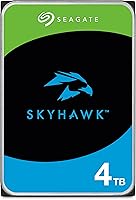
SEAGATE ST4000VX007 Skyhawk 4TB Surveillance Hard SATA
The SEAGATE ST4000VX007 is a 4TB internal SATA drive built for surveillance applications. Seagate describes it for 24×7 video workloads and up to 64 HD cameras, with Image Perfect firmware.
It uses a 3.5-inch form factor and has rotational vibration sensors for RAID and multi-drive systems. Its 4TB capacity is half the stated capacity of an 8TB drive, so compare estimated retention before choosing it.
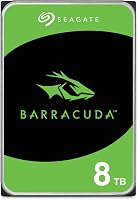
Seagate 8TB BarraCuda Internal Hard Drive
The Seagate 8TB BarraCuda is an 8TB 3.5-inch SATA desktop drive. Its stated use covers PC applications such as video and photo editing, gaming, and other computer tasks.
It provides the capacity named in this guide, but its description is not surveillance-specific. Confirm the NVR's approved drive list and continuous recording guidance before using it in a camera recorder.
Seagate SkyHawk 6TB Surveillance Internal Hard Drive HDD
The Seagate SkyHawk 6TB is a surveillance-focused 3.5-inch SATA drive with a capacity between the 4TB and 8TB examples. Seagate describes the SkyHawk range for 24×7 video workloads.
This model includes Image Perfect firmware and rotational vibration sensors for RAID and multi-drive systems. Its capacity may suit a retention target that does not require 8TB, provided your NVR supports it.
How should you plan retention and replacements?
Plan around the footage you need to keep and how quickly you can review it. An 8TB drive cannot guarantee a particular number of days without the camera and recorder settings.
Set a retention target based on how soon someone can review an incident. Then check the NVR estimate with the actual number of cameras and recording modes, and leave some room for changes.
Before installation, save important clips outside the recorder if they need to be retained. For Blink Outdoor 4, follow the USB storage setup guide to make a local backup.
Many recorders overwrite the oldest footage when their storage fills, depending on settings.
Check whether your NVR sends alerts for drive errors or lost recording. A camera system is only useful when footage is being recorded and can be retrieved.
Is an 8TB surveillance hard drive right for your system?
An 8TB surveillance hard drive makes sense when your retention estimate calls for the capacity and your NVR explicitly supports it. If you prefer storage in the cameras instead of an NVR, compare security cameras with local storage.
Choose a surveillance-focused model when its features match your recorder's requirements, and treat a desktop drive as an option only after compatibility is confirmed.
Pick 4TB if your estimated recording window is shorter and the smaller capacity meets your needs. Consider 6TB as an intermediate size, or compare 16TB if your NVR supports larger drives and your retention target calls for more room.
Frequently asked questions
Is an 8TB hard drive enough for security cameras?
It depends on how many cameras record, their resolution and frame rate, how often they record, and the recorder's compression settings. An 8TB drive gives you more capacity than a smaller drive, but estimate retention with your NVR's storage tool and check whether the recorder supports that drive size.
Can I use a desktop hard drive in an NVR?
Some recorders may accept a desktop SATA drive, but physical fit and interface alone do not confirm it is supported for continuous surveillance recording. Check the NVR maker's compatibility list and workload guidance, then compare those needs with the drive's stated purpose and features.
What should I check before buying an NVR hard drive?
Check the recorder's supported capacity, SATA interface, drive dimensions, bay count, and approved drive list. Then estimate retention from the number of cameras, recording settings, and schedule, and decide whether surveillance-focused features matter for your continuous write workload.
Does an 8TB drive store twice as much as a 4TB drive?
An 8TB drive has twice the stated capacity of a 4TB drive, but usable space and recording duration can vary with formatting, system reserves, and video settings. Compare estimated retention in the recorder rather than assuming the number of days will exactly double.