How to Choose a 2.5 Inch Drive for Surveillance
A 2.5-inch drive is the best choice for surveillance only when your recorder supports that size and the drive can handle its recording workload. Check the device manual, drive interface, and expected recording hours before replacing compact storage.
On this page (7 sections)
- Is a 2.5-inch hard drive compatible with your recorder?
- What recording workload should the drive handle?
- Is a 2.5-inch drive the right storage type?
- Which drive examples help compare surveillance use?
- How much capacity do you need for camera footage?
- What should you check before replacing compact storage?
- How do you choose a 2.5-inch surveillance hard drive?
The best 2.5 hard drive for surveillance is one your recorder supports and that matches its recording workload. Check the drive bay, interface, supported capacity, and expected retention time before buying.
The phrase “2.5-inch drive” describes a physical size, not a guarantee of surveillance suitability. Some recorders use compact drives, while others are built for 3.5-inch models or have specific compatibility limits.
Start with the exact make and model of your recorder. If you need a refresher on the drive’s role, read What Is an NVR Hard Drive, and What It Does?.
Is a 2.5-inch hard drive compatible with your recorder?
Your recorder’s documentation is the deciding source for drive compatibility. Confirm the supported form factor, SATA interface, capacity range, and any model-specific restrictions before replacing storage.
A drive can fit in the bay and still fail to work if the recorder’s connection or firmware does not support it. Check the manual, manufacturer support page, or drive compatibility list for the full recorder model number.
| Check | What to confirm |
|---|---|
| Form factor | Whether the recorder accepts a 2.5-inch drive |
| Interface | Whether the drive uses the interface the recorder supports |
| Capacity | The maximum capacity supported by the recorder |
| Drive type | Whether the recorder supports a hard disk drive, SSD, or both |
| Power | Whether the recorder can power the replacement drive |
| Mounting | Whether the bay or bracket can secure that drive size |
Do not assume a desktop computer’s compatibility rules apply to an NVR or DVR. Recorder firmware and drive support can differ between models, even within the same product family.
How to check the best 2.5 hard drive for surveillance fit
Look up the recorder’s model number and search its official manual for “hard drive,” “HDD,” or “storage.” Find the supported physical size and interface, then check whether it lists a capacity limit.
If the documentation is unclear, contact the recorder manufacturer with the model number and the exact drive model you are considering. That can help you avoid buying a drive that the device cannot detect or mount.
A 3.5-inch surveillance drive may offer the workload features you want, but it will not suit a recorder designed only for a 2.5-inch bay. The two sizes are not interchangeable without a supported mount and compatible connections.
What recording workload should the drive handle?
Choose a drive for the way your cameras record, not only for its capacity. Continuous recording writes video throughout the day, while motion-triggered recording writes less when activity is limited.
Camera count, resolution, frame rate, and retention target all affect storage use. The recorder’s documentation or storage calculator can help estimate how much space your setup needs.
Read What Is Continuous Recording, and How It Is Used? to understand the storage demands of recording all the time. If your system records only on activity, What Is Motion Triggered Recording, and How Does It Work? explains that approach.
A drive built for a write-intensive surveillance workload can be a better match for continuous recording than a general desktop drive. Compare each model’s stated intended use and workload information rather than treating all SATA drives as equivalent.
Is a 2.5-inch drive the right storage type?
A compact hard drive is useful when the recorder is built for that size, but you may need another storage type if the system’s design or workload calls for it. Check whether your recorder supports a hard drive, a solid-state drive, or both.
An SSD has no spinning platters, but it still needs the correct interface and recorder support. See our guide to best surveillance SSD hard drive options for the trade-offs to consider.
A network attached storage drive may suit a different role in a larger setup. Compare NAS hard drive vs surveillance hard drive if you are deciding between a drive made for network storage and one intended for camera recording.
Which drive examples help compare surveillance use?
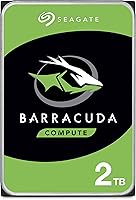
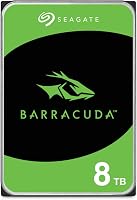
Compare the drive’s intended workload and physical size with your recorder’s requirements. These examples illustrate why a surveillance label, capacity, and form factor each matter.
The models below are 3.5-inch SATA drives, so they are examples for comparing drive purpose and capacity, not direct replacements for a recorder that only accepts a 2.5-inch drive.
The two SkyHawk examples are described for 24×7 video workloads and carry a stated 180TB per year workload rating. The BarraCuda is described for general PC applications, including video and photo editing.
Those differences do not override fit requirements. All three examples have a 3.5-inch form factor, so verify your recorder’s bay and compatibility before considering any of them.
How much capacity do you need for camera footage?
Pick capacity based on the number of days of footage you want to keep and how your cameras record. More cameras and longer retention generally call for more storage, but the exact amount depends on the recording settings.
Use a storage calculator provided for your recorder or camera system. Enter the number of cameras, resolution, frame rate, recording schedule, and retention period if those fields are available.
A larger drive is not automatically a better fit. The recorder may have a capacity ceiling, and the drive still needs to match its bay and interface.
For a much larger capacity category, see What to Look for in a 16TB Surveillance Hard Drive. Large drives are useful only when the recorder supports them and your retention needs justify the space.
What should you check before replacing compact storage?
Back up any footage you need, then confirm the replacement drive is supported before removing the old one. Follow the recorder’s own installation and initialization steps.
Before you begin, check whether the recorder requires a particular drive format or setup process. Some systems initialize new storage inside the recorder, which can erase any data already on the drive.
Use this checklist:
- Record the recorder model number and look up its official storage requirements.
- Confirm the new drive’s form factor, interface, capacity, and drive type.
- Save footage you need to keep before removing the current drive.
- Follow the manual’s installation and initialization steps.
- Confirm the recorder detects the drive and resumes recording.
- Check that the system’s retention settings match your needs.
If you are replacing a failed drive, do not assume the old footage can be recovered by installing it in a computer. Check the recorder’s guidance or contact its support team if footage preservation matters.
How do you choose a 2.5-inch surveillance hard drive?
Choose a 2.5-inch surveillance drive only after confirming recorder support and the drive’s workload fit. Then select capacity based on your camera settings and footage retention target.
If the recorder accepts only a 2.5-inch model, use its compatibility guidance to narrow the options. If it supports a 3.5-inch surveillance drive, compare the workload rating and capacity against your recording schedule.
The key rule is simple: choose the form factor your recorder supports, then choose a drive intended for the way your cameras record. For larger storage planning, compare the 16TB surveillance hard drive guide.
Frequently asked questions
Can I use a 2.5-inch hard drive in a security camera recorder?
Only if the recorder supports a 2.5-inch drive and its interface, capacity, and drive type. Check the manual or manufacturer’s support information for the exact recorder model.
A physical fit alone does not confirm that the recorder can connect to or use the drive.
Is a surveillance drive better than a desktop hard drive?
A surveillance drive is designed for continuous video recording, while a desktop drive is aimed at general computer use. Compare the drive’s stated workload and intended use with your recorder’s demands.
Capacity alone does not show whether a drive suits ongoing camera recording.
Can an SSD replace a hard drive in an NVR?
An SSD can replace a hard drive only if the NVR supports the SSD’s form factor, interface, capacity, and drive type. Check the recorder documentation before buying.
An SSD may be useful where a smaller physical drive is needed, but its suitability still depends on the system.
How much storage do surveillance cameras need?
Storage needs depend on camera count, resolution, frame rate, recording schedule, and how long you want to keep footage. Continuous recording uses space differently from motion-triggered recording.
Estimate your retention target with the recorder’s storage calculator or documentation before choosing capacity.
Does a 2.5-inch drive use less power than a 3.5-inch drive?
Drive size by itself does not tell you the power use of a specific model. Check the drive specifications and the recorder’s power requirements together.
Confirm that the recorder can supply the drive’s needed power before installing a replacement.