Best 16-Port PoE Switches: Top 9 Picks (November 2026)
The best 16-port PoE switches for home security cameras include the YuanLey 16 Port Gigabit PoE Switch for a high-power camera network, the TP-Link TL-SG116P for quiet Gigabit connections, and the NETGEAR 16-Port PoE Gigabit Ethernet Unmanaged Network for simple Gigabit setup.
On this page (5 sections)
The best 16 port PoE switch for most camera networks is the YuanLey 16 Port Gigabit PoE Switch, with 16 Gigabit PoE+ ports, two Gigabit uplinks and a 250W total PoE budget. Choose the TP-Link TL-SG116P for fanless Gigabit switching, NETGEAR GS316P for simple setup, or TP-Link TL-SL1218MP for 250W and SFP slots when Fast Ethernet camera ports are enough.
A 16-port PoE switch can power cameras and carry their video traffic over Ethernet, reducing the number of separate power adapters around an NVR. If your recorder is a DVR, see when you can use a PoE switch with a DVR.
The right choice depends on how many devices need PoE, each device’s maximum draw, port speed and whether you want network controls.
If the switch connects to a router or recorder, plan those links before you buy. Our guide to connecting a PoE switch and router explains the basic layout, while the home networking guide to mesh Wi-Fi covers wireless coverage for devices that don’t use Ethernet.
Our picks at a glance
-
1
 Best for a high-power camera network
YuanLey 16 Port Gigabit PoE Switch
9.7/10 our score
See it on Amazon -
2
-
3
 Best for simple Gigabit setup
NETGEAR 16-Port PoE Gigabit Ethernet Unmanaged Network
9.5/10 our score
See it on Amazon
- 4
 Check it
TP-Link 16 Port Unmanaged PoE+ Switch
Best for long camera cable runs - 5
 Check it
UBIQUITI USW-16-POE 16-Port Managed ETHERNET Switch
Best for a Ubiquiti network - 6
 Best for a high stated power budgetCheck it
- 7
 Best for managed network controlsCheck it
- 8
 Check it
NETGEAR 16-Port PoE Gigabit Ethernet Easy Smart
Best for basic smart management - 9
 Best for Omada network managementCheck it
How we chose these 16-port PoE switches
We compared port count, PoE budget, port speed, uplinks, management features and mounting options. Our score weighs specs and features against what you need when expanding a home surveillance network.
Power budget matters more than the “up to 30W per port” figure by itself. For a single-device power connection, compare a PoE injector and splitter before selecting network hardware.
That per-port maximum doesn’t mean every port can deliver 30W at once, so total up your cameras’ maximum draw and leave room for other PoE devices.
The category also includes different kinds of 16-port switches. Some have Gigabit PoE ports, some use Fast Ethernet PoE ports, and some trade PoE ports for SFP or uplink connections.
Compare the best 16-port PoE switches
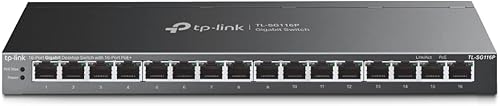
The YuanLey combines 16 Gigabit PoE+ ports with a 250W budget, while the TP-Link TL-SG116P offers Gigabit ports with a smaller 120W budget. Check the PoE port count and speed in the table before comparing features.
| Product | Best for | PoE ports | PoE budget | Uplinks | Our score |
|---|---|---|---|---|---|
| YuanLey 16 Port Gigabit PoE Switch | a high-power camera network | 16 PoE+ | 250W | 2 Gigabit | 9.7 |
| TP-Link TL-SG116P | quiet Gigabit connections | 16 PoE+ | 120W | 9.6 | |
| NETGEAR 16-Port PoE Gigabit Ethernet Unmanaged Network | simple Gigabit setup | 16 PoE+ | 115W | 9.5 | |
| TP-Link 16 Port Unmanaged PoE+ Switch | long camera cable runs | 16 PoE+ | 250W | 9.3 | |
| UBIQUITI USW-16-POE 16-Port Managed ETHERNET Switch | a Ubiquiti network | 9.0 | |||
| Real HD 16 Port PoE Switch | a high stated power budget | 16 PoE+ | 300W | 8.8 | |
| STEAMEMO PoE Switch | managed network controls | 16 PoE+ | 240W stated in title | 8.6 | |
| NETGEAR 16-Port PoE Gigabit Ethernet Easy Smart | basic smart management | 15 PoE+ | 180W | 8.4 | |
| TP-Link Omada SG2218P | Omada network management | 16 PoE+ | 150W | 2 Gigabit SFP slots | 8.1 |
Which 16-port PoE switch fits your camera network?
The best fit depends on whether you need higher PoE capacity, Gigabit camera links, basic plug-and-play setup or managed controls. These nine picks cover those different priorities.
YuanLey 16 Port Gigabit PoE Switch: Best for a high-power camera network
- 16 Gigabit PoE+ ports and 2 Gigabit uplinks
- 250W total PoE budget
- VLAN isolation on ports 1–16
- Desktop or rack mount
Sixteen Gigabit PoE+ ports and a 250W budget suit a camera network with room to grow. VLAN isolation can keep traffic on the PoE ports separated from other connected devices.
Pros
- 16 Gigabit PoE+ ports
- 250W total PoE budget
- Two Gigabit uplinks
Cons
- Built-in industrial fan
- Check the listed power requirements for your region
YuanLey’s switch is a strong fit for a home surveillance setup that could grow beyond a handful of cameras. It has 16 Gigabit PoE+ ports, two additional Gigabit uplinks and a total PoE budget of 250W.
The 250W budget gives you more room than the 115W NETGEAR GS316P or the 120W TP-Link TL-SG116P. Still, check your cameras’ maximum draw rather than assuming each port can deliver its 30W maximum at the same time.
VLAN isolation is available on PoE ports 1–16. The switch also has a metal case, built-in power supply and industrial fan, so plan a suitable spot for it instead of assuming fanless operation.
It supports desktop or rack mounting. Pick it if you need Gigabit speed at the PoE ports and a larger power budget; compare Netgear 16-port PoE switches if you prefer to narrow your search by that brand.
TP-Link TL-SG116P: Best for quiet Gigabit connections
- 16 Gigabit PoE+ ports
- 120W total PoE budget
- Fanless metal case
- Extend, Priority and Isolation modes
This fanless Gigabit switch offers 16 PoE+ ports and a 120W budget. Its Extend Mode can carry power and data up to 250m, with speed reduced to 10 Mbps in that mode.
Pros
- Fanless metal design
- Gigabit on all 16 PoE+ ports
- Isolation and Priority modes
Cons
- 120W total budget may limit simultaneous loads
- Extend Mode reduces speed to 10 Mbps
The TP-Link TL-SG116P suits a camera setup that needs Gigabit PoE at all 16 ports but doesn’t require a 250W budget. Its total PoE capacity is 120W, and it has a fanless metal case.
Extend Mode supports data and power transmission up to 250m, but the switch reduces speed to 10 Mbps in this mode. That can help with a long camera run, but only if the camera and network can work at that lower speed.
Priority Mode applies to ports 1–4, while Isolation Mode can separate broadcast traffic. PoE Auto Recovery is also available, though configuration is required for that feature.
Choose this model for a quiet Gigabit switch with several traffic modes. For more options in the same brand, see our best 16 port PoE switch Netgear guide or compare unmanaged 16-port PoE switches.
NETGEAR 16-Port PoE Gigabit Ethernet Unmanaged Network: Best for simple Gigabit setup
- 16 Gigabit PoE+ ports
- 115W total PoE budget
- Unmanaged plug-and-play setup
- Fanless metal case with desktop or wall mounting
Sixteen Gigabit PoE+ ports give this unmanaged switch plenty of wired connections for cameras and other devices. Its fanless metal case can sit on a desk or mount on a wall.
Pros
- Plug-and-play setup
- Fanless operation
- Desktop or wall mounting
Cons
- 115W total PoE budget
- No listed traffic management modes
The NETGEAR GS316P is the simple Gigabit option for buyers who want 16 PoE+ ports without switch configuration. It has a 115W budget, auto-negotiating Gigabit ports and a metal case that supports desktop or wall mounting.
NETGEAR says dynamic PoE allocation redistributes unused power to support devices with higher power needs. Since the total budget remains 115W, add up the expected device load before connecting a full set of cameras and access points.
The switch is unmanaged and fanless. It also supports IEEE 802.3az Energy Efficient Ethernet, which reduces power use when network activity allows.
Pick it if your camera count and power needs fit within the budget and you want plug-and-play setup. See our unmanaged 16-port PoE switch guide for alternatives with different power and port layouts.
TP-Link 16 Port Unmanaged PoE+ Switch: Best for long camera cable runs
- 16 Fast Ethernet PoE+ ports
- 250W total PoE budget
- 2 Gigabit uplinks and 2 SFP slots
- Extend Mode up to 250m
A 250W budget and Extend Mode make this TP-Link a candidate for a camera layout that needs longer PoE runs. Its 16 PoE ports are Fast Ethernet, while the two RJ45 uplinks are Gigabit.
Pros
- 250W total PoE budget
- Two Gigabit uplinks and two SFP slots
- Extend and Priority modes
Cons
- PoE ports are 10/100 Mbps
- Extend Mode reduces speed to 10 Mbps
The TP-Link TL-SL1218MP gives you 16 PoE+ ports and a 250W budget at a lower port speed. Its PoE ports are 10/100 Mbps Fast Ethernet, with two Gigabit RJ45 uplinks and two Gigabit SFP slots.
That port layout can work for camera networks where the cameras don’t need Gigabit connections. Extend Mode reaches up to 250m for power and data, but reduces speed to 10 Mbps, so check camera requirements and test the proposed cable route before relying on it.
Priority Mode covers ports 1–8, and one-click isolation separates traffic on ports 1–16. It’s an unmanaged, plug-and-play model with rack-mount brackets included.
Choose it when you want a higher power budget and extra uplink options, and Fast Ethernet is suitable for your cameras. For fiber connections or another SFP layout, compare 16-port PoE switches with SFP.
UBIQUITI USW-16-POE 16-Port Managed ETHERNET Switch: Best for a Ubiquiti network
- Managed Ethernet switch
- 16-port model
- Ubiquiti Networks brand
This Ubiquiti model is a managed 16-port Ethernet switch for buyers who want to compare within that brand. Confirm its PoE port count, power budget and management compatibility before choosing it for cameras.
Pros
- Managed switch
- 16-port model
Cons
- PoE port count and power budget need confirmation
The UBIQUITI USW-16-POE is the managed Ubiquiti option in this group. The available details identify it as a 16-port managed Ethernet switch, but don’t specify its PoE port count or power budget.
That missing power information matters for a camera system. Confirm the number of PoE ports and total PoE budget before choosing it to power cameras, and check that its management features suit your network.
Choose it if you’re comparing managed Ubiquiti switches and can verify the power details you need. Our managed 16-port PoE switch guide covers options with more detail on power and network controls.
Real HD 16 Port PoE Switch: Best for a high stated power budget
- 16 Fast Ethernet PoE+ ports
- 300W stated total PoE budget
- 2 Gigabit uplinks
- Unmanaged plug-and-play design
The 300W stated budget is the largest in this group, with 16 Fast Ethernet PoE+ ports. It suits buyers who value power capacity over Gigabit speed at each camera port.
Pros
- 300W stated total PoE budget
- Two Gigabit uplinks
- Fanless metal case
Cons
- PoE ports are 10/100 Mbps
- Extend Mode reduces speed
The Real HD switch focuses on a 300W stated power budget across 16 PoE+ ports. Its PoE ports are 10/100 Mbps, and it has two Gigabit uplink ports.
The maker describes it as an unmanaged, plug-and-play model with a metal case and fanless design. Extend Mode supports runs up to 250m, but the switch reduces speed while that mode is active.
A higher total budget can help when several devices have higher power needs, but it doesn’t change the Fast Ethernet speed of the PoE ports. Check camera bandwidth needs and the total draw together.
Choose this model if capacity is the main concern and 10/100 Mbps ports fit your cameras. Compare rack-mount 16-port PoE switches if you’re planning a dedicated equipment cabinet.
STEAMEMO PoE Switch: Best for managed network controls
- 16 Fast Ethernet PoE+ ports
- 2 Gigabit uplinks and 1 SFP port
- VLAN, QoS and port monitoring features
- Managed and unmanaged modes
The STEAMEMO provides management features such as VLAN and QoS, plus a choice of managed or unmanaged mode. Its PoE ports are 100 Mbps, so check that speed fits your cameras and network.
Pros
- VLAN and QoS features
- One SFP port
- Fanless metal design
Cons
- PoE ports are 100 Mbps
- Power budget figures differ across its product details
The STEAMEMO suits a buyer who wants VLAN and QoS options along with a choice of managed or unmanaged mode. It has 16 PoE+ ports, two Gigabit uplinks and one SFP port.
Its PoE ports are 100 Mbps, so it’s important to confirm that speed is appropriate for your cameras. Its power figures also vary: the title states a 240W built-in supply, while another specification gives 200W maximum power.
The described management tools include a web interface, desktop software or mobile app, with options such as traffic monitoring and VLAN configuration. Those controls may be useful if you plan to separate camera traffic from other devices.
Choose it if those controls and connection options fit your network, after confirming the power budget. Our managed 16-port PoE switch guide compares models built around network controls.
NETGEAR 16-Port PoE Gigabit Ethernet Easy Smart: Best for basic smart management
- 15 PoE+ Gigabit ports
- 180W total PoE budget
- 1 Gigabit SFP port
- VLAN, QoS and per-port PoE controls
This Easy Smart switch pairs 15 PoE+ Gigabit ports with a 180W budget and one SFP port. VLAN, QoS and per-port PoE controls add basic management options for a growing network.
Pros
- 180W total PoE budget
- VLAN and QoS controls
- One Gigabit SFP port
Cons
- Only 15 ports provide PoE+
- Managed features require setup
The NETGEAR GS316EP adds basic smart management and an SFP connection, with a 180W PoE budget. It has 15 PoE+ Gigabit ports, one Gigabit SFP port and desktop or wall-mount options.
VLAN, QoS and port monitoring let you make basic network changes, while per-port PoE controls help manage power delivery. Check the 15-port PoE count against your camera plan if you need to power 16 devices.
Choose this Easy Smart model if you want management features and an SFP connection but don’t need PoE on every port. For more options with fiber connections, see our 16-port PoE switch with SFP guide.
TP-Link Omada SG2218P: Best for Omada network management
- 16 Gigabit PoE+ ports
- 150W total PoE budget
- 2 Gigabit SFP slots
- Omada SDN and standalone modes
The Omada SG2218P offers 16 Gigabit PoE+ ports, two SFP slots and a 150W budget. Omada SDN can bring it into a centrally managed network, and standalone mode is also supported.
Pros
- 16 Gigabit PoE+ ports
- Two SFP slots
- Omada SDN and standalone options
Cons
- 150W budget needs a device-by-device check
- SDN use requires compatible devices or controllers
The TP-Link Omada SG2218P is a managed choice for a network built around Omada devices. It has 16 Gigabit PoE+ ports, two Gigabit SFP slots and a 150W total PoE budget.
Omada SDN can manage compatible network devices through a hardware or software controller, and standalone mode is also supported. The switch includes features such as VLAN, port security, storm control and DHCP snooping.
Check the power budget against your camera and access point load, especially if several devices draw close to 30W. Its rack-mount kit and rubber feet are included, giving you options for installation.
Choose it if you want managed controls and Omada integration. If wireless coverage is also part of the project, our Wi-Fi range extender vs mesh comparison explains how those choices differ.
What should you check before buying a 16-port PoE switch?
Check total PoE draw, port speed, uplinks and where the switch will sit. A switch can have enough physical ports but still fall short on power or network speed for your planned camera system.
How much power should a 16-port PoE switch have?
Add the maximum draw of every camera and other PoE device you expect to connect, then leave some spare budget. For instance, a 250W total budget offers more room than 115W, but the actual fit depends on the devices’ power needs.
The 30W per-port figure is a port limit, not a promise that every port can deliver that much at once. Check the camera’s requirements, including any higher draw during night vision or other active features.
Do your cameras need Gigabit Ethernet ports?
Gigabit ports provide more capacity at each connection than Fast Ethernet ports. The YuanLey, TP-Link TL-SG116P and NETGEAR GS316P offer Gigabit PoE ports, while the TP-Link TL-SL1218MP, Real HD and STEAMEMO use Fast Ethernet PoE ports.
Match port speed to your cameras and recorder. If you have many high-resolution cameras, consider the overall traffic path from the switch to the router or NVR as well as the speed of each camera port.
Will you use SFP, uplink or long-range ports?
Uplinks connect the switch to a router, recorder or another network device. SFP slots can provide a fiber connection when your network uses compatible transceivers and cabling.
Long-range modes can help with a distant camera, but may reduce port speed. The TP-Link TL-SG116P and TL-SL1218MP both reduce speed to 10 Mbps in Extend Mode, so confirm that fits your camera before choosing that mode.
Do you need managed or unmanaged controls?
An unmanaged switch keeps setup simple and suits a network that doesn’t need traffic controls. Managed options can add VLANs, QoS, monitoring and per-port settings, but those features require more setup and planning.
If you want a simple setup, compare our unmanaged 16-port PoE switch picks. If you want to separate camera traffic or control ports, see our managed 16-port PoE switch picks.
Where will you install the switch?
Measure the available space and check whether desktop, wall or rack mounting suits the location. Consider power access, ventilation, cable reach and whether fan noise could bother you in the room.
A PoE switch and a mesh Wi-Fi system solve different connection needs. Wired cameras need Ethernet from the switch, while mesh Wi-Fi can improve coverage for wireless devices; read our Wi-Fi range extender vs mesh guide if you’re also planning wireless coverage.
Which 16-port PoE switch should you choose?
Choose the YuanLey if you need 16 Gigabit PoE+ ports and a 250W budget. Pick the TP-Link TL-SG116P for fanless Gigabit switching, the NETGEAR GS316P for straightforward setup, or the TP-Link TL-SL1218MP if you need 250W and SFP slots with Fast Ethernet camera ports.
For a managed network, compare the Omada SG2218P and NETGEAR GS316EP by controller needs, PoE count and budget. Before buying any 16 port poe switch, check that the switch’s total power and port speed match the cameras you plan to connect.
Our top 3 picks at a glance
-
1
Best for a high-power camera network
YuanLey 16 Port Gigabit PoE Switch
9.7/10 our score
See it on Amazon -
2
-
3
Best for simple Gigabit setup
NETGEAR 16-Port PoE Gigabit Ethernet Unmanaged Network
9.5/10 our score
See it on Amazon
Frequently asked questions
How much PoE power does a 16-port switch need?
Add the maximum PoE draw of every device you may power at the same time, then leave some headroom. A 250W switch does not supply 30W to all 16 ports at once unless its total budget can cover that load.
Check camera power needs, including night vision or other high-draw features, against the switch’s total budget.
Does every 16-port PoE switch have 16 PoE ports?
No. Some switches have fewer PoE ports than total network ports.
For example, the NETGEAR Easy Smart model here has 15 PoE+ ports and one SFP connection.
Count the powered camera ports you need, then check which connections are PoE and which are uplinks or SFP.
Should I choose Gigabit or Fast Ethernet PoE ports?
Gigabit ports offer more bandwidth for each connected device. Fast Ethernet can be enough for some cameras, but check your cameras’ network requirements and how much traffic the switch will carry.
Some long-range modes reduce speed, so include that trade-off when planning cable runs.
Can a PoE switch power non-PoE devices?
A PoE switch can carry data to non-PoE devices, but compatibility depends on the switch’s PoE detection and the device. The YuanLey switch says it detects PoE and non-PoE devices automatically.
Check the manufacturer’s instructions for your specific device before connecting it.