What Is an NVR, and How Does It Work? What to Know
On this page (7 sections)
An NVR, or Network Video Recorder, is a computer designed to record and manage video from digital IP cameras over a network. Think of it as the brain of your security system, capturing and storing all the footage. It’s a key component for modern surveillance setups. Think of it as the brain of your security system, capturing and storing all the footage.
Unlike older DVR systems that needed cameras wired directly, NVRs connect to cameras wirelessly or via Ethernet cables through your network. This offers greater flexibility in camera placement and system expansion. Many experts highlight this as a major advantage for home and business security.
- An NVR records video from IP cameras.
- It manages your security camera system.
- NVRs use your network for camera connections.
- This allows for flexible camera placement.
- It’s essential for digital surveillance systems.
Let’s get into what an NVR is and how it works to keep your property secure. We’ll break down the basics so you can understand your options.
Understanding how your security system works is key to feeling secure. You want to know that your cameras are capturing what they should. That’s where an NVR comes into play. It’s the central hub for your digital video surveillance.
Understanding Your Network Video Recorder (NVR) System
An NVR, or Network Video Recorder, is essentially a specialized computer. For a closer look at how an NVR works, see our guide. Its main job is to record and manage video streams. These streams come from digital IP cameras connected over your network. Think of it as the control center for your cameras.
What Exactly Does an NVR Do?
Your NVR receives video data from your IP cameras. It then processes this data for storage and playback. It also handles many other functions. These include managing camera settings and user access. Some NVRs even offer features like remote viewing. You can check in on your property from anywhere.
How Does an NVR Connect to Cameras?
This is a big difference from older systems. Instead of running individual cables to each camera, NVRs use your existing network infrastructure. IP cameras connect to your router or network switch. The NVR then accesses these cameras through the network. This can be via Ethernet cables or Wi-Fi. This network connection makes setup much more flexible.
Wired vs. Wireless Camera Connections
You can connect your IP cameras to the NVR in a couple of ways. Some NVRs have built-in PoE (Power over Ethernet) ports. These ports provide both network connectivity and power to cameras through a single Ethernet cable. This simplifies wiring. Other systems rely on your existing Wi-Fi network for wireless cameras. We found that wired connections generally offer more stable performance.
The Role of Your Network
Your home or office network is the backbone for an NVR system. The NVR and cameras all communicate through this network. A strong and reliable network is therefore very important for smooth operation. A slow or unstable network can lead to dropped feeds or laggy video.
Key Components of an NVR System
Beyond the NVR unit itself, several other pieces work together. Understanding these parts helps you see the whole picture. It allows you to build a system that meets your specific needs.
The NVR Unit Itself
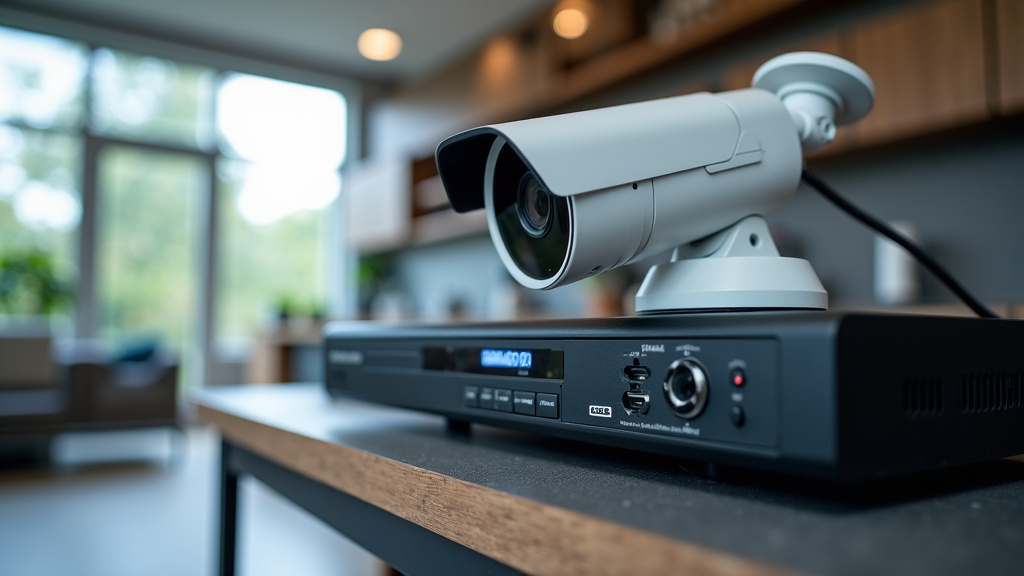
The NVR unit is the main device. It houses the processing power and storage. Most NVRs look like small computer boxes. They typically have ports for connecting to your network. They also have connections for your monitor and mouse. You’ll use these to set up and manage the system.
IP Cameras
These are your digital eyes on the world. IP cameras capture the video feed. They transmit this data over the network to the NVR. Modern IP cameras come with a wide range of features. These include high resolution, night vision, and motion detection. The type of cameras you choose will impact the quality of your footage.
Storage: Hard Drives
Video files take up a lot of space. Your NVR needs a place to store all that footage. This is typically done using internal hard drives. Many NVRs can accommodate multiple hard drives. This allows for extensive recording capacity. The size of the hard drive you need depends on the number of cameras and recording quality.
Networking Equipment
As we mentioned, your network is vital. You’ll need a router and potentially network switches. These devices manage the flow of data between your cameras and the NVR. For PoE systems, you’ll need PoE-capable switches or cameras that can draw power directly from the NVR’s PoE ports.
How an NVR Records and Manages Video
So, how does all this data actually get recorded? The process is quite streamlined. It’s designed to capture everything you need.
Recording Modes: Continuous, Scheduled, and Motion Detection
Your NVR offers different ways to record. You can choose continuous recording. This means it records 24/7. Another option is scheduled recording. You set specific times for it to record. Many users prefer motion detection recording. The NVR only records when it senses movement. This saves storage space. We found that motion detection is popular for home use.
Continuous Recording
This is the most straightforward option. The NVR records video non-stop. It’s like a constant surveillance loop. This gives you a complete history. However, it uses the most storage space. For 24/7 coverage, this is the way to go.
Scheduled Recording
With scheduled recording, you have more control. You can set specific hours or days for recording. This can be useful if you only need footage during certain times. For example, you might only want to record when your business is closed. This is a good way to manage storage.
Motion Detection Recording
This is a smart way to record. The NVR’s software monitors the video feed. It looks for changes in the image. When movement is detected, it starts recording. This conserves hard drive space. It also makes it easier to find specific events. Many systems allow you to customize motion detection zones. You can avoid recording unimportant areas.
Playback and Search Features
Finding specific footage is easy. NVRs come with search functions. You can search by date, time, or event. Motion detection events are often highlighted. This makes reviewing recordings much quicker. You can typically play back footage on a connected monitor. Many systems also allow remote playback via an app.
Remote Access and Mobile Viewing
Most modern NVR systems offer remote access. You can connect to your NVR over the internet. This allows you to view live camera feeds. You can also review recorded footage from anywhere. This is usually done through a dedicated mobile app or a web browser. It offers peace of mind when you’re away.
NVR vs. DVR: What’s the Difference?
You might hear about DVRs too. It’s helpful to know how they differ from NVRs. The main distinction lies in the camera technology they support.
| Feature | NVR (Network Video Recorder) | DVR (Digital Video Recorder) |
|---|---|---|
| Camera Type | IP Cameras (Digital) | Analog Cameras |
| Connection Method | Network (Ethernet/Wi-Fi) | Coaxial Cables (Direct to DVR) |
| Video Quality | Generally Higher Resolution | Typically Lower Resolution |
| Flexibility | High; cameras can be placed anywhere on the network | Limited; cameras must be close to the DVR |
| Installation | Can be simpler with PoE or Wi-Fi | More complex wiring for each camera |
In short, NVRs work with newer IP cameras. DVRs work with older analog cameras. For most new installations, NVRs are the preferred choice due to their flexibility and higher quality potential. We found that the ease of setup with NVRs is a major benefit.
Setting Up and Maintaining Your NVR System
Getting your NVR system up and running is generally straightforward. A little maintenance goes a long way.
Initial Setup Steps
First, connect the NVR to your router. Then, connect your IP cameras to the network. You’ll connect the NVR to a monitor and mouse. Power everything on. The NVR will guide you through initial setup. This includes setting a strong password. You’ll also configure network settings. Then, you’ll add your cameras to the system. Many NVRs will automatically detect cameras on the network.
Regular Maintenance Tips
Keep your NVR’s firmware updated. This ensures optimal performance and security. Regularly check your storage space. Ensure your hard drives are functioning correctly. Test your system periodically. Check that cameras are online and recording. A simple checklist can help you stay on track.
- Verify camera connections.
- Check recording status.
- Review storage capacity.
- Update NVR firmware.
- Test playback functionality.
- Ensure network connectivity.
By following these steps, you can ensure your NVR system continues to protect your property effectively. It’s all about keeping your digital eyes sharp and ready.
Conclusion
You’ve learned that an NVR is the central hub for your digital security cameras. It records and manages footage from IP cameras over your network, offering great flexibility. Unlike older systems, NVRs use your existing network, making setup and expansion easier. By understanding the NVR unit, IP cameras, storage, and network needs, you can build a robust system. You can choose how to record – continuously, on a schedule, or with motion detection. This knowledge helps you select the right system for your peace of mind.
Now that you understand how NVRs work, your next step is to assess your property’s security needs. Consider the number of cameras you require and the level of detail you want in your recordings. This will guide you in choosing the right NVR and IP cameras to protect what matters most.
Frequently Asked Questions
How do I connect my IP cameras to an NVR?
Most NVRs connect IP cameras through your existing network. You can use Ethernet cables, especially if the NVR has PoE ports for power and data. Some systems also support wireless IP cameras that connect via your Wi-Fi network. Your NVR will then detect and manage these cameras through the network. For a recorder that connects to cameras over Wi-Fi, see our guide to wireless NVRs.
What is the difference between an NVR and a DVR?
The main difference is the type of cameras they support. An NVR works with digital IP cameras connected over a network. A DVR works with older analog cameras connected directly via coaxial cables. NVR systems generally offer higher video quality and more placement flexibility.
How much storage space do I need for an NVR?
Storage needs vary based on the number of cameras, recording resolution, and recording mode. Continuous recording uses the most space, while motion detection saves storage. We recommend calculating your estimated daily storage usage based on your chosen settings and the number of cameras.
Can I view my NVR cameras remotely?
Yes, most modern NVR systems offer remote viewing capabilities. You can typically access live feeds and recorded footage from anywhere using a dedicated mobile app or a web browser. This feature allows you to check on your property even when you’re away.
What happens if my network is slow? Will my NVR still work?
A slow or unstable network can affect your NVR’s performance. You might experience dropped camera feeds or laggy video playback. For optimal operation, it’s important to have a reliable and sufficiently fast network to handle the data streams from all your cameras.