What Is a 4 Channel NVR, and How It Is Used?
On this page (3 sections)
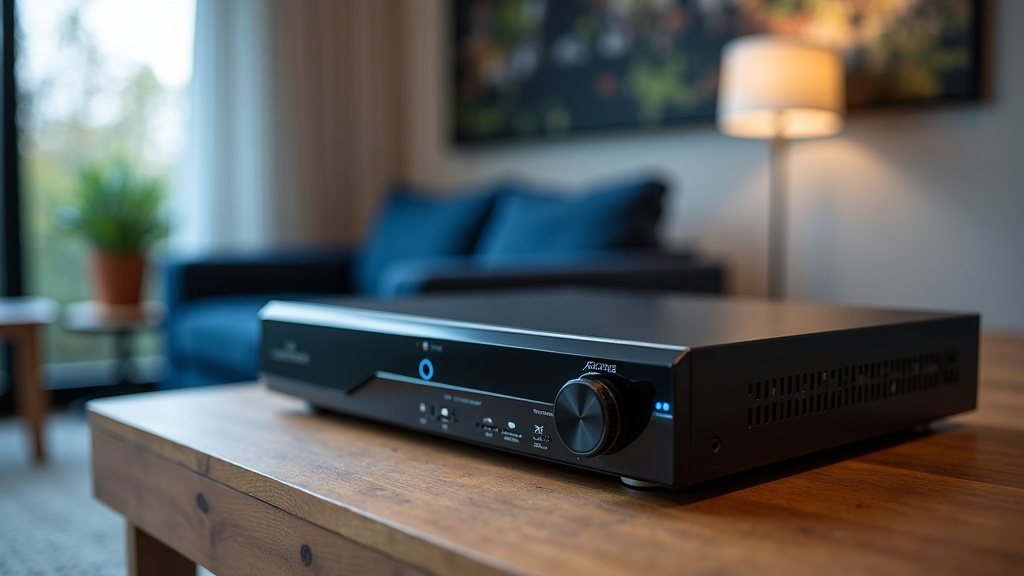
A 4 channel NVR is a type of network video recorder that connects to and manages up to four IP security cameras. See how many cameras an NVR supports when planning your coverage. It acts as the central hub for your surveillance system, recording video footage from each connected camera and storing it for later review. Think of it as the brain of your security setup.
This device is essential for home or small business owners who want a straightforward way to monitor their property. It allows you to keep an eye on different areas simultaneously. Many people choose a 4 channel NVR for its balance of capacity and affordability.
- It’s a recorder for up to 4 security cameras.
- It manages and stores video footage centrally.
- Ideal for homes and small businesses. Ideal for homes and small businesses, a 4 channel NVR can be complemented by a decoy camera for added deterrence.
- Offers a good mix of features and cost.
- Provides easy access to recorded video.
Let’s walk through exactly what a 4 channel NVR is and how you can use one to boost your security.
Understanding Your 4 Channel NVR System
A 4 channel NVR is a device that helps you manage your security cameras. It acts as the central point for your system. This recorder lets you connect and watch up to four different cameras. You can view live feeds from these cameras. You can also record their footage for later review. It’s like having a command center for your property’s safety. Many homeowners find this setup to be a A 4 channel NVR can manage multiple cameras, and you might consider a hidden security camera for specific monitoring needs.practical choice for their needs.
How Does a 4 Channel NVR Work?
An NVR, or Network Video Recorder, connects to your IP (Internet Protocol) security cameras over your network. Think of your home network like a highway. Your cameras are sending video traffic on this highway. The NVR is the toll booth and storage facility. It collects all that video data. It then stores it on a hard drive inside the NVR. This makes it easy to access the footage when you need it. The “4 channel” part simply means it’s designed to handle up to four video streams simultaneously. Learn what an NVR channel means before choosing a recorder.
The Role of IP Cameras
It’s important to know that a 4 channel NVR works specifically with IP security cameras. These cameras send their video signal digitally over your network. This is different from older analog systems. IP cameras often offer higher resolutions. They can also have advanced features like motion detection and audio recording. Your NVR then receives this digital stream from each camera.
Recording and Storage
The NVR’s primary job is recording. Each camera uses a recording channel on the NVR. It captures the video streams from your connected cameras. Most NVRs have a built-in hard drive for storage. The size of this drive determines how much footage you can save. You can typically configure recording settings. This might include continuous recording or motion-activated recording. Continuous recording saves everything. Motion-activated recording saves footage only when movement is detected. This saves storage space. We found that motion-activated recording is very popular for most users.
Key Benefits of a 4 Channel NVR
Why choose a 4 channel NVR? Well, it offers a great balance of features and cost. It’s not too complex, but it provides solid security. Let’s look at some specific advantages you can expect.
Ideal for Targeted Coverage
With four channels, you can cover the most important areas. Think about the main entry points to your home. This could be your front door, back door, and garage. You might also want to cover a driveway or a vulnerable side of your house. A 4 channel system lets you place cameras strategically. This gives you a clear view of these key zones. It’s about smart coverage, not necessarily covering every single inch.
Cost-Effective Security Solution
Compared to larger systems, a 4 channel NVR is usually more affordable. The NVR unit itself is often less expensive. You also need fewer cameras, which reduces your overall investment. This makes it a budget-friendly option for many households. You get reliable surveillance without breaking the bank. Many research reports show that smaller, targeted systems are often more effective than large, poorly managed ones.
Simple Setup and Operation
Setting up a 4 channel NVR system is generally straightforward. A PoE NVR can power compatible cameras and carry their data over Ethernet. You connect your IP cameras to your network router. Then, you connect the NVR to the same network. Most NVRs come with a user-friendly interface. This makes it easy to navigate menus. You can adjust settings, view live feeds, and play back recordings. We found that most users can get their system up and running within a few hours. It’s designed for ease of use, even for those new to security systems.
Remote Viewing Capabilities
One of the biggest advantages of modern NVR systems is remote viewing. Most 4 channel NVRs can connect to the internet. This allows you to view your cameras from anywhere. You can use a smartphone app or a web browser. Imagine being on vacation and checking in on your home. Or perhaps you’re at work and want to see if a package arrived. This convenience adds significant peace of mind. Many security experts agree that remote access is a must-have feature today.
How a 4 Channel NVR is Used in Practice
So, how do people actually use these systems? The applications are quite varied. Whether it’s for home security or small business monitoring, a 4 channel NVR proves very useful.
Residential Security Monitoring
For homeowners, a 4 channel NVR is a popular choice. You can monitor entryways, yards, and driveways. This helps deter potential intruders. It also provides evidence if an incident occurs. Many systems include night vision capabilities. This ensures you have clear footage even in the dark. You can get alerts on your phone if motion is detected. This allows you to respond quickly. It’s about having an extra set of eyes watching over your property.
Small Business Surveillance
Small businesses can also benefit greatly. A 4 channel NVR can cover the main entrance, the cash register area, and any back storage rooms. This helps prevent theft and vandalism. It can also monitor employee activity. Having recorded footage can resolve disputes. It can also help identify suspicious behavior. Many business owners find it a cost-effective way to improve security. According to some small business administration guides, security systems can reduce shrinkage by up to 15% (Small Business Administration).
Monitoring Specific Areas
Sometimes, you don’t need a massive system. You might want to monitor a specific area. This could be a detached garage, a shed with valuable tools, or even a pool area. A 4 channel NVR with a few well-placed cameras can do the job. You get focused surveillance where you need it most. This targeted approach is very practical. It’s about having control over your monitoring. You can decide where your security focus should be.
Choosing the Right 4 Channel NVR System
When you’re looking for a 4 channel NVR, consider a few key factors. Not all systems are created equal. Researching your options will help you make a good choice.
Camera Compatibility
Make sure the NVR you choose is compatible with the IP cameras you want to use. Some NVRs work best with cameras from the same brand. Others are more universal. Check the specifications carefully. You want to ensure your cameras can connect and stream data to the NVR. Compatibility is key for a smooth setup.
Storage Capacity
Think about how much footage you need to store. This depends on the recording resolution, frame rate, and how often you record. If you plan to record 24/7, you’ll need a larger hard drive. If you only record when motion is detected, you might get by with less. Many NVRs allow you to upgrade the hard drive later. This offers flexibility for your storage needs.
User Interface and App Features
The ease of use is very important. Look for an NVR with an intuitive menu system. The mobile app should also be easy to navigate. Check reviews to see what other users say about the interface. A well-designed app makes remote viewing and playback much more enjoyable. Good user experience is essential for daily use.
Network Connectivity
Ensure the NVR has reliable network connectivity. This is crucial for remote viewing and firmware updates. Most NVRs have an Ethernet port. Some might also offer Wi-Fi connectivity. Wired connections are generally more stable. Having a strong network connection means your system will be dependable.
A Quick Checklist for Your 4 Channel NVR
Before you finalize your purchase or set up your system, consider these points:
- Confirm your NVR supports the type of IP cameras you have or want.
- Check the storage capacity and if it can be expanded.
- Test the mobile app for ease of use and features.
- Ensure the NVR has sufficient ports for your cameras and network.
- Understand the warranty and customer support offered.
- Review the installation process to ensure it fits your DIY skills.
By considering these aspects, you can select a 4 channel NVR system that perfectly suits your security needs. It’s a practical and effective way to enhance safety for your home or business. You’ll gain valuable peace of mind knowing your property is monitored.
Conclusion
You’ve learned that a 4 channel NVR is a smart choice for expanding your security without overspending. It provides focused monitoring of key areas like entrances and driveways for your home or small business. This system offers an excellent blend of practical features and affordability. You can monitor your property remotely and store important footage easily. Ready to enhance your peace of mind? Your next step is to assess your property’s most vulnerable spots and choose a 4 channel NVR system that matches your coverage needs and budget.
Frequently Asked Questions
Can I use any brand of IP camera with a 4 channel NVR?
Generally, yes, but compatibility is key. Most NVRs are designed to work with standard IP cameras that use protocols like ONVIF. However, some manufacturers recommend or work best with their own camera brands. Always check the NVR’s specifications for camera compatibility before purchasing.
How much storage space do I need for a 4 channel NVR?
Storage needs vary based on recording quality, frame rate, and recording mode (continuous vs. motion-activated). For continuous recording at decent resolution, a 1TB or 2TB hard drive might last a week or two. If you use motion detection, you can store footage for much longer. Many NVRs allow you to upgrade the hard drive later if you need more space.
What’s the difference between a 4 channel NVR and a DVR?
The main difference is the type of cameras they support. An NVR (Network Video Recorder) works with IP cameras that connect over your network. A DVR (Digital Video Recorder) works with older analog cameras that connect via coaxial cables. NVR systems often offer higher resolution and more advanced features.
Do I need a separate internet connection for the NVR?
No, the NVR itself doesn’t require its own internet connection to record. However, you need an internet connection for your home or business network to enable remote viewing via a mobile app or web browser. The cameras also connect to this same network.
Is a 4 channel NVR system easy to set up myself?
For most people, a 4 channel NVR system is quite manageable to set up. You’ll typically connect your IP cameras to your network router, then connect the NVR to the router. Most NVRs come with a user-friendly interface for configuration and viewing. If you’re comfortable with basic networking, you can likely do it yourself.