9 Best Reolink Security Cameras (November 2026)
The best best Reolink security cameras include the REOLINK 8CH 5MP PoE Security Camera System for balanced property coverage, the REOLINK Solar Security Cameras Wireless Outdoor 360° for wire-free outdoor monitoring, and the REOLINK Argus PT Ultra First 4K Solar for solar 4K detail.
On this page (8 sections)
- Which Reolink security camera is best for each use?
- Best Reolink security cameras compared
- How do you choose between Reolink PoE, Wi-Fi and solar cameras?
- Is 4K better than 5MP for a Reolink security camera?
- How should you plan Reolink camera storage?
- Can Reolink cameras connect to a phone?
- What should you check before installing a Reolink camera?
- Verdict: which is the best Reolink security camera?
The best Reolink security camera for most property-wide coverage is the REOLINK 8CH 5MP PoE Security Camera System. Choose a solar Argus model for wire-free outdoor use, E1 for indoor monitoring, or a 4K PoE kit for sharper detail and larger coverage.
We compared Reolink cameras across connection types, resolution, movement, night vision, recording and storage. The right choice depends on whether you need one room covered, several outdoor viewpoints or a complete NVR system.
For a light and camera combination, see our guide to the best Reolink security cameras with lights. If your location lacks Wi-Fi or wired internet, compare the best Reolink cellular security camera options.
Our picks at a glance
-
1
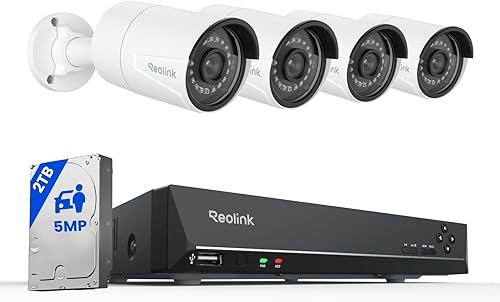 Best for balanced property coverage
REOLINK 8CH 5MP PoE Security Camera System
9.7/10 our score
See it on Amazon -
2
 Best for wire-free outdoor monitoring
REOLINK Solar Security Cameras Wireless Outdoor 360°
9.7/10 our score
See it on Amazon -
3

- 4
 Check it
REOLINK 4MP 2K Indoor Camera E1
Best for one-room indoor monitoring - 5
 Check it
REOLINK Home Security Camera System
Best for two-room indoor coverage - 6
 Check it
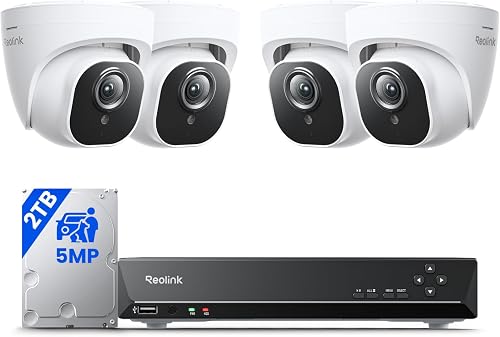
REOLINK 5MP 8CH Home Security Camera System
Best for 5MP continuous recording - 7
 Check it
REOLINK RLC-810A PoE Security Camera
Best for a single 4K PoE view - 8
 Check it
REOLINK RLC-520A 5MP PoE Security Camera
Best for wide 5MP outdoor coverage - 9
 Check it
REOLINK 16CH 4K Security Bullet Camera System
Best for large multi-camera coverage
Which Reolink security camera is best for each use?
The best Reolink security camera depends on the installation you can support, not only on resolution or features. Wired PoE kits suit continuous recording and several fixed views, while solar Wi-Fi cameras suit outdoor spots where cable runs are difficult.
Plug-in indoor models suit a single room where power is close and the view needs to move.
Think about placement before comparing specs. A fixed view works when the important area stays in one direction, such as a driveway or side gate.
Pan and tilt models help one device check more than one angle, but they cannot watch opposite directions at once.
Connection also shapes daily use. PoE systems keep recording to an NVR even if the internet drops.
Solar and battery models trade continuous recording for placement freedom, so they fit alert based monitoring without cables.
If you have no cable route, start with the solar options. If you need steady coverage across several points, start with the NVR kits.
If you need one room watched closely, the indoor E1 models are the simpler fit.
| Product | Best for | Resolution | Connection | Storage | Our score |
|---|---|---|---|---|---|
| REOLINK 8CH 5MP PoE Security Camera System | balanced property coverage | 5MP | Wired PoE | 2TB HDD | 9.7 |
| REOLINK Solar Security Cameras Wireless Outdoor 360° | wire-free outdoor monitoring | 5MP | 2.4/5GHz Wi-Fi | microSD up to 512GB | 9.7 |
| REOLINK Argus PT Ultra First 4K Solar | solar 4K detail | 8MP 4K | 2.4/5GHz Wi-Fi | microSD up to 512GB | 9.7 |
| REOLINK 4MP 2K Indoor Camera E1 | one-room indoor monitoring | 4MP | 2.4GHz Wi-Fi | microSD up to 512GB, NVR or Home Hub | 9.6 |
| REOLINK Home Security Camera System | two-room indoor coverage | 4MP | 2.4GHz Wi-Fi | 9.6 | |
| REOLINK 5MP 8CH Home Security Camera System | 5MP continuous recording | 5MP | Wired PoE | 2TB HDD | 9.5 |
| REOLINK RLC-810A PoE Security Camera | a single 4K PoE view | 8MP 4K | Ethernet PoE | microSD up to 512GB, NVR or FTP | 9.4 |
| REOLINK RLC-520A 5MP PoE Security Camera | wide 5MP outdoor coverage | 5MP | Wired PoE | microSD up to 512GB, NVR or FTP | 9.3 |
| REOLINK 16CH 4K Security Bullet Camera System | large multi-camera coverage | 8MP 4K | Wired PoE | 4TB HDD | 8.8 |
Best Reolink security cameras compared
The products below are ordered by score. Start with the complete 8-channel systems if you need several cameras, then consider the single-camera and indoor options for more focused coverage.
REOLINK 8CH 5MP PoE Security Camera System: Best for balanced property coverage
- 4 included 5MP PoE cameras
- 8-channel NVR
- 2TB HDD
- 100 ft night vision
This kit combines 4 wired 5MP cameras, an 8-channel NVR and a 2TB HDD for continuous local recording. It suits buyers who want a complete system with stable wired connections.
Pros
- 4 included cameras
- 2TB local storage
- Person, animal and vehicle detection
Cons
- Requires wired installation
- Less flexible than a solar camera
The REOLINK 8CH 5MP PoE Security Camera System is the strongest all-around choice for a home that needs several wired viewpoints. It includes 4 5MP cameras, an 8-channel NVR and a pre-installed 2TB HDD, so the core parts arrive as one set.
A single network cable carries power and video to each PoE camera. You do not need a separate power cable at every position, and the wired connection stays more stable than a distant Wi-Fi signal in many outdoor spots.
The cameras provide 100 ft of night vision and smart person, animal and vehicle detection. That filtering helps reduce alerts from leaves or insects, while general motion detection stays available.
The NVR supports continuous recording, while the Reolink app provides remote playback. With the included storage, you can review recorded video locally without relying on a subscription for basic playback.
Choose this system when stable wired connections and local storage matter more than a quick wireless setup. The extra NVR channels leave room to add cameras later.
Plan cable routes before installation and test each view before fixing the mounts. Keep entry points inside the frame, avoid glare, and think through storage needs as you add more cameras.
REOLINK Solar Security Cameras Wireless Outdoor 360°: Best for wire-free outdoor monitoring
- 5MP video
- 3W solar panel
- 355° pan and 140° tilt
- Up to 512GB microSD support
The solar-powered Argus PT provides wire-free outdoor coverage with 355° horizontal and 140° vertical movement. It fits locations where running network and power cables would be difficult.
Pros
- Solar-powered operation
- Wide pan and tilt range
- No subscription required
Cons
- Event recording rather than continuous recording
- microSD card is not included
The REOLINK Solar Security Cameras Wireless Outdoor 360° suits outdoor areas where running Ethernet and power cables would be difficult. Its 3W solar panel supports a wire-free setup, and it connects over 2.4/5GHz Wi-Fi.
The camera pans 355° horizontally and tilts 140° vertically. With 5MP video, a 110° field of view and 33 ft color night vision, one camera can cover a broad area before you adjust the angle for a closer look.
It uses event recording to a microSD card up to 512GB, a Reolink Home Hub or FTP. The microSD card is not included, so plan storage before installation.
Choose it for a gate, garden or detached area with suitable sunlight and Wi-Fi. Mount the panel where it gets steady light and check the signal at the exact position.
For fixed outdoor placement, compare the best Reolink outdoor security cameras. A fixed PoE camera may suit a key viewpoint better if you want continuous recording.
REOLINK Argus PT Ultra First 4K Solar: Best for solar 4K detail
- 8MP 4K video
- 3W solar panel
- 355° pan and 140° tilt
- Person, vehicle and pet detection
This Argus PT Ultra adds 8MP 4K video to a solar, wire-free design. It suits outdoor buyers who want sharper detail without installing a network cable.
Pros
- 4K 8MP video
- Solar charging
- Pan and tilt control
Cons
- No continuous recording
- microSD card is purchased separately
The REOLINK Argus PT Ultra First 4K Solar Security Cameras Wireless Outdoor is the solar pick when sharper detail matters. It records 8MP 4K video and uses a 3W solar panel with 2.4/5GHz Wi-Fi, so the setup stays wire-free for power and network.
Its 355° pan and 140° tilt range helps reduce blind spots. Person, vehicle and pet detection can trigger alerts, while the spotlight and siren respond to motion.
Auto tracking can follow a moving subject within view, which helps when someone crosses the yard rather than staying in one spot.
This battery camera does not support continuous recording. It records events to a separately purchased microSD card up to 512GB, so it fits alert-based monitoring better than around-the-clock recording.
That trade-off helps preserve battery life and storage space.
Choose it when wire-free installation and 4K detail are more useful than continuous video. Set the stream to the highest resolution in the app if you want the full 4K view for playback.
Check the camera's solar position and Wi-Fi signal before mounting it. A shaded panel or weak signal can affect both charging and live view quality.
Use a high endurance microSD card, format it in the app, and adjust detection zones and sensitivity to cut down on routine alerts.
REOLINK 4MP 2K Indoor Camera E1: Best for one-room indoor monitoring
- 4MP video
- 355° pan
- Motion tracking
- Privacy mode
The plug-in E1 is made for indoor monitoring, with 355° pan movement, motion tracking, local storage and a privacy mode. It fits a room, pet area or baby-monitoring setup.
Pros
- Compact indoor design
- Privacy mode
- Local storage options
Cons
- Indoor use
- 2.4GHz Wi-Fi only
The REOLINK 4MP 2K Indoor Camera E1 is made for one indoor room, such as a living area, nursery or pet space. It connects over 2.4GHz Wi-Fi and includes a power adapter for plug-in use.
The 4MP camera pans 355° and tracks movement. It also supports cry detection, two-way talk, night vision and privacy mode, which blocks the view and mutes audio when you need it.
Those tools make it practical for checking a crib, a pet area or a room while you are elsewhere in the house.
Local recording works through a microSD card up to 512GB, a compatible Reolink NVR or a Reolink Home Hub. The camera does not support RTSP or ONVIF, so check your planned system before adding it to a third-party setup.
Choose this model for focused indoor monitoring with local storage. Place it where the pan range can follow activity without facing a bright window or a wall too close to the lens.
For two rooms, the E1 2-pack below offers a more direct match. Set custom motion zones around the crib or pet area so alerts focus on the spots you care about.
Use privacy mode when the room is in normal use and you do not need live view or audio.
REOLINK Home Security Camera System: Best for two-room indoor coverage
- 2 E1 cameras
- 4MP video
- 355° pan and motion tracking
- Local storage
This 2-pack gives you two E1 indoor cameras for separate rooms or wider household coverage. Both support local storage, privacy mode and person, pet and cry detection.
Pros
- Two-camera bundle
- Indoor pan and tracking
- Local microSD, NVR and Home Hub storage
Cons
- Indoor use
- 2.4GHz Wi-Fi only
The REOLINK Home Security Camera System includes 2 E1 cameras for indoor coverage in separate rooms. Each camera provides 4MP video, 355° pan movement, motion tracking, night vision and two-way talk.
The cameras support person, pet and cry detection, along with privacy mode. You can store video on microSD cards, a compatible Reolink NVR or a Reolink Home Hub.
That gives you local options in each room, or a central path if you already use compatible Reolink hardware.
This bundle suits buyers who want one camera for a nursery and another for a pet area, entry room or living space. It is less suitable for outdoor use because these are indoor cameras, so damp, dust and temperature swings are outside the intended use.
Choose the 2-pack when two room views matter more than a single higher-resolution camera. Set up each camera in its own location rather than aiming both at the same scene.
The 2.4GHz Wi-Fi connection should also be checked at both locations. Test the signal where the camera will sit, since walls and distance can affect live view and alert delivery.
Keep each power adapter within reach of an outlet and use privacy mode when a room is occupied and you want the view and audio blocked.
REOLINK 5MP 8CH Home Security Camera System: Best for 5MP continuous recording
- 4 included 5MP PoE cameras
- 8-channel NVR
- 2TB HDD
- 100 ft night vision
This 8-channel kit pairs 4 wired 5MP cameras with a 2TB HDD and 100 ft night vision. It suits homes that need dependable local recording across indoor and outdoor areas.
Pros
- 2TB pre-installed HDD
- 4 included cameras
- Person, animal and vehicle detection
Cons
- Requires cable runs
- More equipment than a single-camera setup
The REOLINK 5MP 8CH Home Security Camera System is a complete wired kit with 4 5MP PoE cameras, an 8-channel NVR and a 2TB HDD. It provides 100 ft night vision and 24/7 local recording.
Smart detection can identify people, animals and vehicles to reduce alerts from general motion. The cameras include built-in microphones, and the NVR supports remote access through the Reolink software.
This kit suits a home that needs four fixed camera views in a simple PoE layout. Measure cable paths and mounting locations before installation, and check that the NVR position has room for ventilation and power.
Choose it when this camera and NVR combination matches your planned layout. Both 8-channel kits prioritize stable wired coverage and local recording, so the choice comes down to camera design and positions.
Aim each fixed lens at one entry, driveway or side passage. Adjust motion zones if passing traffic creates too many alerts, and keep the lenses clean.
REOLINK RLC-810A PoE Security Camera: Best for a single 4K PoE view
- 8MP 4K video
- 25fps recording
- 100 ft infrared night vision
- Person and vehicle detection
The RLC-810A is a single outdoor 4K PoE bullet camera for buyers who want high detail at one key viewpoint. It can record to microSD, a Reolink NVR or FTP.
Pros
- 4K at 25fps
- 100 ft infrared night vision
- Time-lapse support
Cons
- Power supply is not included
- Single-camera coverage
The REOLINK RLC-810A PoE Security Camera is the single-camera choice for a 4K outdoor view. It records 8MP video at 25fps and provides 100 ft infrared night vision.
Person and vehicle detection can help separate relevant events from general movement. Recording options include a microSD card up to 512GB, a Reolink NVR or FTP.
That flexibility helps if you want local backup on the camera, central recording, or an offsite copy through FTP.
Power is not included, so plan an IEEE802.3af PoE switch or injector, or a compatible 12V DC adapter. One Ethernet cable carries the network connection and PoE power when the installation uses PoE equipment.
Check that the switch or injector can supply enough power for the camera before you run the cable.
Choose it for a driveway, side passage or other key viewpoint where 4K detail matters. It is not a replacement for a multi-camera kit when several sides of a property need coverage.
Mount it where the fixed angle covers the main approach and avoids direct glare. Time-lapse can suit projects or sunrise views, but the core use here is steady monitoring of one area.
Keep the lens clear and confirm the storage path is recording after setup.
REOLINK RLC-520A 5MP PoE Security Camera: Best for wide 5MP outdoor coverage
- 5MP video at 25fps
- 130° field of view
- 100 ft infrared night vision
- Human, vehicle and animal detection
The RLC-520A uses a 130° field of view to cover more of a scene than the narrower options here. It fits outdoor or indoor installations that already have PoE equipment.
Pros
- Wide 130° view
- 5MP video at 25fps
- Time-lapse support
Cons
- PoE switch, injector or NVR is required
- Power supply is not included
The REOLINK RLC-520A 5MP PoE Security Camera is a wide-view option for indoor or outdoor installation. Its 130° field of view covers more of a scene, while 5MP video records at 25fps.
The camera provides 100 ft infrared night vision and human, vehicle and animal detection. It supports continuous, motion-based or scheduled recording to a microSD card, Reolink NVR or FTP.
That range of recording modes lets you match storage use to the area, from steady coverage to event focused clips.
A PoE switch, injector or NVR is required but not included. The camera uses one network cable for power and data, which keeps the connection stable after the cable run is complete.
Plan for the switch or injector as part of the total setup, not as an optional extra.
Choose it when a wide view is more useful than 4K resolution. It can work well at a broad entrance or yard position where one camera needs to see more of the scene.
The wide angle can include more background, so set motion zones to focus on entries and paths. That helps limit alerts from areas you do not need to watch.
The metal enclosure suits outdoor use, but still wipe the lens regularly and check the mount after storms.
REOLINK 16CH 4K Security Bullet Camera System: Best for large multi-camera coverage
- 8 included 4K PoE cameras
- 16-channel NVR
- 4TB HDD
- 100 ft night vision
This large kit includes 8 4K PoE cameras, a 16-channel NVR and a 4TB HDD. It suits larger properties that need many camera positions and room to expand.
Pros
- 8 included cameras
- 16-channel NVR
- 4TB local storage
Cons
- Largest installation here
- Cameras work exclusively with Reolink PoE NVR
The REOLINK 16CH 4K Security Bullet Camera System is built for large properties that need many fixed views. It includes 8 4K PoE bullet cameras, a 16-channel NVR and a 4TB HDD.
The cameras provide 100 ft night vision, while person, vehicle and animal detection helps filter motion alerts. The NVR supports 24/7 recording and motion-triggered recording, with local storage that can expand to 16TB.
That capacity gives more room for longer retention, although retention still depends on how many cameras record and at what settings.
This system needs a more involved installation than the other picks. The included cameras work exclusively with a Reolink PoE NVR, and the system is not a Wi-Fi camera setup.
Plan cable runs for eight positions, plus the NVR location, before you start.
Choose it when eight camera positions make sense today or when you want extra NVR channels for expansion. It suits larger homes, workshops or commercial sites where several approaches need steady coverage.
For a smaller property, an 8-channel kit will be easier to plan. With this 16-channel setup, map each view first and leave some channels free for future additions.
Check power, switch ports and cable runs during setup, and keep the NVR in a dry, ventilated spot.
How do you choose between Reolink PoE, Wi-Fi and solar cameras?
Choose PoE when you want a stable wired connection, continuous local recording and several fixed camera positions. A single Ethernet cable can carry power and video, but you need to plan the cable routes and use compatible PoE equipment.
Choose solar Wi-Fi when a camera must operate outdoors without a nearby wired power and network connection. Solar models are easier to place, but they are better suited to motion-event recording than continuous recording.
Choose a plug-in indoor Wi-Fi model for a room, nursery or pet area. The E1 models add pan movement, local storage and privacy controls, but their indoor design and 2.4GHz connection limit where they fit.
If you want a wider outdoor setup, start with the best Reolink security camera outdoor comparison before choosing between a single camera and a full kit.
Is 4K better than 5MP for a Reolink security camera?
4K provides more image detail than 5MP, but the best choice depends on the scene, storage plan and viewing distance. The RLC-810A and 16CH kit use 8MP 4K video, while the 5MP kits provide clear coverage with lower resolution demands.
Higher resolution helps when you need to inspect a distant area or digitally zoom into a recorded view. It can make faces, plates or small objects easier to read in playback.
It does not fix poor placement, glare, blocked views or an unsuitable night scene. A well placed 5MP camera often gives a more useful view than a poorly aimed 4K camera.
For most homes, 5MP is a practical balance for several cameras. It keeps files smaller, which helps retention on a 2TB HDD when multiple cameras record around the clock.
Choose 4K when extra detail matters at key viewpoints and your storage plan supports it. Also check frame rate and night vision range, since a sharp daytime image still needs to hold up after dark.
How should you plan Reolink camera storage?
Use a 2TB or 4TB NVR kit when you want several cameras recording locally. The 8-channel systems here include a 2TB HDD, while the 16-channel 4K kit includes a 4TB HDD.
Think about retention before you buy, not after recordings start overwriting. More cameras, higher resolution and continuous recording all use storage faster.
Use microSD storage for a single camera or event-based recording. The solar models support microSD cards up to 512GB, while the RLC-810A and RLC-520A also support local microSD recording and other paths.
Format the card in the app before use and choose a high endurance card if the camera records often. The card is not always included, so add it to your setup plan.
Set motion zones around the areas that matter to reduce alerts from less useful parts of the frame. Review storage settings after the first week, and keep backups of important events.
Can Reolink cameras connect to a phone?
Yes. The models in this guide support Reolink app access through a smartphone, with remote live view or playback depending on the camera and recording setup.
For PoE kits, the NVR must be connected to your network first, then each camera is added through the app or client. For Wi-Fi models, the camera connects directly to your router, and the app handles pairing and settings.
Wired cameras still need their network and power equipment configured first. A PoE camera needs a working switch, injector or NVR, and the cable run must be complete before the app can find it.
Test live view at the mounted position, since signal and angle can change once the camera is fixed.
For a step-by-step setup overview, read how to connect a security camera to your phone. The steps are useful for pairing, checking live view and confirming playback before you finish the install.
Keep account access secure and share viewing permissions only with people who need them. Use a strong password, limit who can change settings, and review shared users from time to time.
Check playback as well as live view. Make sure recorded events are saving to the NVR, microSD card or hub you selected.
A quick test after setup helps catch storage or permission issues early.
What should you check before installing a Reolink camera?
First, confirm the camera's connection type and the location's power, Wi-Fi or Ethernet access. A solar model needs a useful position for its panel, while a PoE model needs a cable route and compatible power equipment.
Next, check the viewing angle, night vision range and storage method. A wide 130° view may suit an open yard, while pan and tilt can help a solar camera cover more than one fixed direction.
Finally, mount the camera where the lens stays clear and the important activity remains inside the frame. Recheck alerts after installation and adjust detection zones or schedules if routine movement creates unwanted notifications.
Verdict: which is the best Reolink security camera?
The REOLINK 8CH 5MP PoE Security Camera System is the best Reolink security camera for balanced multi-view coverage, local storage and stable wired connections. It includes 4 5MP cameras, an 8-channel NVR and a 2TB HDD.
Pick the Argus PT Ultra for solar 4K outdoor monitoring, the regular Argus PT for wire-free 5MP coverage, or E1 for indoor rooms. The solar models suit gates, gardens and detached areas where cables are hard to run.
Choose the RLC-810A for one 4K PoE viewpoint, the RLC-520A for a wide 5MP view, and the 16CH kit when a large property needs 8 cameras and more storage. The RLC-810A gives sharper detail at a single approach.
If you are also protecting an entry door, continue with our guide to smart door locks. A camera can show activity at the door, while a lock controls access.
Before you choose, match the camera to the site. PoE kits need cable routes, solar models need sunlight and Wi-Fi, and indoor models need a plug and a 2.4GHz connection.
Our top 3 picks at a glance
-
1
Best for balanced property coverage
REOLINK 8CH 5MP PoE Security Camera System
9.7/10 our score
See it on Amazon -
2
Best for wire-free outdoor monitoring
REOLINK Solar Security Cameras Wireless Outdoor 360°
9.7/10 our score
See it on Amazon -
3
Frequently asked questions
What is the best Reolink security camera for most homes?
The REOLINK 8CH 5MP PoE Security Camera System is the best Reolink security camera for many homes because it includes 4 wired cameras, an 8-channel NVR and a 2TB HDD. Choose a solar Argus model when cable installation is the bigger concern.
Are Reolink security cameras wired or wireless?
Reolink offers both wired and wireless cameras. PoE models send power and video through one Ethernet cable, while Argus solar models use Wi-Fi and a solar panel.
Indoor E1 cameras plug into power and connect over 2.4GHz Wi-Fi.
Do Reolink cameras need a subscription?
The cameras in this guide support local recording through microSD cards, Reolink NVRs, Home Hubs or FTP, depending on the model. The solar Argus and indoor E1 options are designed for local storage without a required subscription.
What should I choose between 5MP and 4K Reolink cameras?
Choose 5MP when you want clear coverage with a lower storage demand than 4K. Choose 4K when fine detail and digital zoom matter more.
A 4K system also needs a clear plan for storage, cable runs and viewing positions.


