How to Choose a Z-Wave Glass Break Sensor
A Z-Wave glass break sensor is only a good pick if your hub supports it and its detection method fits your windows. Check hub compatibility first, then choose sound detection for room coverage or vibration detection for a specific pane, and place it within its stated range.
On this page (11 sections)
- Does your hub support the Z-Wave glass break sensor you want?
- Sound detection or vibration detection: which method fits your windows?
- What range and placement rules should you follow?
- How do the three products here handle detection?
- What happens when glass breaks: alert, siren or monitoring?
- How hard is setup for a Z-Wave glass break sensor?
- Which product suits renters, small rooms and many windows?
- How do you reduce false alarms in a busy home?
- Sound sensor or vibration alarm: which trade-off is honest?
- What maintenance and battery care should you plan for?
- Final rule for choosing a Z-Wave glass break sensor
A Z-Wave glass break sensor is only a good pick if your hub supports it and its detection method fits your windows. Check hub compatibility first, then choose sound detection for room coverage or vibration detection for a specific pane, and place it within its stated range.
That order matters because a strong sensor can still fail in a simple way. It may not pair with your controller, sit too far from the glass, or hear everyday sounds instead.
These checks should come before price or battery claims.
This guide focuses on a Z-Wave glass break sensor, but the products below show three approaches. One uses sound detection inside a branded system, one uses sound detection through an app and optional monitoring, and one uses vibration on the window itself.
If you want a wider system view first, our alarms and sensors buying guide explains how glass sensors fit beside door sensors, motion sensors and keypads. That context helps you avoid duplicating coverage you already have.
Does your hub support the Z-Wave glass break sensor you want?
A Z-Wave glass break sensor must pair with your controller before it can send a useful alert. Hub compatibility is the first filter, ahead of range, battery life and price.
Z-Wave is a protocol, not a guarantee of hubs. Some hubs list supported sensor types, and some need an update before a newer sensor joins, so check both maker lists before ordering.
Also check whether the sensor needs a base station, a hub, or a direct network path, since a branded-only sensor limits your options if you change platforms.
Ask whether the hub supports glass break sensors and the exact model, whether phone alerts need a paid plan, and whether the hub works without internet. Our glass break sensor tester guide helps you check a tester matches your alarm type before testing or replacing an older unit.
Rule: buy only a sensor both makers confirm will pair.
Sound detection or vibration detection: which method fits your windows?
A Z-Wave glass break sensor usually uses one of two methods, and that choice shapes placement and false alarms. Sound detection covers a room, while vibration detection watches a specific pane.
Sound detection listens for the pattern of breaking glass. It can protect several windows and a glass door from one spot, provided the sensor sits within its range and faces the glass.
The trade-off is that everyday sounds can confuse it, so makers add filtering and sensitivity controls.
Vibration detection watches the glass or frame for shock. It mounts on or near one window and reacts when that surface is struck or broken.
This gives close attention to one entry point, but you need more units to cover more windows.
Think about your floor plan before you choose. A living room with three windows on one wall suits sound detection.
A sliding door and a single street facing window in different rooms may need separate vibration units or separate sound sensors.
Room noise matters too. Televisions, barking dogs, dropped pans and music can create sharp sounds.
Sound sensors try to filter those patterns, but no filter is perfect. Vibration sensors can also react to storms or a loose frame.
Z-Wave glass break sensor sound detection
Sound detection is the right start when you want one sensor to watch multiple panes in one room. Place it where it has a clear path to the glass and stays inside its stated range.
Check the layout for soft furnishings, curtains and doorways that can block sound. A sensor hidden behind books or placed in another room will not hear the event it is meant to catch.
This approach suits a living room, kitchen or bedroom where windows cluster together. It suits you less if the room is very noisy or if the glass sits far beyond the sensor range.
Rule: choose sound detection when one room holds several panes within range.
What range and placement rules should you follow?
A Z-Wave glass break sensor can only protect glass it can hear or feel within its limits. Range is not a suggestion, so measure the distance before mounting.
Makers state a maximum range assuming a clear path in normal conditions. Walls, closed doors, curtains and distance reduce detection, so treat the stated range as an outer limit, not a promise for every room shape.
For sound sensors, keep the unit in the same room as the glass, facing the windows and away from speakers or vents. A shelf or wall near the glass works better than a high corner far away.
For vibration sensors, mount on the glass or frame as directed, as a loose mount or wrong pane weakens detection.
Test with a recording or controlled tap, following maker guidance. Do not break glass to test.
Our glass break sensor tester guide gives a safer way to check response.
Rule: install inside the stated range, in the same room, with a clear path to the glass.
How do the three products here handle detection?
The three products here show how detection changes the owner experience. Each one solves a different placement problem, so do not judge them by battery life alone.
The SimpliSafe Glassbreak Sensor uses sound detection technology with a 20 ft range. SimpliSafe says it detects the unique sound of breaking glass and triggers an alarm.
That range can cover a typical room from a shelf or wall, but it will not cover a whole floor from one central spot.
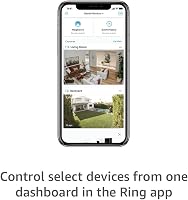
The Ring Sensors entry here is a 2-pack of Glass Break Sensors for the newest model. Ring says each sensor is built to recognize breaking glass while filtering common household noise.
The 2-pack format helps when you need to cover two rooms.
The EVA LOGIK window alarm uses vibration instead of sound. It is an 8-pack of ultra-thin alarms with a loud 120dB sound and vibration sensors for virtually any window.
That format suits many windows, a dorm room or an office, where one alarm per pane feels practical.
Rule: match the detection method to your window layout before you compare brands.
What happens when glass breaks: alert, siren or monitoring?
A Z-Wave glass break sensor can alert you in several ways, and the path matters as much as detection. Know whether you get a phone alert, a local siren, a hub alert, or a monitored response.
Some systems send an instant phone alert through an app. Others trigger a siren at the hub or at the sensor.
Some offer optional professional monitoring for an extra charge, where trained agents can request emergency dispatch.
A local siren helps people nearby and can deter an intruder, but it does not help if no one is home to hear it. A phone alert reaches you anywhere, but you still need to act on it.
Professional monitoring adds a human response, but it may require a subscription and a compatible base station.
Check what happens during a power or internet outage too. A hub with battery backup may keep working locally, while an alert that depends on the cloud may wait until service returns.
A standalone vibration alarm with its own siren keeps sounding without a hub.
The SimpliSafe sensor sends instant phone alerts through the SimpliSafe App, according to SimpliSafe. The Ring sensors send real time notifications through the Ring app, and Ring offers optional 24/7 professional monitoring with an eligible subscription.
The EVA LOGIK alarms sound a 120dB alarm at the window.
Rule: choose the alert path you will actually act on, not the one that sounds strongest.
How hard is setup for a Z-Wave glass break sensor?
A Z-Wave glass break sensor should be simple to set up, but the steps vary by system. Plan for pairing, placement testing and a sensitivity check before you call the job done.
Most sound sensors follow the same flow. Mount or place the sensor, power it on, start pairing in your hub or app, and confirm that the system sees the device.
Then test placement with a safe sound and adjust the spot if needed.
Vibration alarms often need less pairing and more mounting care. You place the alarm on the window, set sensitivity, and switch it on.
The EVA LOGIK alarms have high and low sensitivity settings to reduce false alarms, which helps on breezy days or with shaky frames.
Z-Wave glass break sensor battery and mounting
Battery life shapes long term setup too. The SimpliSafe sensor uses one lithium battery with an average life of 4 years, according to its specs.
That long interval reduces how often you need to change a battery, but you should still check the app for low battery warnings.
Also check the included hardware before you start. The SimpliSafe sensor includes extra adhesives, screws and the sensor itself, with peel and stick setup or hardware mounting.
If hardware is missing or you rent your home, use the adhesive option and test that the surface holds.
Rule: finish setup only after pairing, a safe test sound and a sensitivity check.
Which product suits renters, small rooms and many windows?
A Z-Wave glass break sensor choice should fit your housing and room size. Renters, small rooms and many windows each push you toward a different design.
Renters often need peel and stick or screw free mounting that leaves little damage. The SimpliSafe sensor supports peel and stick placement on a shelf or with included hardware.
The EVA LOGIK alarms are wire-free and need no tools, wiring or network connection, according to the product description.
Small rooms favor sound detection because one sensor can cover the windows within a short range. A bedroom or den with glass within 20 ft can be watched from one shelf.
A large open plan room may need a sensor placed closer to the farthest pane, or a second sensor.
Many windows favor vibration alarms because each unit watches one pane closely. An 8-pack gives you coverage across several rooms without buying a hub for each window.
The trade-off is battery care for each unit and a local siren instead of a phone alert.
Large homes with a hub may favor sound sensors tied to the main system. That gives you app alerts and a record of events in one place.
Our best glass break sensor guide compares more sound based options for that use.
Rule: pick peel and stick for renters, sound for small rooms and vibration packs for many windows.
How do you reduce false alarms in a busy home?
A Z-Wave glass break sensor should stay quiet on normal days and react to real breaks. Sensitivity, placement and household noise decide false alarms.
Keep sound sensors away from televisions, speakers, washing machines and kitchen prep areas where sharp sounds occur. Moving a sensor a few feet toward the glass and away from noise often helps more than changing a setting.
High sensitivity catches more noise, while low sensitivity can miss a quiet break at the edge of range.
The EVA LOGIK alarms offer high and low settings, so start low for a breezy window and raise only if needed. Test during a normal noisy hour too, since dogs bark at sharp sounds and toys can bang against glass.
Ring says its sensors filter common household noise, and SimpliSafe says its sensor is tuned to breaking glass, but placement still matters through a closed door.
Our how to use the Ring Alarm Keypad guide can help you arm and disarm cleanly, reducing alarm confusion.
Rule: place for clear glass sound first, then set sensitivity as low as it still detects.
Sound sensor or vibration alarm: which trade-off is honest?
A Z-Wave glass break sensor with sound detection trades close contact for wider coverage. You gain room coverage and lose precision on the exact pane.
A vibration alarm trades coverage for close contact. You gain a clear signal from one pane and lose the ability to cover a room with one unit.
Sound sensors tie into hubs and apps, so you get alerts in one system view beside door and motion sensors, but depend on hub and network for remote alerts.
Vibration alarms sound at the window on their own, which helps in a dorm, office or rental without a hub. The cost is no phone alert for people away from the window and battery care for each unit.
The SimpliSafe sensor covers a room within 20 ft, the Ring 2-pack spreads coverage across two rooms, and the EVA LOGIK 8-pack fits many windows with local sound and no hub.
Our best wired glass break sensor guide compares wired options, and our SimpliSafe glass break sensor guide explains that branded option.
Rule: choose sound for system alerts and coverage, vibration for one pane and local sound.
What maintenance and battery care should you plan for?
A Z-Wave glass break sensor needs little care, but it still needs checks. Battery status, mount strength and dust affect whether it works.
Check battery warnings on a schedule. SimpliSafe lists a 4 year average battery life, but you should still check before that interval ends.
EVA LOGIK alarms run on 3A batteries and need more frequent checks across many windows, with low battery shown by a continuously lit LED.
Keep the sensor clean and firmly mounted, wiping with a dry cloth and pressing adhesive edges back into place. Dust dulls hearing and a loose vibration alarm can slip, so do not paint over it or cover sound openings.
Test after room changes, since curtains, furniture, a television or pets can change sound paths.
Replace batteries before travel or severe weather, as a dead sensor leaves a gap you will not see until you return. Hub battery backup matters too, because a hub outage can stop alerts even if the sensor works.
Rule: check batteries, mounts and sound paths twice a year and after any room change.
Final rule for choosing a Z-Wave glass break sensor
A Z-Wave glass break sensor should fit your hub, your windows and your alert needs in that order. Pick sound for several panes, vibration for one high risk pane, and only a hub supported model.
Start by confirming hub support, then measure distance to each pane. If one sound sensor covers the glass within range, that is often simplest.
If panes sit in separate rooms, plan for more sensors or vibration alarms.
Choose the alert path next. Phone alerts suit most homeowners, a local siren suits a dorm or office, and professional monitoring suits buyers who want a human response.
Do not pay for a feature you will not use.
The SimpliSafe sensor suits a SimpliSafe system within 20 ft, the Ring 2-pack suits a Ring setup across two rooms, and the EVA LOGIK 8-pack suits many windows without a hub. See our best wired glass break sensor guide for wired options and our SimpliSafe glass break sensor guide for a branded deep dive.
Our outdoor motion sensor Zigbee guide compares outside motion coverage, and our best Honeywell glass break sensor guide gives another brand path.
Frequently asked questions
What should I check first when choosing a Z-Wave glass break sensor?
Check hub compatibility first, because a sensor that does not pair with your controller will not send alerts. Then check the detection method, stated range and placement rules for your windows and glass doors.
Is sound detection or vibration detection better for a glass break sensor?
Sound detection can cover several windows in one room within its range, while vibration detection watches one pane or frame closely. Choose sound for living areas and vibration for a single high risk window or door.
Can I use a glass break sensor without a hub?
Some sensors work only inside a branded security system, while others connect through a hub or a wireless network. Confirm how the sensor sends its alert before you buy, and do not assume Z-Wave means every hub will accept it.
Where should I place a glass break sensor?
Place it facing the glass you want to protect and inside the maker stated range. Sound sensors often sit on a shelf or wall in the room, while vibration alarms mount on the window or frame itself.