What Is an Auto Tracking Security Camera?
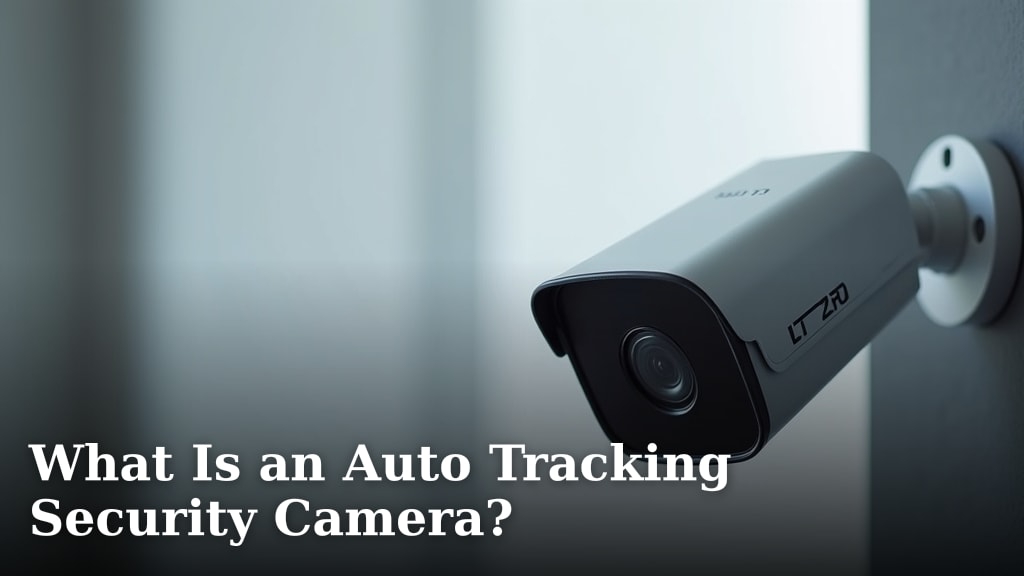
An auto tracking security camera is a type of camera that can automatically follow moving objects within its field of view. This means it can pan, tilt, and zoom on its own to keep a person or vehicle in the frame. It’s designed to provide continuous surveillance without needing manual adjustments. This keeps important activity from ever leaving your sight.
You might be wondering if this technology is worth it for your home or business. Auto tracking cameras add an extra layer of security by ensuring that moving subjects are always monitored. They can help you catch details you might otherwise miss, especially in larger areas. This is a smart upgrade for anyone wanting more advanced security.
- Auto tracking cameras follow movement automatically.
- They pan, tilt, and zoom to keep targets in view.
- This technology enhances surveillance by not missing action.
- It’s a good option for wider areas needing constant monitoring.
Let’s break down exactly how these smart cameras work and what makes them a great choice for your security needs.
Understanding Auto Tracking Security Cameras
An auto tracking security camera is a smart device designed to follow movement on its own. Think of it like a security guard with super vision who never blinks. It uses built-in technology to automatically pan (move side-to-side), tilt (move up-and-down), and zoom in on anything that moves within its view. This means it won’t miss a thing.
These cameras are a step up from traditional fixed security cameras. A regular camera stays pointed in one direction. If something happens just outside its view, you won’t see it. Auto tracking cameras solve this problem. They actively follow the action, ensuring you always have eyes on what matters most.
How Does Auto Tracking Work?
The magic behind auto tracking cameras lies in their sensors and software. Most of these cameras use motion detection technology. When they sense movement, a signal is sent to the camera’s internal motors. These motors then adjust the camera’s position to keep the moving object centered in the frame.
Motion Detection Sensors
Motion detection is the key trigger. These cameras are equipped with sensors that can identify changes in the scene. Some use passive infrared (PIR) sensors, which detect heat signatures. Others use pixel-based motion detection, where the camera analyzes changes in the image itself. When movement is detected, the camera springs into action.
Pan, Tilt, and Zoom (PTZ) Capabilities
Once motion is detected, the camera’s PTZ functions come into play. The pan ability allows it to sweep left and right across an area. The tilt function lets it look up and down. The zoom feature brings distant objects closer, allowing you to see more detail. Together, these functions enable the camera to follow a person or vehicle smoothly.
AI and Smart Detection
Many modern auto tracking cameras go beyond simple motion detection. They incorporate Artificial Intelligence (AI). This AI helps them differentiate between people, vehicles, pets, or even just leaves blowing in the wind. By distinguishing between different types of movement, they can reduce false alarms. This means you’re alerted to actual events, not just random occurrences.
Key Features and Benefits
Auto tracking security cameras offer several advantages over standard models. They provide more comprehensive coverage and can act as a deterrent.
Enhanced Surveillance Coverage
The primary benefit is uninterrupted monitoring. If a person walks across your yard, the camera will follow them. It won’t lose sight of them as they move. This is especially useful for covering large areas or busy locations where movement is constant. You get a continuous video feed of the event.
Deterrence of Intruders
Visible cameras can deter potential wrongdoers. An auto tracking camera that actively moves and follows someone can be quite intimidating. It signals that the property is well-protected and being watched closely. This added visibility can make someone think twice before attempting any mischief. Visible cameras can deter potential wrongdoers, much like a decoy camera can.
Improved Evidence Collection
When an incident does occur, having an auto tracking camera can be a big help. It can capture clearer footage of suspects or vehicles. Because the camera follows the subject, the image often remains sharp and detailed. This is vital if you need to provide evidence to law enforcement.
Reduced Manual Intervention
With a fixed camera, you might need to manually adjust its position to see something specific. Auto tracking cameras do this for you automatically. This saves you time and effort, especially if you’re managing multiple cameras or a large property. It’s a set-it-and-forget-it kind of convenience.
Where Auto Tracking Cameras Excel
These cameras are not one-size-fits-all. They are best suited for specific environments and security needs. Consider where you plan to install one.
Outdoor Use for Wide Areas
Front yards, backyards, driveways, and large parking lots are ideal spots. If you have a property line that stretches a good distance, an auto tracking camera can monitor a significant portion of it. It can follow a person as they approach your house or move across your lawn.
Commercial Properties and Businesses
Businesses often have more complex security needs. These cameras can monitor entrances, exits, loading docks, or storage areas. They provide a continuous view of activity, helping to prevent theft and ensure employee safety. For a store owner, it might track a shoplifter or monitor customer traffic.
Areas with High Activity
If you live near a busy street or a public park, an auto tracking camera can help monitor the perimeter of your property. It can distinguish between authorized visitors and unknown individuals or vehicles.
Factors to Consider Before Buying
Before you make a purchase, there are a few things to think about. These will help you choose the right camera for your specific situation.
Field of View and Tracking Range
Check the camera’s field of view. This is the area it can see without moving. Also, consider its tracking range. How far can it pan and tilt effectively? A wider field of view and a greater tracking range mean more comprehensive coverage.
Motion Sensitivity Settings
Look for cameras that allow you to adjust motion sensitivity. This helps prevent false triggers from small animals or environmental changes. Many offer customizable detection zones, so you can tell the camera which areas are most important to monitor.
Connectivity and Power
Most auto tracking cameras connect via Wi-Fi or Ethernet. Ensure you have a stable internet connection where you plan to install the camera. Also, consider its power source. Most require a constant power supply, either through a plug-in adapter or Power over Ethernet (PoE).
Night Vision and Weatherproofing
For outdoor use, ensure the camera has good night vision capabilities. Many use infrared LEDs to see in the dark. Also, check if it’s weatherproof. Look for an IP rating (like IP65 or IP66) which indicates its resistance to dust and water.
When a Fixed Camera Might Be Enough
While auto tracking cameras are impressive, they aren’t always necessary. Sometimes, a simple fixed camera is perfectly adequate. If you only need to monitor a small, static area, like a single doorway or a specific object, a fixed camera will do the job. They are often less expensive and simpler to set up.
If you have a very clear line of sight to a critical area and don’t anticipate much movement outside that specific zone, a fixed camera is a practical choice. It’s about matching the technology to your actual security requirements.
Setting Up Your Auto Tracking Camera Checklist
Ready to get your auto tracking camera up and running? Here’s a quick checklist to help you through the process:
- Choose the right location: Pick a spot with a clear view of the area you want to monitor.
- Ensure power and internet: Make sure you have access to a power outlet and a strong Wi-Fi signal.
- Mount the camera securely: Follow the manufacturer’s instructions for safe and stable installation.
- Connect to your network: Use the provided app or software to link the camera to your Wi-Fi.
- Configure settings: Adjust motion detection sensitivity, tracking modes, and notification preferences.
- Test the tracking: Walk through the monitored area to ensure the camera follows movement correctly.
Conclusion
An auto tracking security camera offers a powerful way to keep your property under constant watch. By automatically following movement, these cameras ensure you never miss important events. They provide enhanced coverage for large areas and can even deter potential intruders with their active monitoring. While not always necessary, for many situations, they represent a smart upgrade to your home or business security system. Take a moment to assess your specific needs and see if an auto tracking camera is the right fit for you to gain that extra peace of mind.
Frequently Asked Questions
Can auto tracking cameras distinguish between people and animals?
Many modern auto tracking cameras use AI to tell the difference. This smart detection helps reduce false alarms caused by pets or wildlife. You can often customize settings to focus on human or vehicle movement.
Do I need a strong Wi-Fi signal for an auto tracking camera?
Yes, a stable Wi-Fi connection is essential for most auto tracking cameras. This allows them to send footage and receive commands. Ensure your chosen location has good Wi-Fi coverage before installation.
How far can an auto tracking camera follow a subject?
The tracking range varies by model. Cameras can typically follow subjects within their motorized pan, tilt, and zoom capabilities. Always check the product specifications for the camera’s specific tracking distance.
Are auto tracking cameras difficult to set up?
Setup is generally straightforward. Most cameras come with an app that guides you through connecting to your Wi-Fi and configuring settings. Following the manufacturer’s checklist will ensure a smooth installation process.
Can I manually control an auto tracking camera if needed?
Yes, many auto tracking cameras allow for manual override. You can often use a mobile app or desktop software to pan, tilt, and zoom the camera yourself. This gives you full control when necessary.