Standalone Camera vs Security System, and Why It Matters
Standalone Camera vs. Security System: Which Is Right for You?
Picking between a standalone camera and a full security system can feel like choosing between a flashlight and a whole flashlight-and-batteries-and-case kit. One is simple and immediate. The other is more complete and coordinated. Your best choice depends entirely on what you’re trying to protect and how hands-on you want to be.
Let’s break down the real differences so you can pick the setup that truly fits your home or business. No tech jargon, just clear facts.
What Exactly Is a Standalone Security Camera?
A standalone camera is exactly what it sounds like: a single, self-contained unit. You buy it, plug it in or charge it, connect it to your Wi-Fi, and start viewing a live feed from your phone. Think of it as a smart webcam focused on security.
How a Single Camera Works
These cameras handle everything internally. Motion detection, video recording, and alerts all happen inside that one device. Footage is usually stored on a small memory card inserted into the camera, or it gets sent to a cloud service you subscribe to.
Key Features You’ll Find
- Two-Way Audio: Talk to visitors or warn off intruders directly from your phone.
- Motion Zones: You set specific areas in the camera’s view to watch for movement, reducing false alarms from passing cars.
- Night Vision: See clearly in the dark, usually in black-and-white infrared.
What Makes a Full Security System Different?
A security system is a team of devices working together under a central brain. This brain is often a small hub or a special panel. You might have door/window sensors, motion detectors, cameras, and a loud siren, all reporting to that central unit.
The big difference is professional monitoring. For a monthly fee, a security company’s call center watches for alarms. If a break-in is detected, they contact you and, if needed, dispatch the police or fire department.
The Role of the Central Hub
This hub creates a private, low-power network for your devices. It’s like a dedicated walkie-talkie channel for your sensors, separate from your home Wi-Fi. This can make the whole system more reliable and harder to jam.
Comparing Core Features: A Side-by-Side Look
When you put them next to each other, the distinctions become very clear. Here’s a practical comparison.
| Feature | Standalone Camera | Full Security System |
|---|---|---|
| Monitoring | Self-monitored via app alerts. | Optional professional 24/7 monitoring. |
| Components | Single camera unit. | Hub, sensors, keypads, cameras, siren. |
| Installation | DIY, usually under an hour. | DIY or professional installation. |
| Best For | Watching a porch, driveway, or specific room. | Protecting entire home entry points and triggering an emergency response. |
Why the Type of Protection You Need Matters
Choosing isn’t just about price. It’s about matching the solution to your specific fear or need. Are you trying to see who’s at the door, or are you trying to stop a break-in and get help fast?
When a Standalone Camera Makes Sense
A single camera excels at visual monitoring and deterrence. Its goal is to let you see, record, and communicate. We found it’s a great first step for many homeowners.
Great Uses for a Single Camera
- Package Theft Deterrent: Place it aimed at your doorstep.
- Checking on Pets or Kids: Use it as a nanny cam or to see what your dog does all day.
- Small Business Monitoring: Keep an eye on a single register or stockroom.
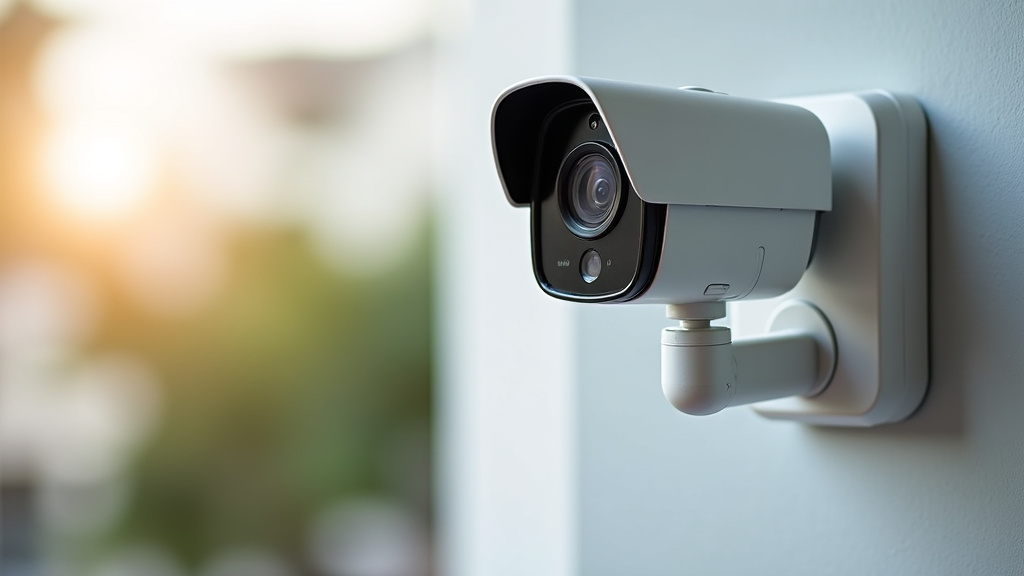
When a Coordinated Security System Is Smarter
A full system provides layered security. The cameras are just one part of a bigger picture. The sensors on doors and windows catch forced entry at the source, often before anyone even gets inside.
The Value of Automatic Alarm Response
This is the most significant difference. If a camera sends you an alert while you’re on vacation, you might not see it for hours. A professionally monitored system guarantees someone is alerted immediately to dispatch help. For many, this peace of mind is the entire point.
Understanding the Cost: Upfront vs. Long-Term
Let’s talk money honestly. The initial price tags are very different, and so are the ongoing costs.
Standalone Camera Costs
You pay once for the hardware, typically between $30 and $200 per camera. There may be a free tier for cloud storage, but continuous recording often requires a subscription of about $3 to $10 per month per camera.
Full Security System Costs
The startup cost is higher, often $200 to $1,000+ for a starter kit with a hub and several sensors. The key recurring cost is the monthly monitoring fee, which ranges from $10 to $50. This fee covers the 24/7 professional watch.
The Bottom Line: Which Should You Choose?
Your decision comes down to two questions: How much of your property needs protection, and what do you want to happen if something goes wrong?
If you want to keep an eye on a specific spot and handle alerts yourself, a standalone camera is perfect. It’s affordable, simple, and gives you visual proof.
If your goal is comprehensive protection with guaranteed emergency response, a security system is the way to go. It covers more ground and connects you to help automatically.
A Simple Decision Checklist
Run through these questions to find your answer.
- Is my main concern seeing activity in one specific area? (Standalone camera)
- Do I want sensors on all doors and windows? (Security system)
- Am I comfortable monitoring alerts myself? (Standalone camera)
- Do I want someone to call for help if I can’t? (Security system)
- Is my budget under $100 total? (Standalone camera is likely your only option)
- Am I protecting a business with after-hours inventory? (A system with sensors is highly recommended)
For many homeowners, starting with a quality standalone camera at the front door solves the most common worry. You can always add more cameras or upgrade to a full system later if your needs grow. The most important thing is that you take that first step toward better awareness and safety.
Conclusion
Choosing between a standalone camera and a full security system ultimately comes down to your specific needs. You need to match your protection to your main concern. A single camera is a smart, affordable choice for focused monitoring and deterrence. A full system provides layered defense with the added safety of automatic emergency response. Both are valid paths to better security. Your next step is simple: use the checklist from this article to decide which approach fits your situation. Then, take action to protect what matters most to you.
Frequently Asked Questions
Can I use a standalone camera as part of a larger security system later?
It depends on the brand and model. Many standalone cameras from companies like Ring or Nest can be added to a broader ecosystem. However, they often work best within their own brand’s app. Check the manufacturer’s compatibility list before purchasing if you plan to expand.
Do I need professional installation for a security system?
Most modern security systems are designed for DIY installation. They use wireless sensors and straightforward setup processes. However, some companies offer professional installation for an extra fee if you prefer not to handle it yourself.
What happens if my internet goes down with a standalone camera?
Your camera will likely stop sending live feeds and cloud alerts. Some models with local SD card storage will continue recording. A full security system with a cellular backup can still send alarms to the monitoring center during an outage.
Are standalone cameras vulnerable to being disabled easily?
They can be more vulnerable because they often rely on Wi-Fi and have no dedicated backup battery or separate communication network. A full system’s central hub and sensors are designed to be harder to jam or disable completely.
Is a monthly fee always required for a security system?
No, not always. You can find “self-monitored” systems that don’t include professional monitoring. You still get app alerts, but you are responsible for responding and contacting authorities yourself. This removes the recurring fee but also the guaranteed response.