What Is an NVR Hard Drive, and What It Does?
An NVR hard drive is a special type of storage designed for Network Video Recorders (NVRs). It is built to handle the constant recording of video footage from security cameras. Think of it as the NVR’s memory, where all your security recordings are saved.
When you set up a security system with an NVR, this hard drive is where the footage lives. It’s not just any old hard drive; it’s optimized for continuous operation. This means it’s made to write data 24/7 without failing, which is a big deal for security.
- An NVR hard drive stores video from your security cameras.
- It’s built for 24/7 recording and continuous writing.
- This allows your NVR to save footage reliably.
- It’s a key component for any NVR security system.
Let’s dive deeper into what makes an NVR hard drive different and why it’s so important for your security setup.
Understanding Your NVR’s Storage Solution
So, you’ve got an NVR system, and you’re wondering about the hard drive inside. It’s the **heart of your recording system**. This drive is where all those important video clips end up. Without it, your NVR can’t save anything for you to review later.
Think of it like a digital filing cabinet for your security cameras. The NVR directs the camera feeds to this specific storage. It needs to be **tough and reliable** because it’s always working. We’ll break down exactly what makes this drive special. For a more budget-friendly approach to deterrence, consider what a dummy camera can do.
What Exactly Is an NVR Hard Drive?
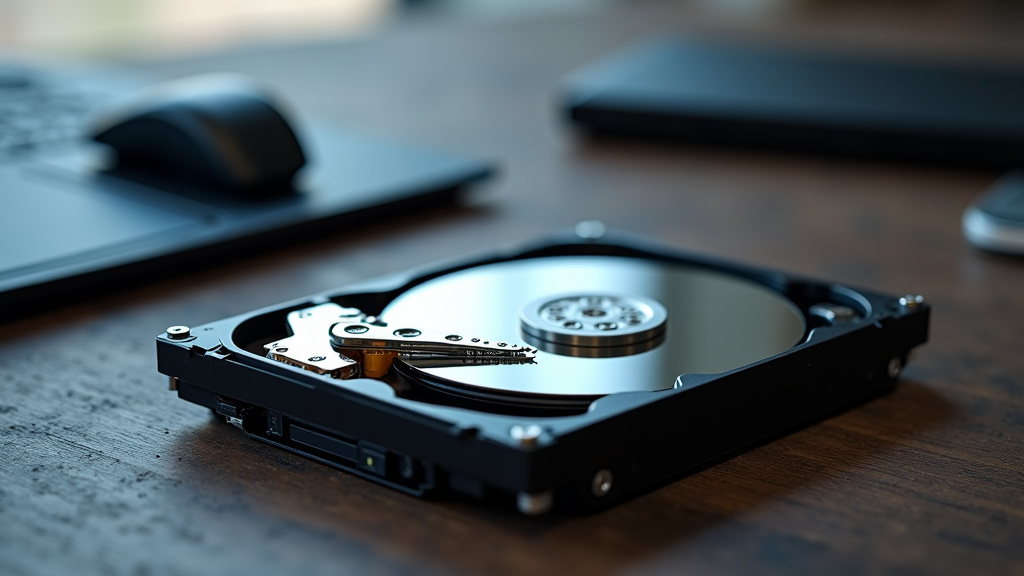
An NVR hard drive is a specialized storage device. It’s built to record and save video data from your security cameras. It’s not the same as the hard drive in your home computer. Those are usually made for occasional use, not 24/7 operation.
The key difference lies in its design. NVR drives are engineered for continuous read and write cycles. This means they can handle constant data flow without overheating or wearing out quickly. For a security system, this kind of **dependability is non-negotiable**. You need to know your recordings are safe.
How Does an NVR Hard Drive Work?
Your NVR system connects to your security cameras, usually over a network. The NVR acts as the central brain. It receives the video streams from each camera.
Here’s the simple breakdown of the process:
- Cameras Capture Video: Your security cameras are always filming.
- Video is Sent to NVR: The footage travels through your network to the NVR unit.
- NVR Processes and Compresses: The NVR prepares the video for storage. It often compresses the files to save space.
- Data is Written to Hard Drive: The NVR sends the video data to the hard drive for permanent saving.
- Continuous Recording: This process repeats constantly, filling up the drive over time.
When the drive gets full, the NVR usually has a setting called “overwrite.” This means it will start deleting the oldest footage to make room for new recordings. It’s a common feature to ensure you always have the most recent video available.
Why Are NVR Hard Drives Different from Regular Hard Drives?
The primary distinction is their purpose and construction. Regular desktop computer hard drives are designed for bursty workloads. They might save a document or load a program, then sit idle.
NVR drives, on the other hand, are built for **always-on performance**. They are optimized for:
- Higher Write Endurance: They can handle writing data for extended periods.
- Reduced Vibration and Heat: They are built to operate in enclosed NVR units.
- Lower Power Consumption: They aim for efficiency during continuous operation.
- Data Integrity: They prioritize keeping recorded data safe and error-free.
Many experts recommend using drives specifically designed for surveillance systems. Using a standard desktop drive in an NVR can lead to premature failure. This could mean losing important video evidence. That’s why choosing the right drive is a smart move.
Workload Ratings Explained
Hard drives have a “workload rating.” This is measured in terabytes written per year (TBW). A standard desktop drive might have a rating of around 55TBW.
Surveillance hard drives often have ratings from 180TBW up to 600TBW or more. This higher rating means they are built to withstand significantly more data writing over their lifespan. It’s a clear indicator of their intended use.
Comparing Drive Types
Let’s look at a quick comparison:
| Feature | Desktop Hard Drive | NVR/Surveillance Hard Drive |
|---|---|---|
| Intended Use | General computing, occasional writes | 24/7 continuous recording, high write volumes |
| Workload Rating (TBW) | Lower (e.g., 55 TB/year) | Much Higher (e.g., 180-600+ TB/year) |
| Reliability in NVRs | Lower, prone to failure with constant use | Higher, designed for constant operation |
| Vibration Tolerance | Moderate | High, designed for multiple drives in chassis |
As you can see, the differences are quite clear. The NVR drive is built for the **demands of constant surveillance**. This makes it a more suitable choice for your security system.
What Does an NVR Hard Drive Do for Your Security System?
The NVR hard drive is essentially your system’s long-term memory. It performs several vital functions:
1. Stores All Your Footage
This is its primary job. Every second of video captured by your cameras is sent to the NVR and then written to the hard drive. This allows you to have a **historical record** of events.
2. Enables Playback and Review
Without the drive, you couldn’t go back and watch recordings. You wouldn’t be able to review footage from a specific time or date. The hard drive makes **accessing past events possible**.
3. Supports Continuous Recording
The drive’s ability to handle constant writing means your NVR can record 24/7 without interruption. This is essential for **comprehensive security coverage**. You don’t want gaps in your recording history.
4. Handles Large Data Volumes
High-definition security cameras generate a lot of data. NVR hard drives are designed to manage these large amounts of information efficiently. They can store days, weeks, or even months of footage, depending on the drive size and camera settings.
5. Ensures Data Integrity
These drives are built with technologies that help prevent data corruption. This is extremely important when you’re relying on your recordings for **evidence or security verification**. A failed recording could be problematic.
Key Features to Look For in an NVR Hard Drive
When you’re choosing a hard drive for your NVR, a few things are worth considering to ensure you get the best performance and reliability for your needs. Remember, this isn’t about getting the absolute fastest drive, but the most dependable for recording.
Capacity (Storage Space)
This is usually the first thing people think about. How much footage do you want to keep? Drive capacities are measured in Gigabytes (GB) and Terabytes (TB).
- Smaller Systems: For a few cameras and short retention periods (a few days), 1TB or 2TB might be enough.
- Medium Systems: For more cameras or longer retention (1-2 weeks), 4TB to 8TB is common.
- Larger Systems: For many cameras, high-resolution footage, or months of storage, you might need 10TB, 16TB, or even larger drives.
Many experts suggest calculating your needs based on camera resolution, frame rate, and desired recording duration. This helps you avoid buying too little or too much space.
Reliability and Endurance
As we discussed, look for drives marketed for surveillance or NVR use. These will have higher workload ratings and are built for **24/7 operation**. Brands often specify that their drives are designed for continuous recording.
Compatibility
Always check your NVR’s manual or the manufacturer’s website. They will often list **compatible hard drive sizes and types**. Using a drive that isn’t supported might cause issues or void your warranty.
Specific Surveillance Drive Technologies
Many surveillance drives include technologies to improve performance and reliability in a video recording environment. Some may have:
- AllFrame™ Technology (Western Digital) or similar: Helps reduce frame loss and improve overall video playback.
- Smarter Power Management: Designed to be more energy-efficient during constant operation.
- Vibration Protection: Especially important if your NVR has multiple drive bays.
These features are designed to give you a **smoother, more reliable recording experience**. They are a key reason why dedicated surveillance drives are recommended.
Do You Need a Special Hard Drive for Your NVR?
Yes, it’s highly recommended. While a standard desktop hard drive *might* work for a short time, it’s not built for the constant demand of an NVR. Think of it this way: would you use a race car engine for daily commuting? Probably not.
Using a drive not designed for 24/7 surveillance can lead to:
- Premature drive failure.
- Lost or corrupted recordings.
- System instability.
Investing in a drive specifically made for NVRs is a small price to pay for the peace of mind that your security footage is being reliably captured and stored. It’s a foundational piece for your security.
Quick Checklist for Your NVR Hard Drive Purchase
Before you buy, run through this quick list to make sure you’re on the right track:
- Is it labeled for surveillance or NVR use?
- Does it have a high workload rating (TBW)?
- Is the capacity sufficient for your recording needs?
- Is it compatible with your specific NVR model?
- Does it come with a decent warranty for peace of mind?
Conclusion
You’ve learned that an NVR hard drive is a specialized storage device built for the demanding task of 24/7 video recording. Unlike your computer’s drive, it’s designed for constant writing and high reliability. This ensures your security cameras’ footage is always saved and accessible when you need it most. Choosing the right NVR drive is fundamental for a dependable security system. Now that you understand its importance, your next step is to check your NVR’s compatibility and select a drive that meets your storage needs and budget. This simple step ensures your system is set up for success.
Frequently Asked Questions
How long does an NVR hard drive typically last?
An NVR hard drive, designed for continuous operation, can last several years. Factors like its workload rating, operating temperature, and the quality of the drive itself influence its lifespan. Most reputable surveillance drives come with warranties of 3 to 5 years, offering peace of mind.
Can I use any hard drive in my NVR?
While some NVRs might accept standard desktop drives, it’s not recommended. Desktop drives aren’t built for the constant write cycles of an NVR, which can lead to premature failure. Always check your NVR’s manual for compatible drive types, and ideally, use drives specifically designed for surveillance or NVR systems.
What happens when an NVR hard drive is full?
Most NVRs are configured to automatically overwrite the oldest footage when the hard drive becomes full. This “loop recording” feature ensures that your system always has space to record new video. You can typically adjust the overwrite settings in your NVR’s menu.
How much storage space do I need for my NVR?
Storage needs vary based on the number of cameras, their resolution, frame rate, and how long you want to retain recordings. A good rule of thumb is to use an NVR storage calculator, often provided by drive manufacturers, to estimate your requirements. For example, a few cameras might need 2-4TB for a week of footage, while larger systems could require 8TB or more.
Is an NVR hard drive noisy?
NVR hard drives are generally designed to operate quietly, especially compared to older desktop drives. However, some subtle operational sounds might be present, particularly if your NVR has multiple drives running. Most users find the sound levels to be unnoticeable in a typical home or business environment.